
USA RDP is one of the options that you can consider for your career development, If looking for web hosting with features like instant delivery, unlimited bandwidth, and low ping time, NeuronVM will be with you. Today, I want to talk about how to purchase USA RDP that is suitable for all businesses, So stay with us until the end of this tutorial.
Get USA RDP from NeuronVM
To start the process of purchasing USA RDP, follow the steps below carefully.
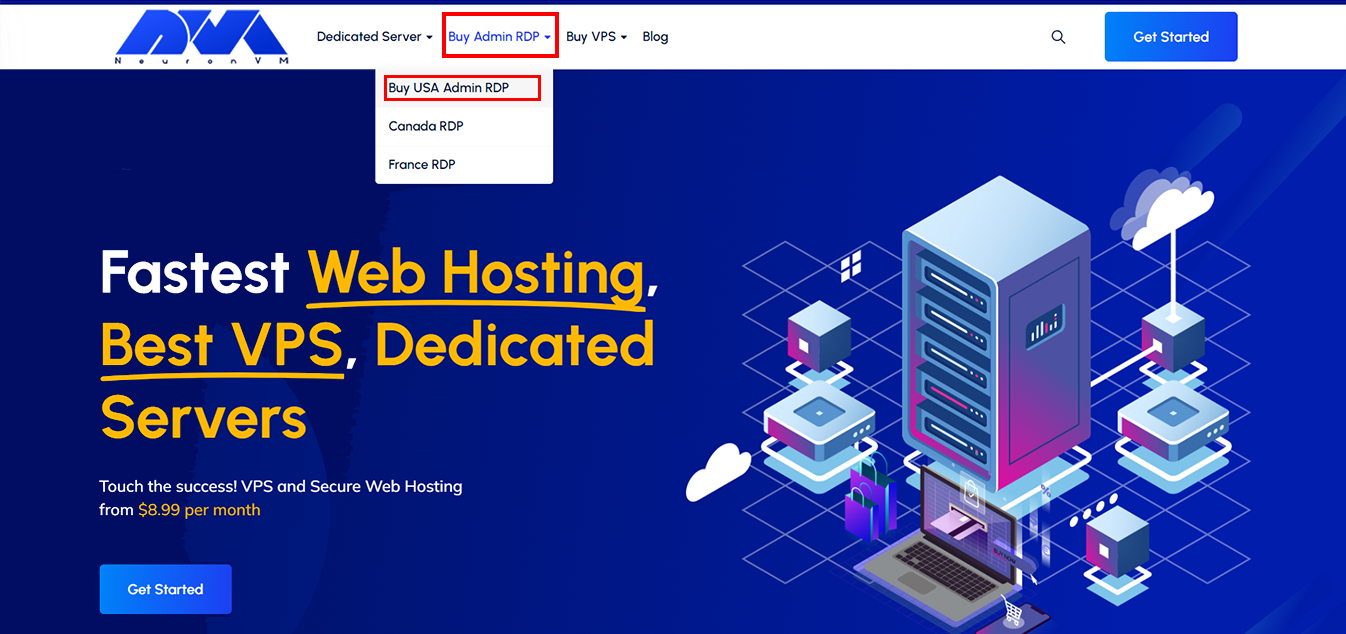
Open the NeuronVM website. Then hold the mouse over the Buy Admin RDP option in the main menu and click on Buy USA Admin RDP:
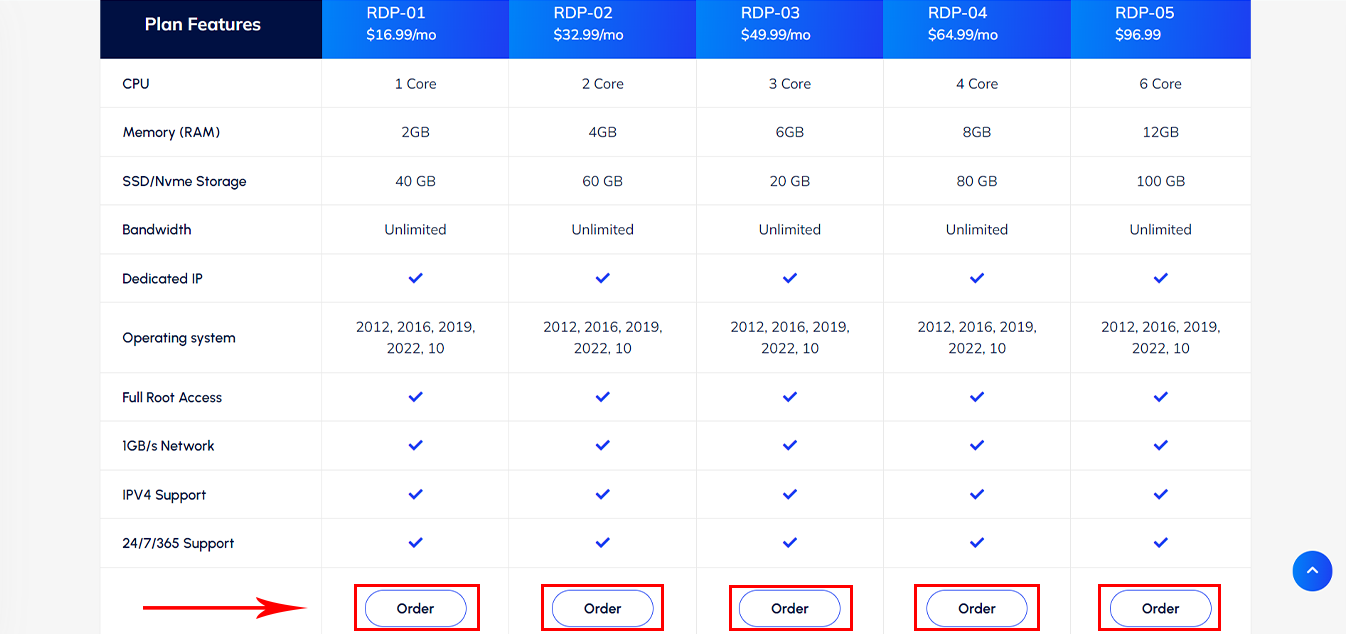
We have prepared ” Various Plans ” with different specifications for you, read them and choose the most suitable one:
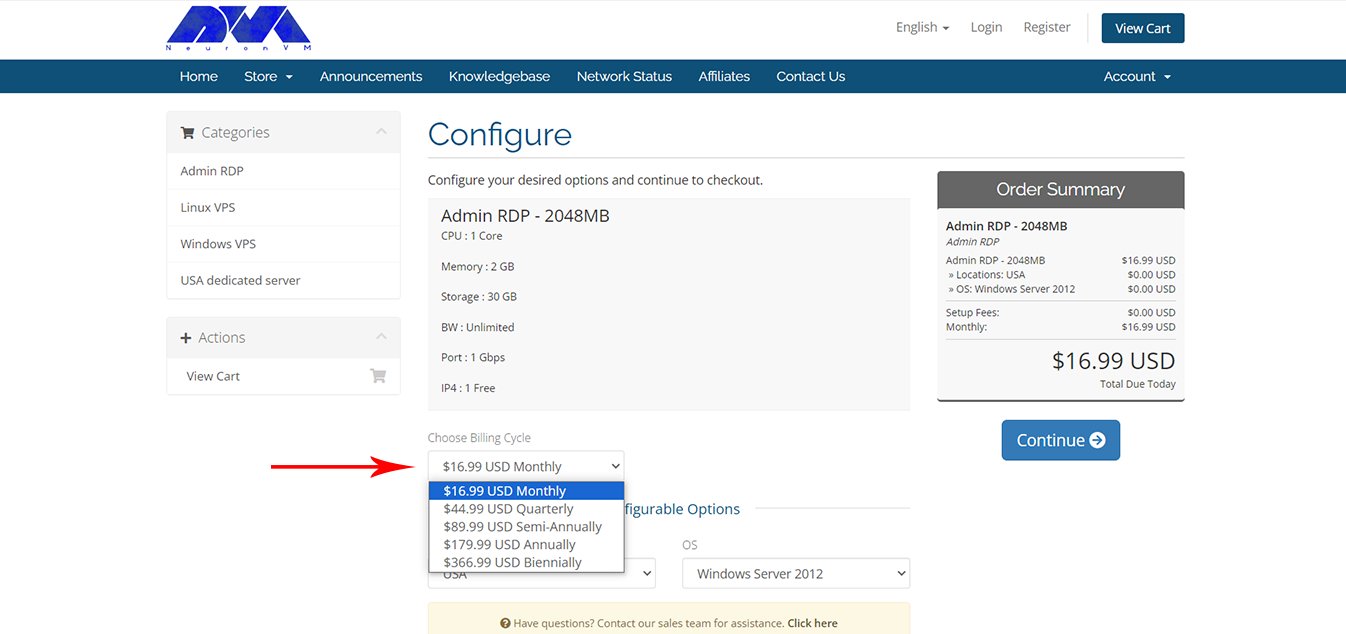
Please select your “Billing Cycle” from the options provided on the page below:
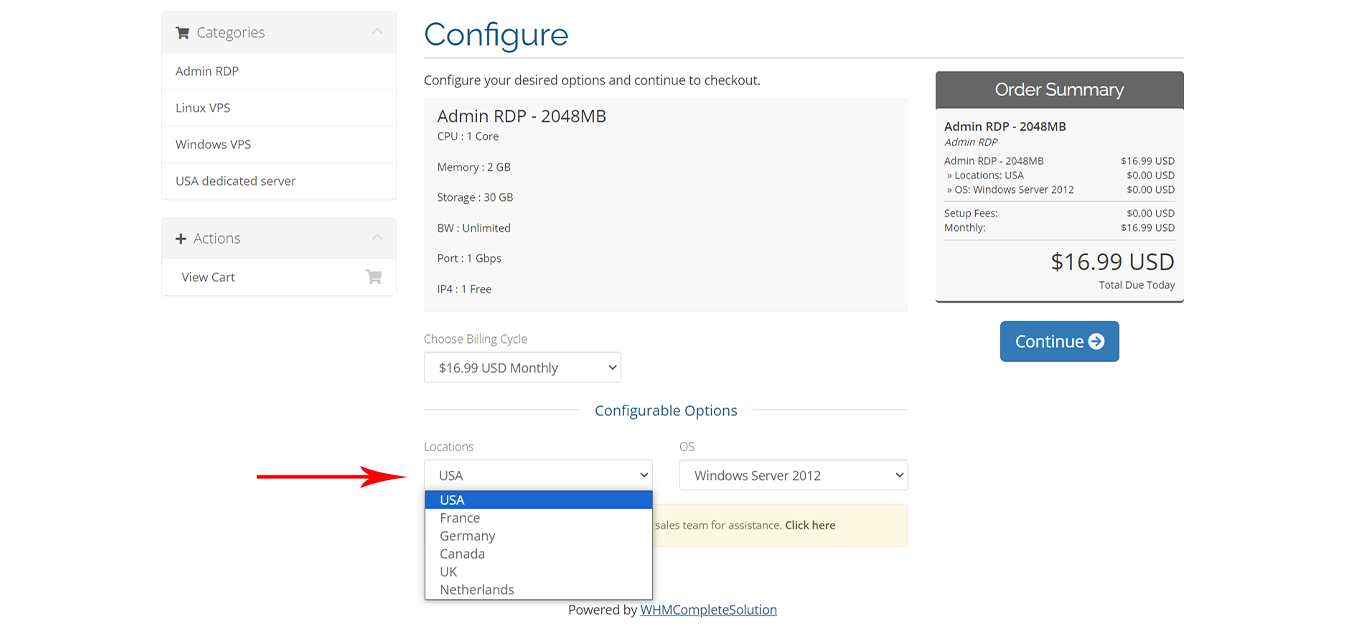
In the “Location” section, you must select the USA:
You also have an option to choose the “Operating System“:
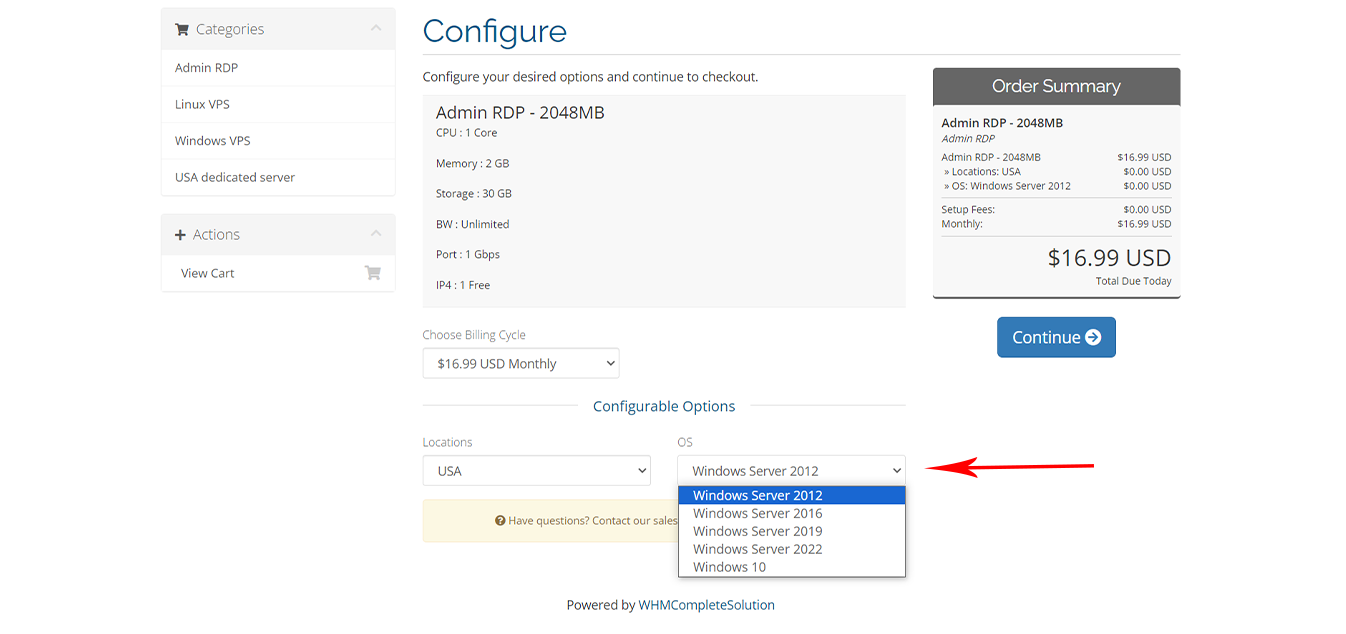
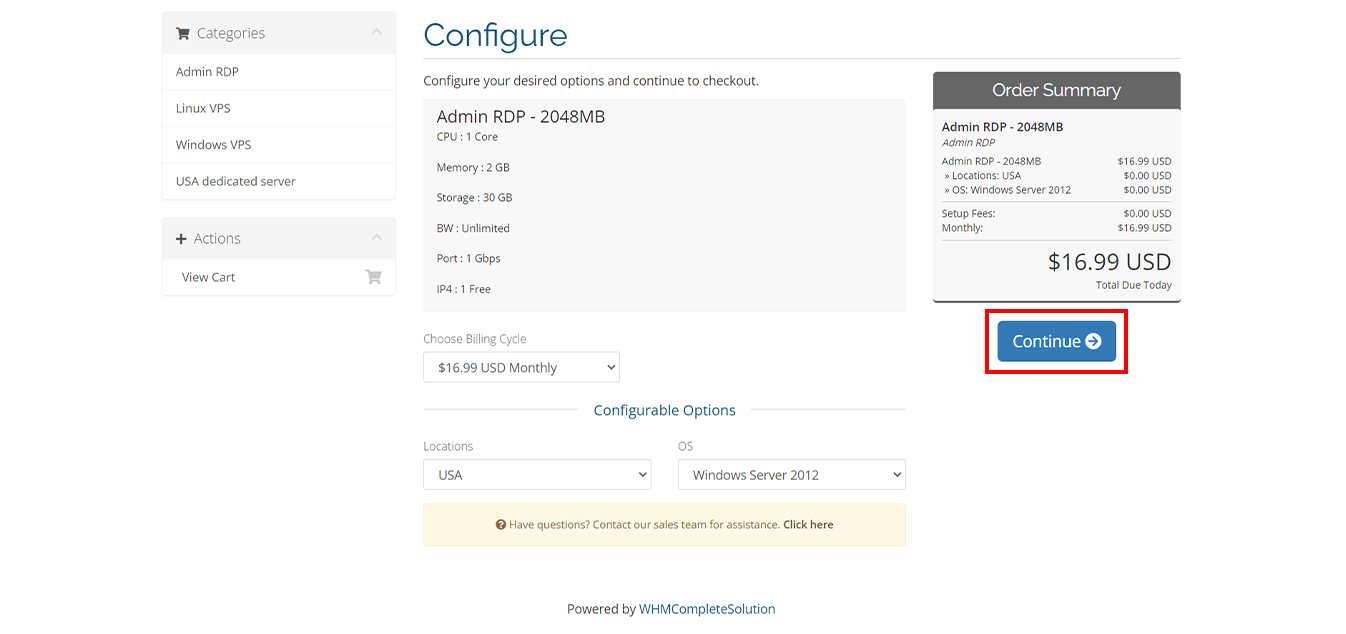
After making the necessary settings, click the ” Checkout ” option:
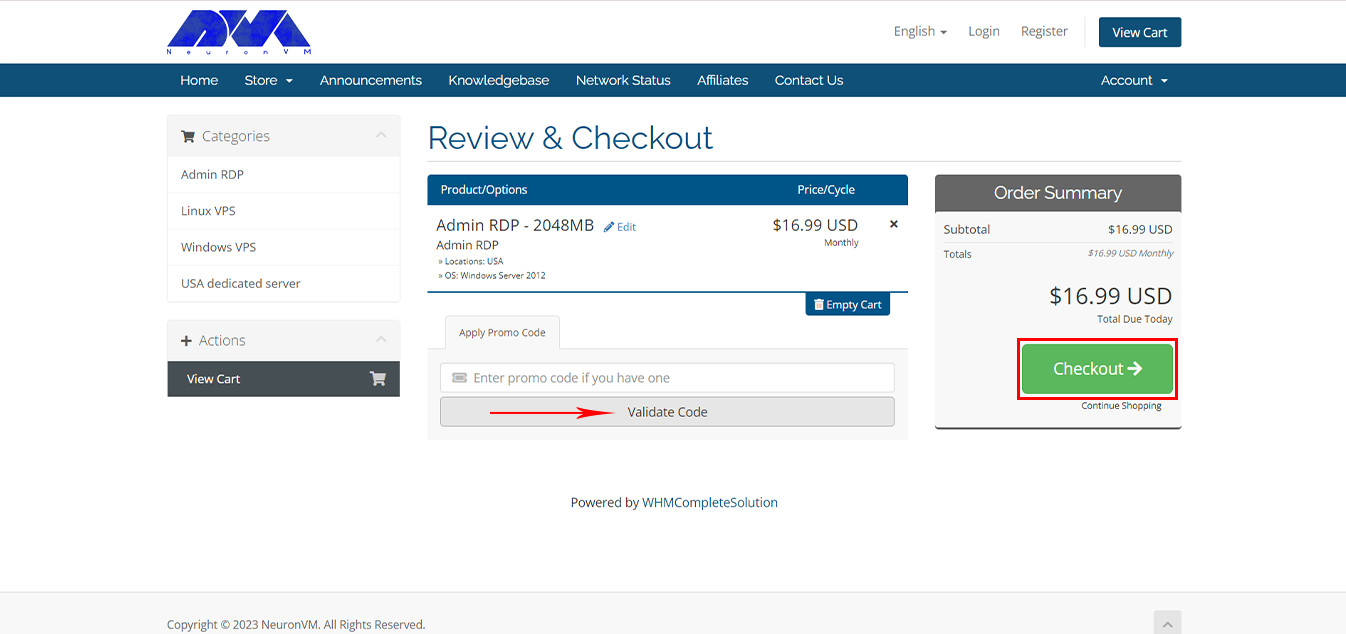
If you have a “Discount Code“, enter it in the box below to enjoy its benefits. Then, click on Checkout:
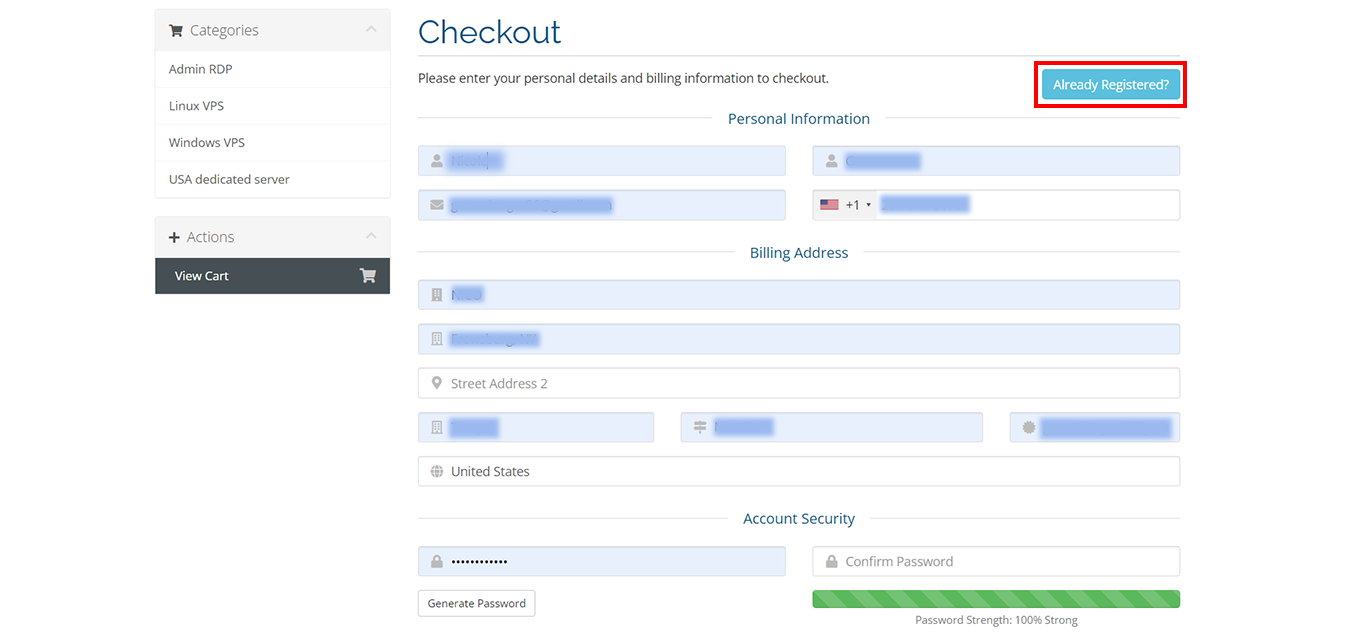
To connect to the payment stage, you must enter the information requested from you in the boxes below, but if you already have an account, click on the “Already Registered” option:
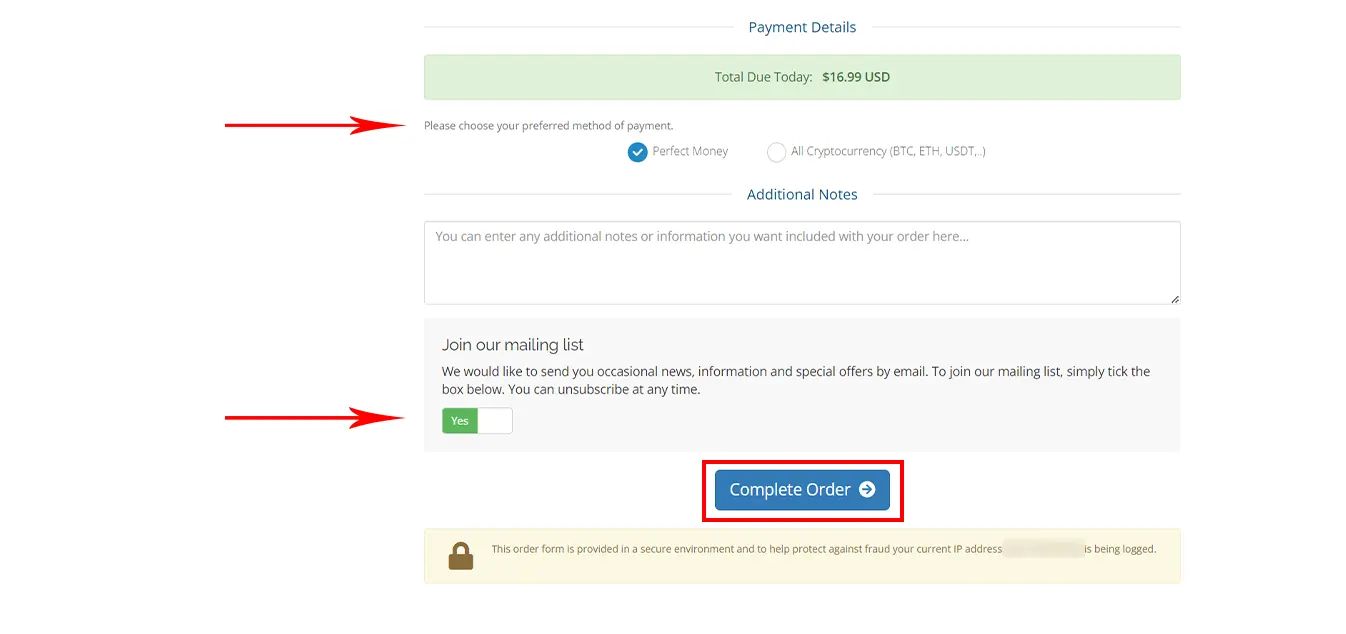
You can choose how to pay for the service as you wish, (Perfect Money | All Cryptocurrency). Also If you want, you can keep the email-sending option active to receive special offers. Click on Complete Order:
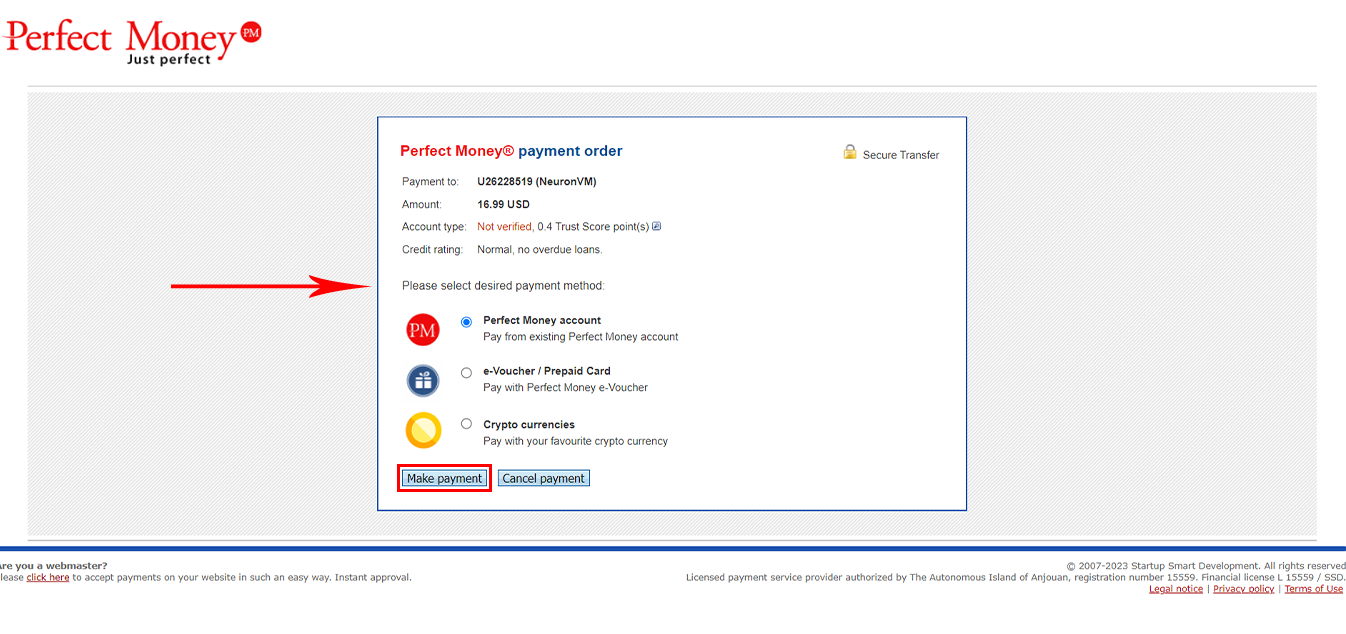
Please choose one of the alternatives below, and click on the “Make Payment” button:
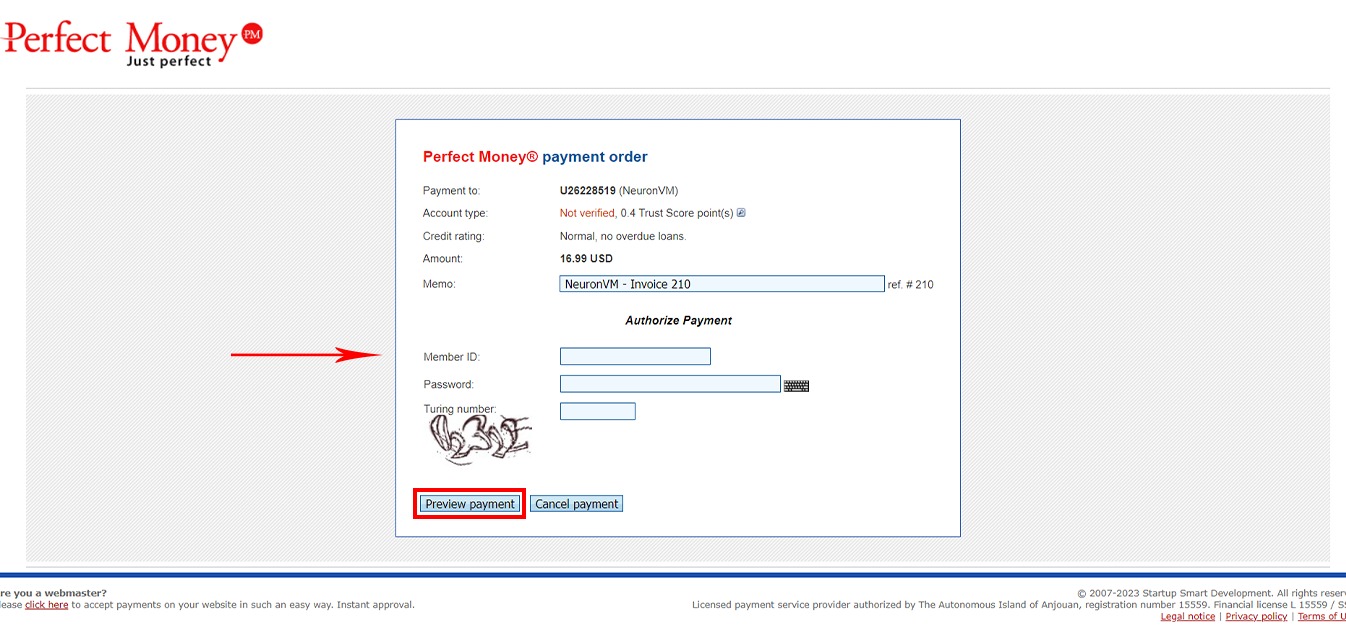
Finally, enter payment information to complete your order:
After a few minutes, your server information will be sent to you via email. Now, your USA RDP service is ready for use!
Conclusion
I hope that the above steps have been a good guide for you to purchase USA RDP from NeuronVM. Also, you can get free RDP from NeuronVM by doing some simple stuff. In case of any problem, you can contact NeuronVM experts 24/7 via the ticket section in your client area.
Leave a Reply