
Knowing and understanding the RDP protocol is very important, Both normal users and people working in the field of computer networks, security, and network monitoring should have Remote Desktop Protocol to avoid security risks and attacks through RDP. In this tutorial, we will introduce you to how to buy Canadian RDP, which is one of the best, if you are planning to buy Cheap Canada RDP, follow this tutorial.
Buy Cheap Canada RDP From NeuronVM
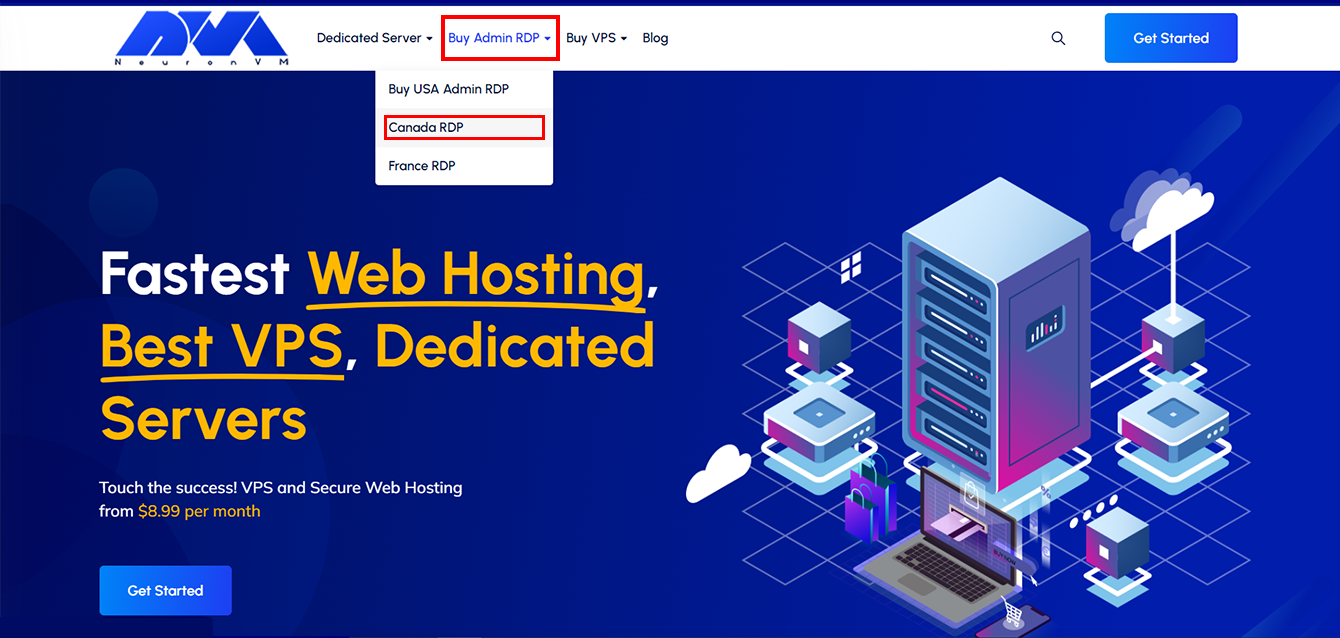
To start, on the first page of the “NeuronVM” website, click on “Buy Admin RDP” in the menu bar and then click on “Canada RDP“.
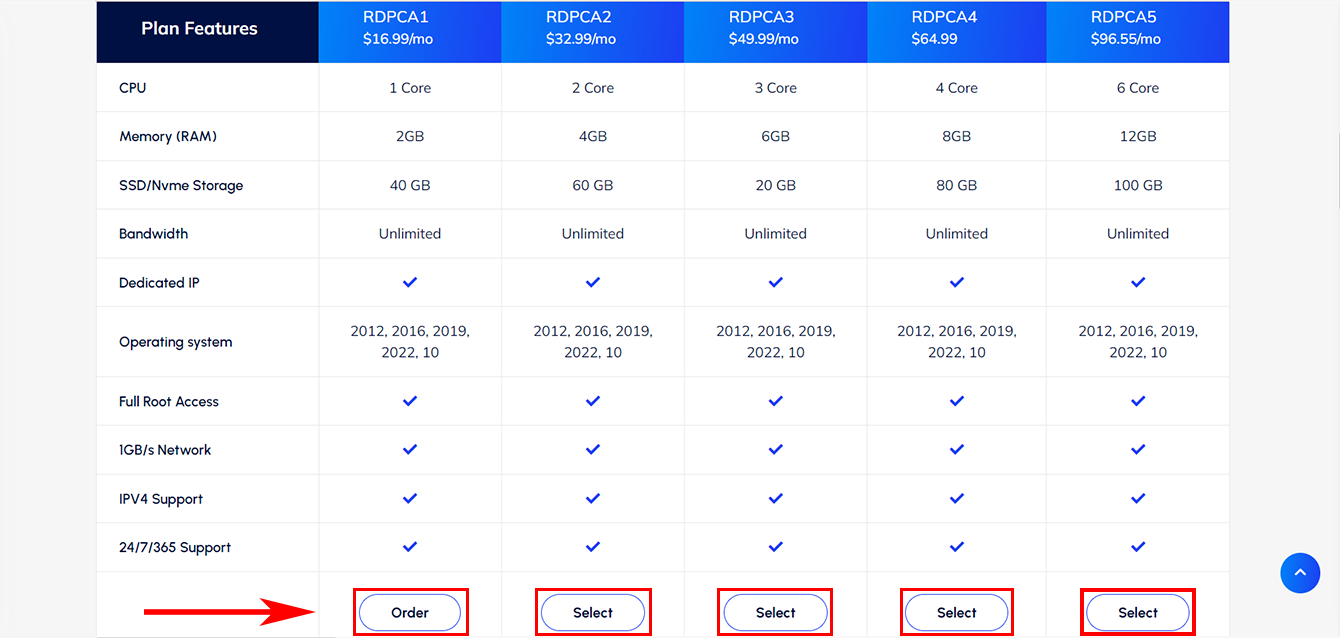
We have prepared 5 useful plans for you. Please study the features of each plan and choose one that best suits your needs by clicking on “Order“:
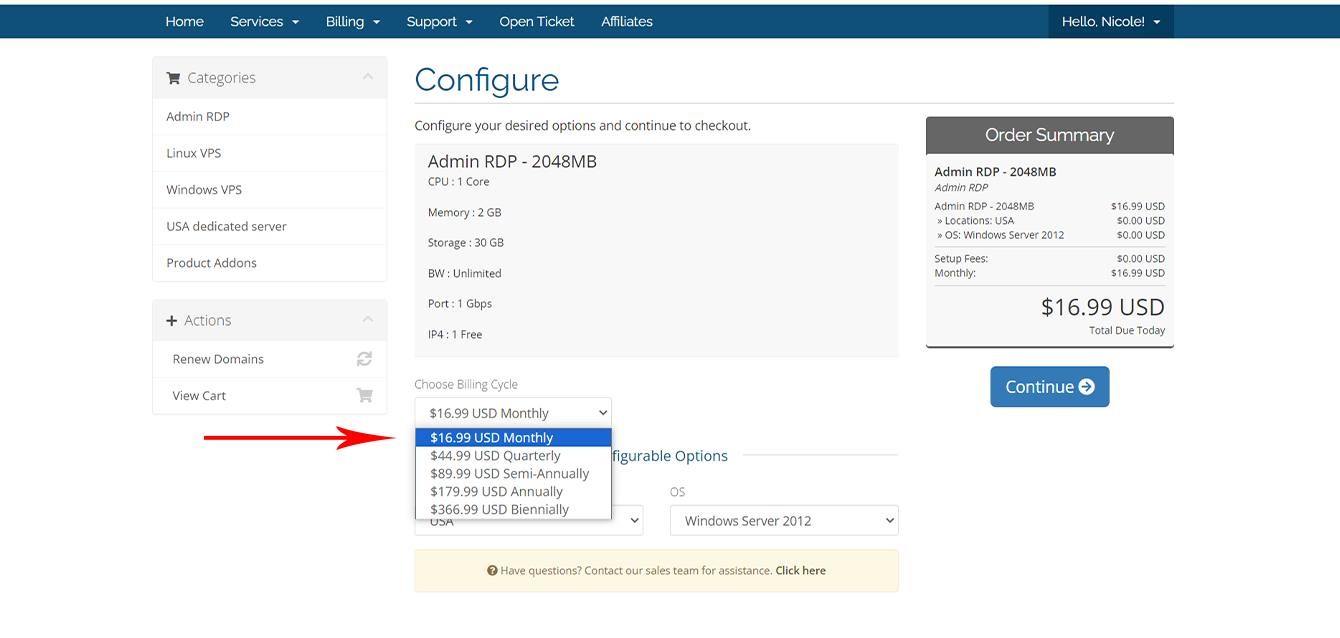
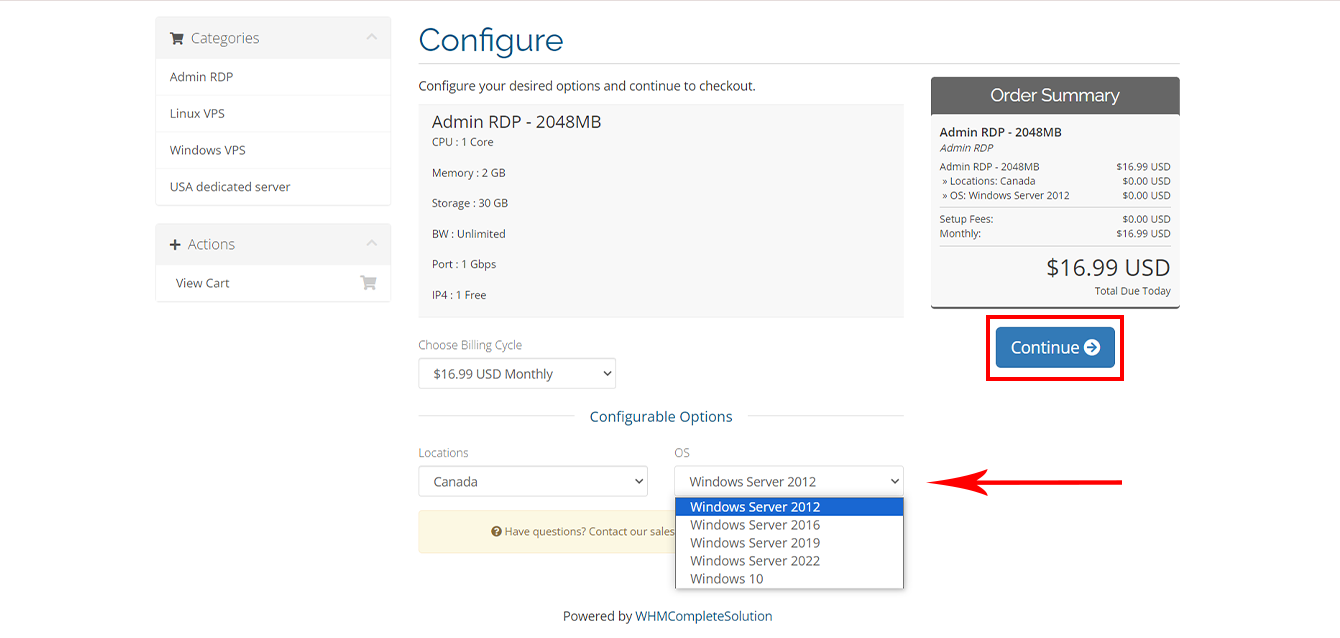
On this page, you need to personalize your order, for this first select the duration of Canada RDP service:
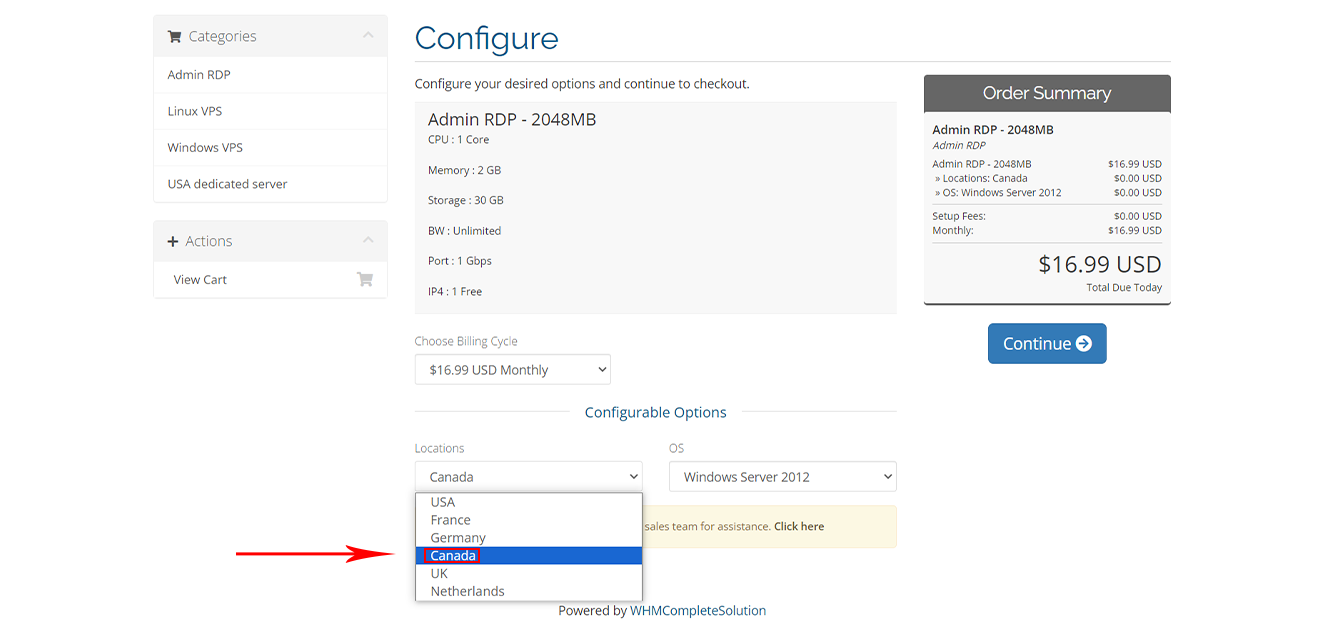
Set your location to “Canada“:
Select your desired operating system, and “Continue“:
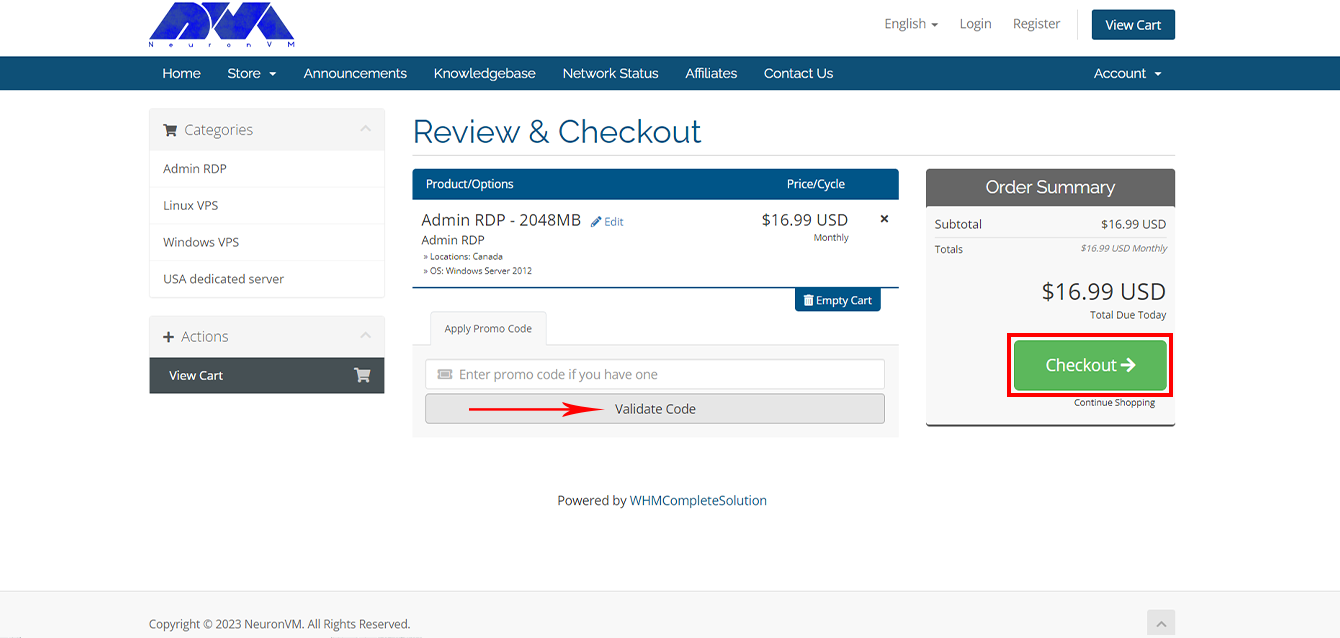
Enter your valid “Discount Code” and click on “Validate Code” to enjoy its benefits:
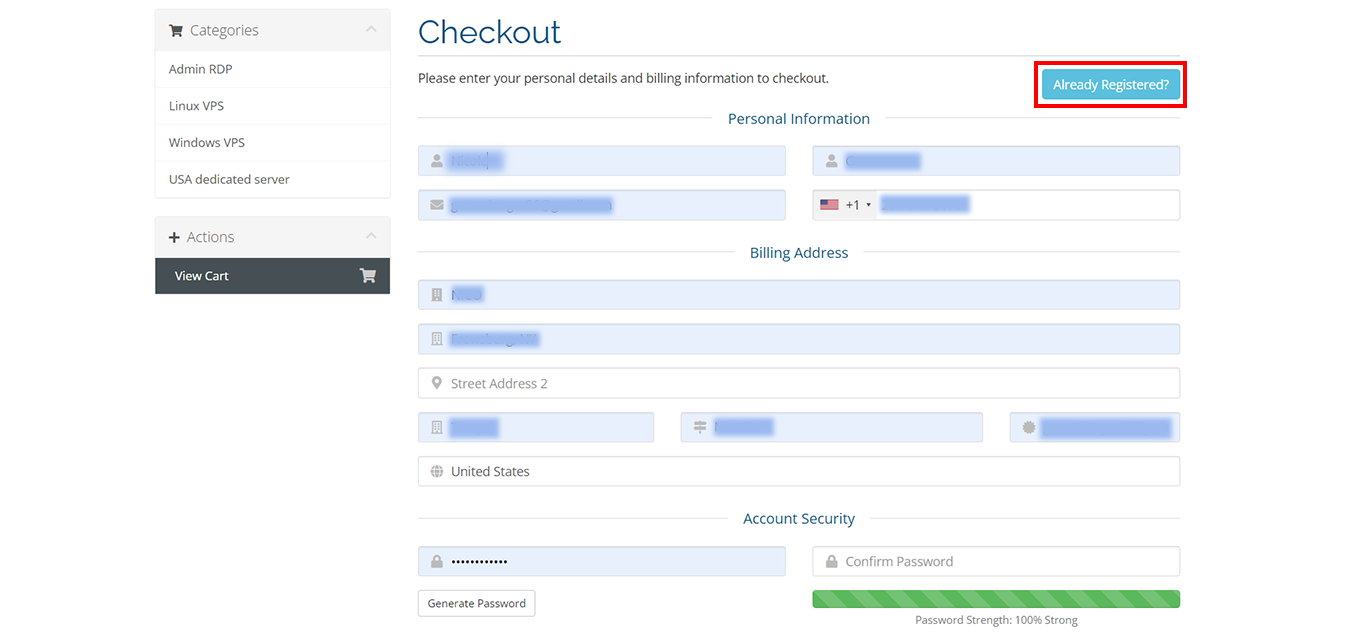
Fill in the requested information in the boxes below, if you have already registered, select the “Already Registered” option:
We have two “Payment Methods” here that you can select from your preferred method, Also, if you want to receive discount codes and the latest news of NeuronVM, activate the green option:
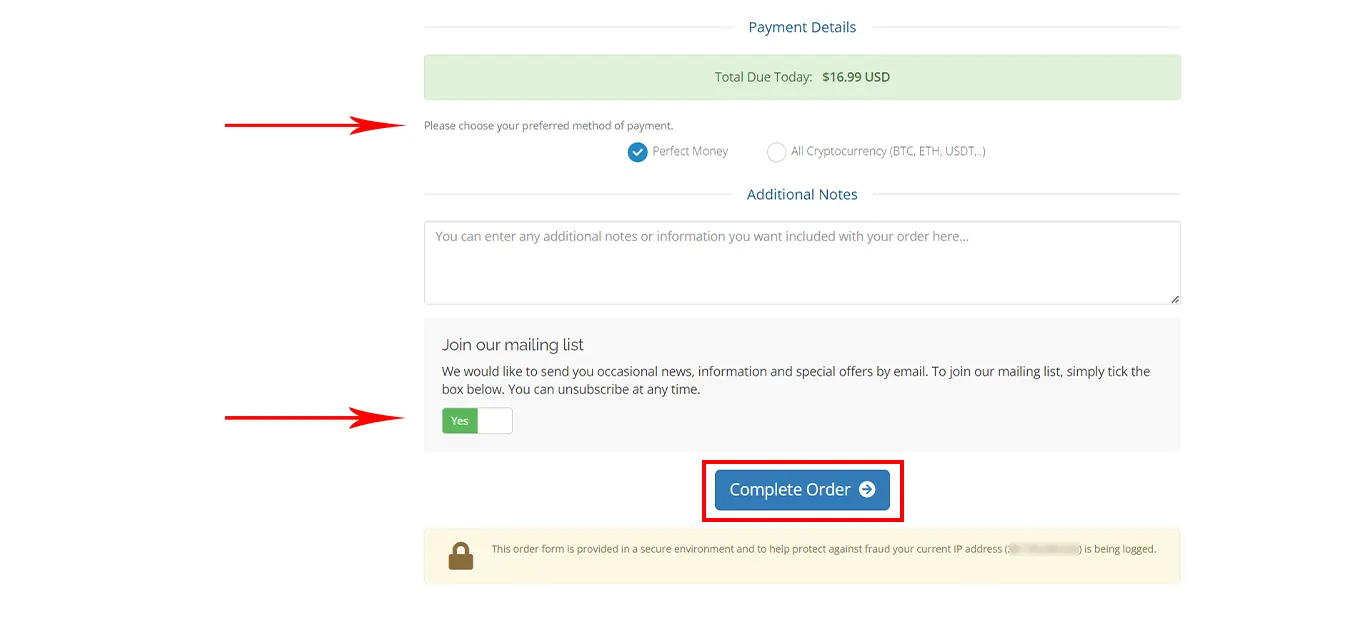
Choose one of the Payment options:
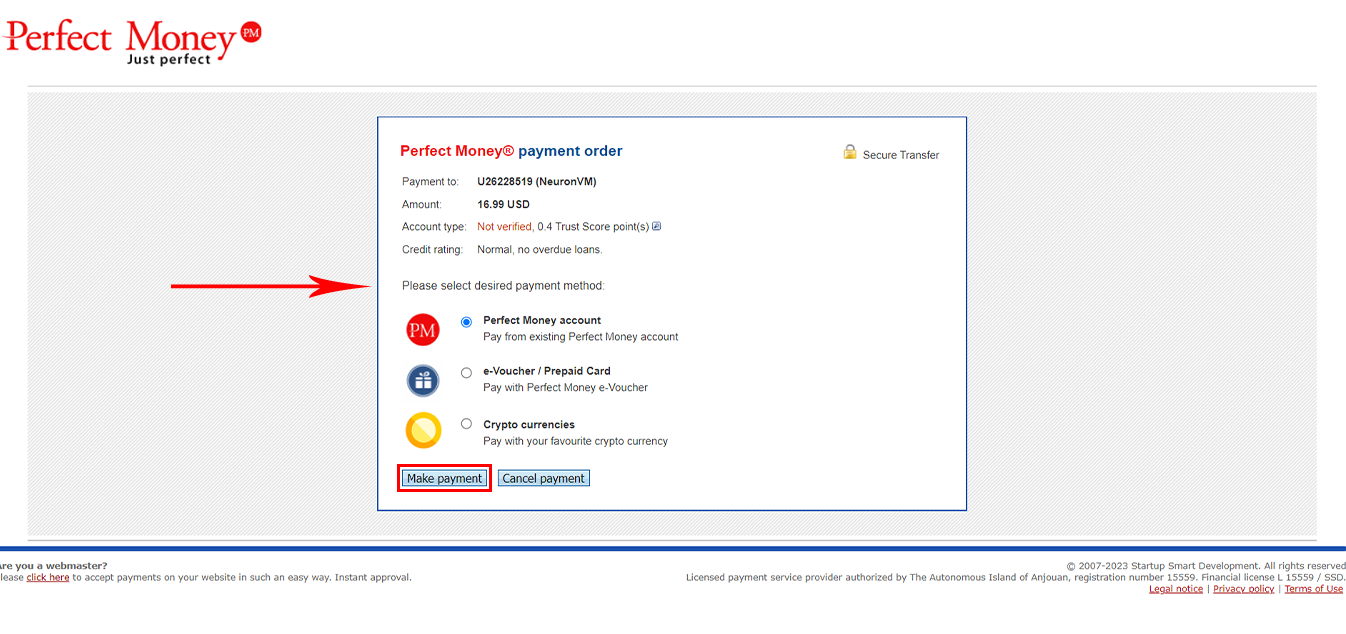
For the “Final Payment“, enter the requested information and click the Preview Payment option:
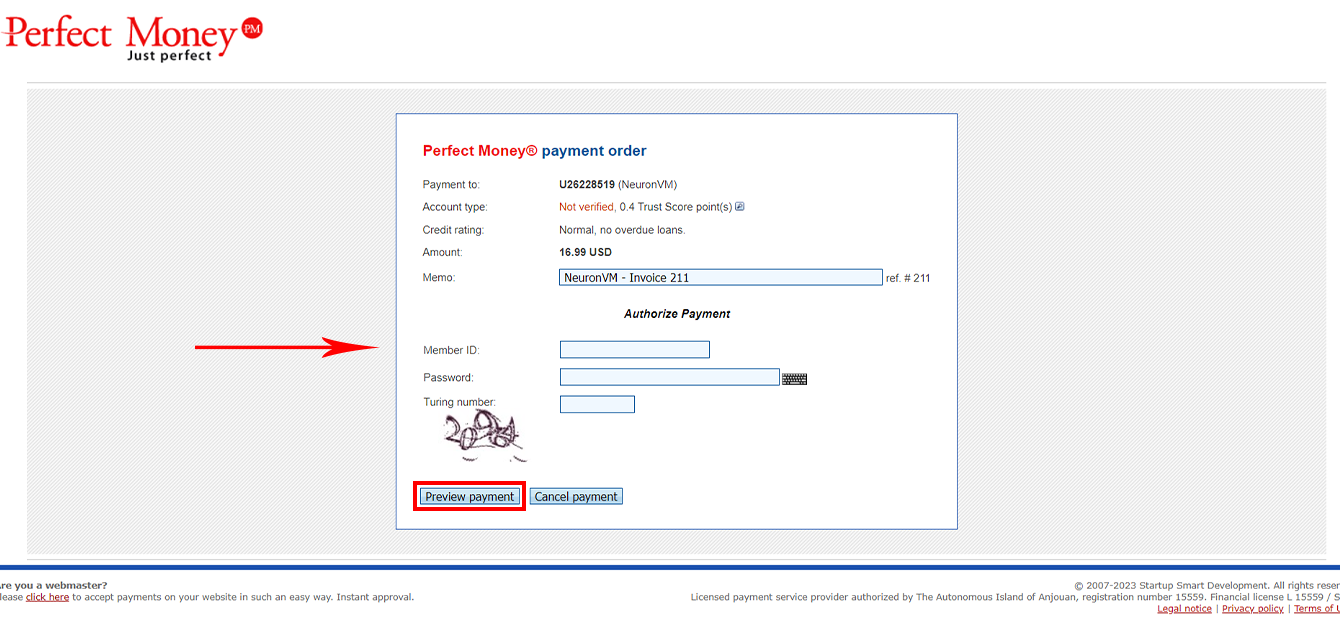
Your “Canada RDP” order is now complete, and you are now able to access the Canada RDP that you ordered.
Conclusion
Thank you for staying with us until the end of this tutorial. Also, you can get free RDP from NeuronVM by doing some simple stuff. If you have any questions, you can contact the support section of the NeuronVM website 24 hours a day.
Leave a Reply