Have you ever thought about this? Why would someone buy a VPS? Let me help you out! For a successful online presence and unmatched performance, You need to buy VPS. If you are a web developer, E-commerce business, remote worker, freelancer, or gaming community member, this service is specific to your needs. Continuing this post, We have the right solution for you to buy a VPS from NeuronVM, decent quality at a reasonable price.
Get VPS from NeuronVM
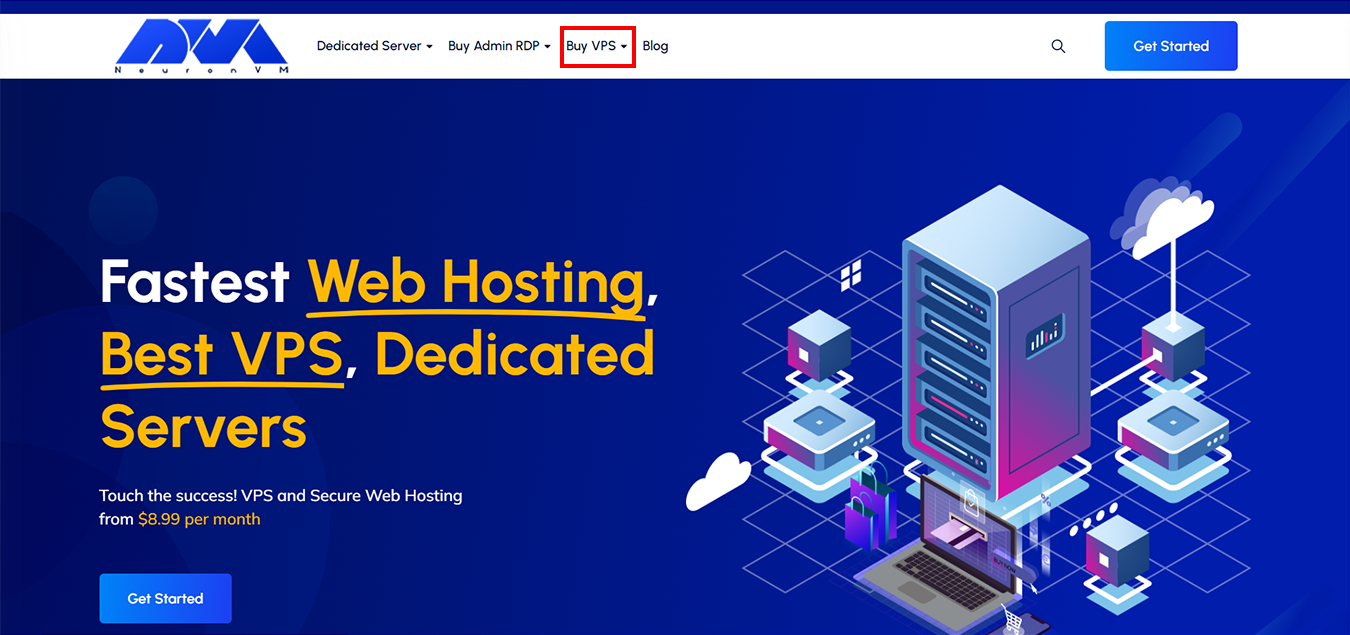
To get started, you should log in to the NeuronVM website and click on Buy VPS:
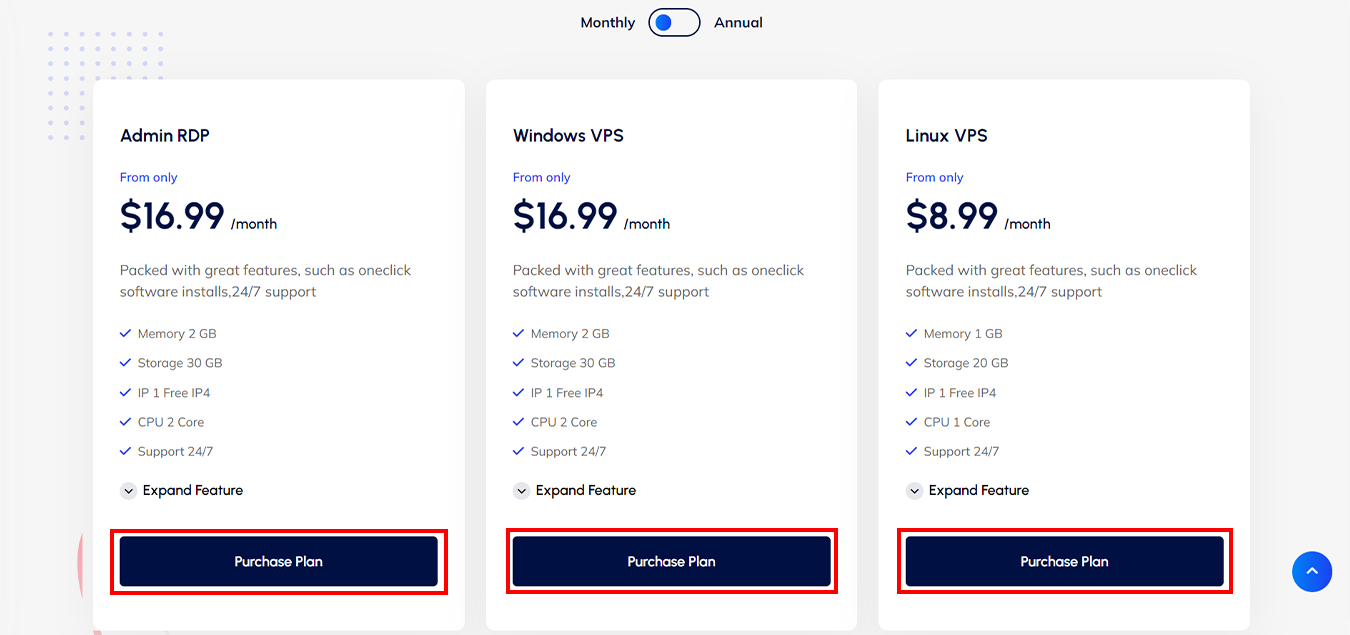
Then scroll down to view the available plans, according to your needs select one of the Admin RDP, Windows VPS, and Linux VPS plans, Select your package, and click on Purchase Plan to continue.
Note: Here we select the Admin RDP plan.
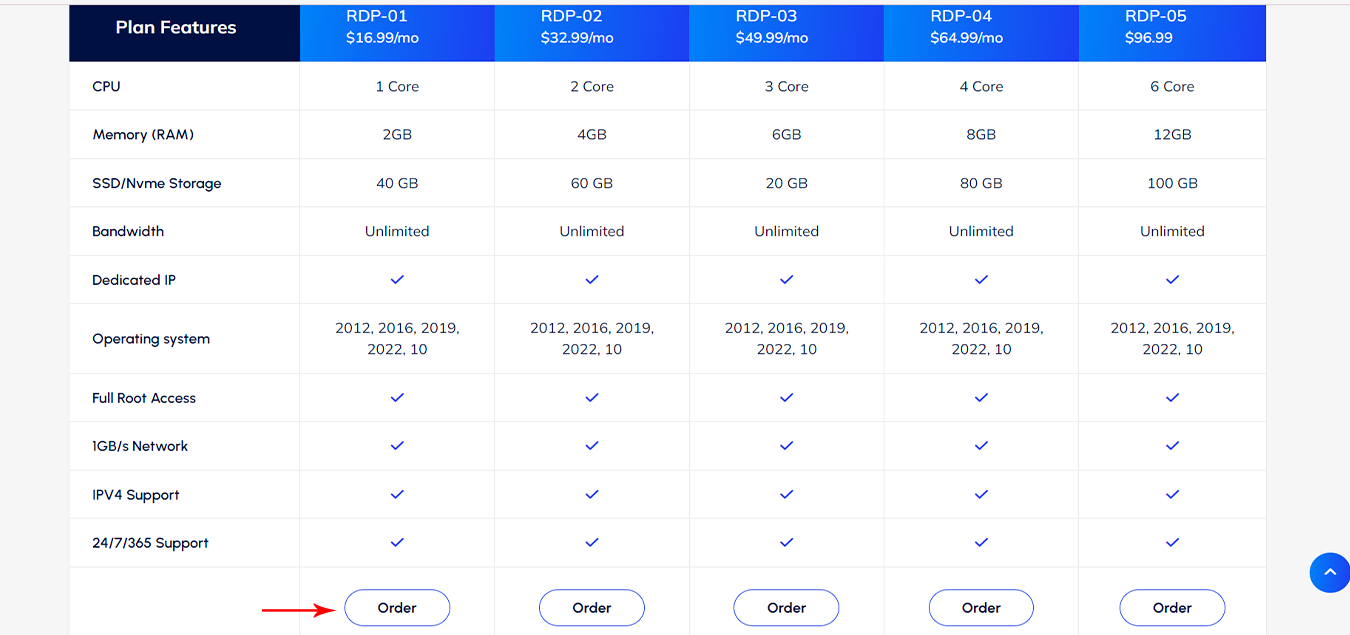
Check out the features of the plans, Select one of them press the “Order” button, and then configure it:
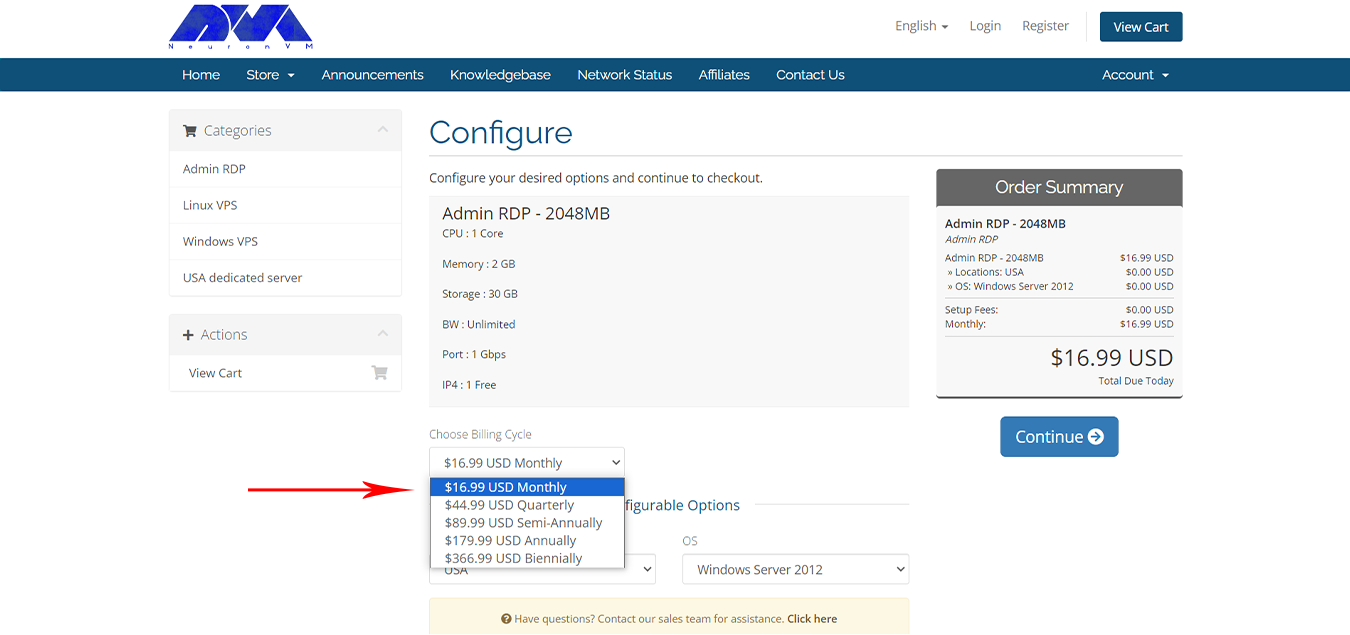
At this step, you need to configure your order. Choose the billing cycle and select your desired payment plan:
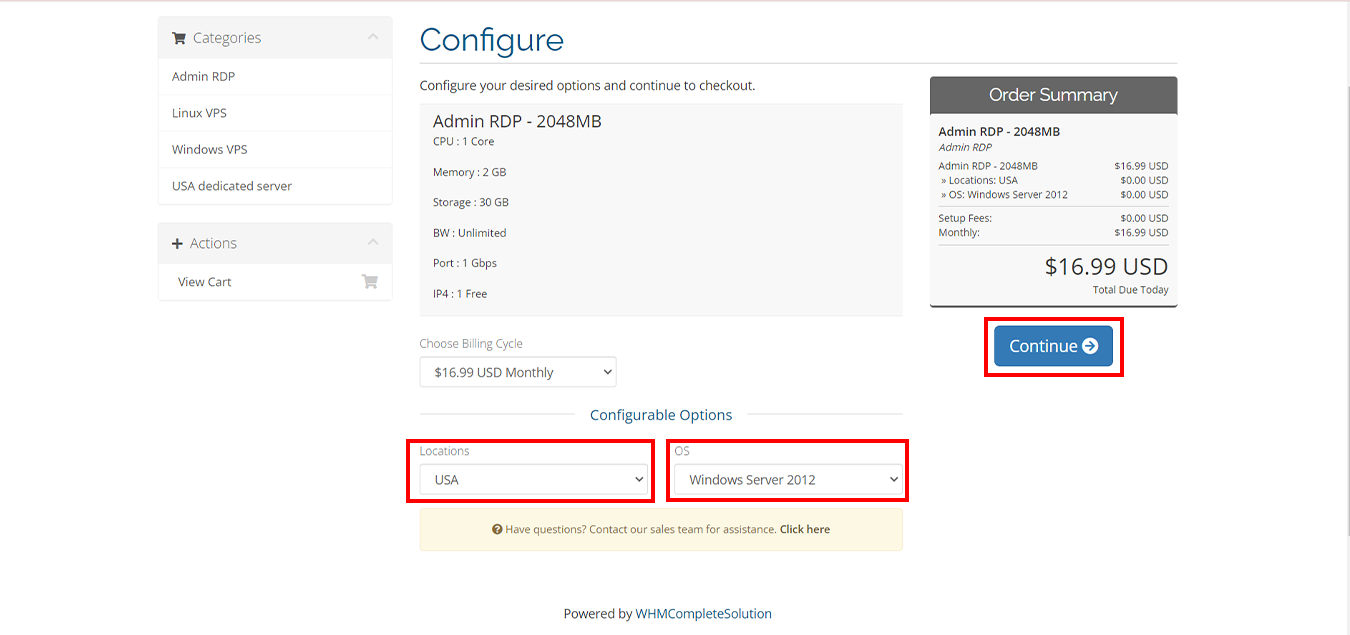
Then complete configurable options like Locations and operating system (OS), After implementing the necessary configurable options settings, Click on “Continue” :
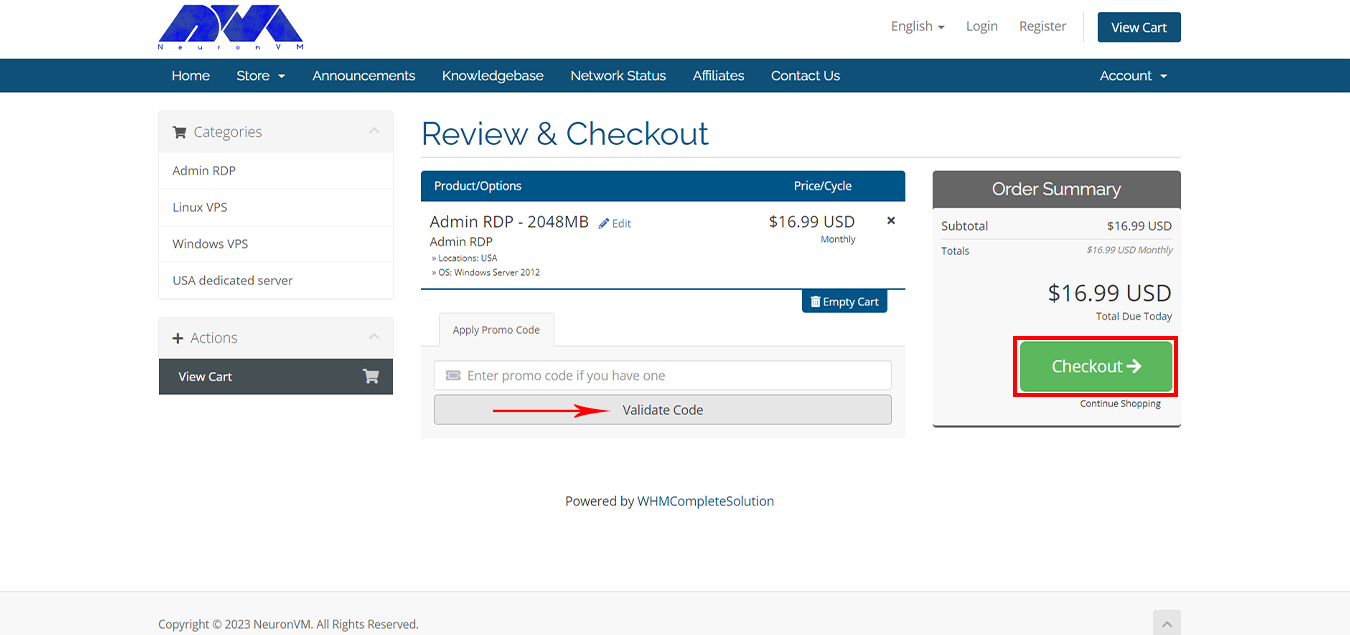
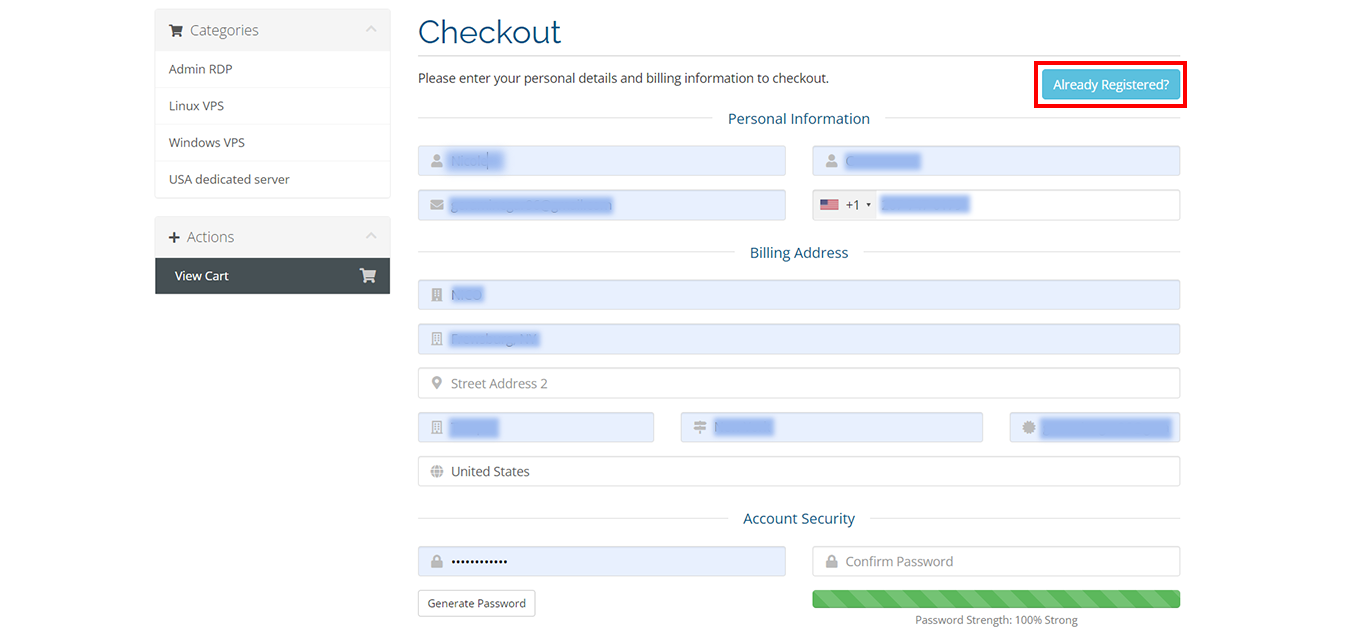
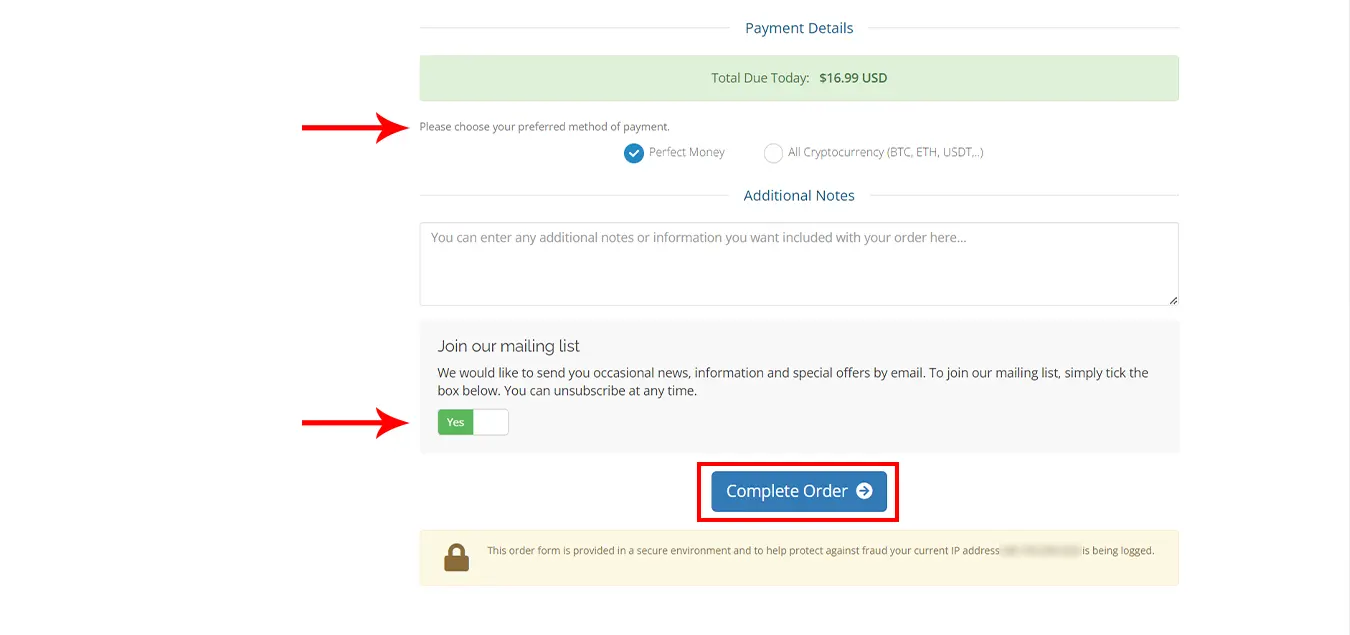
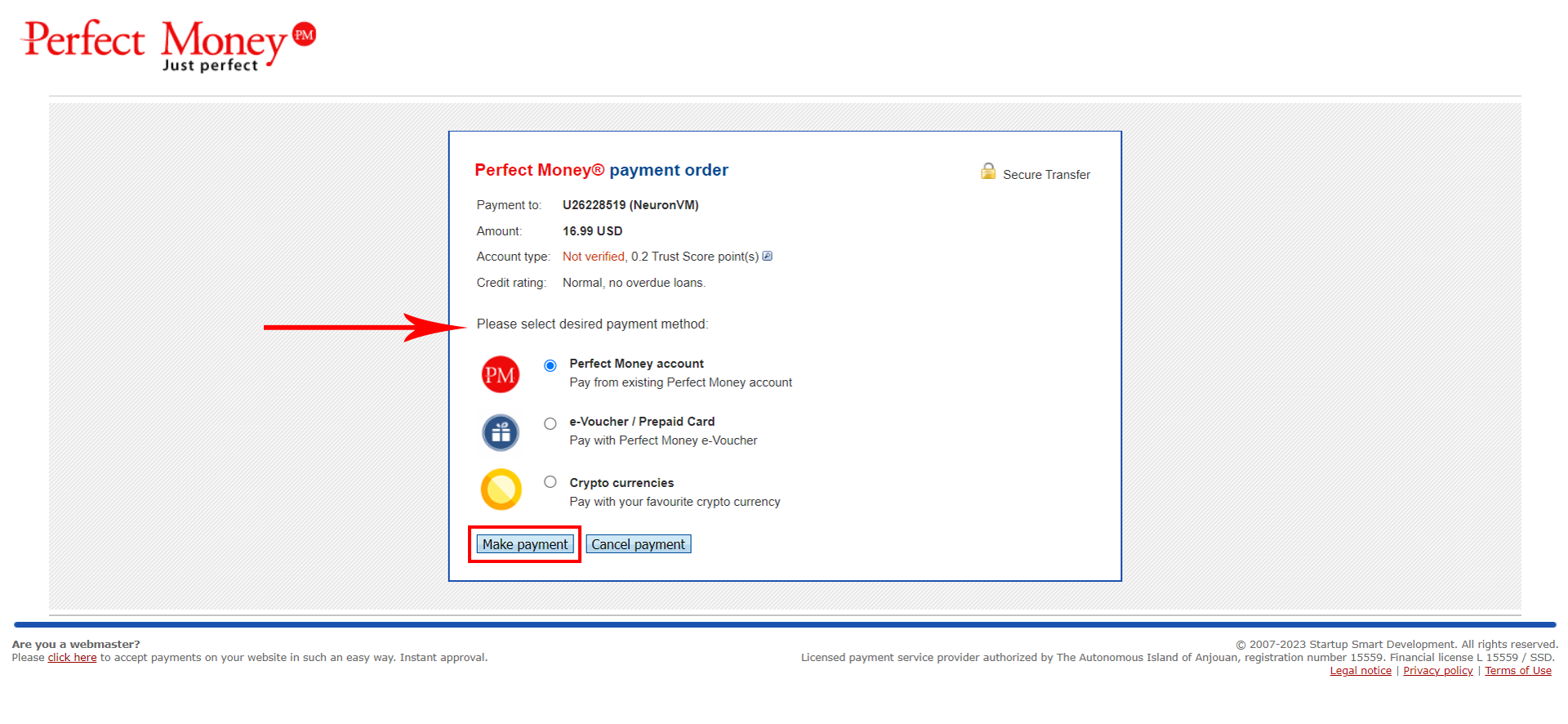
After this step, Please enter your card information:
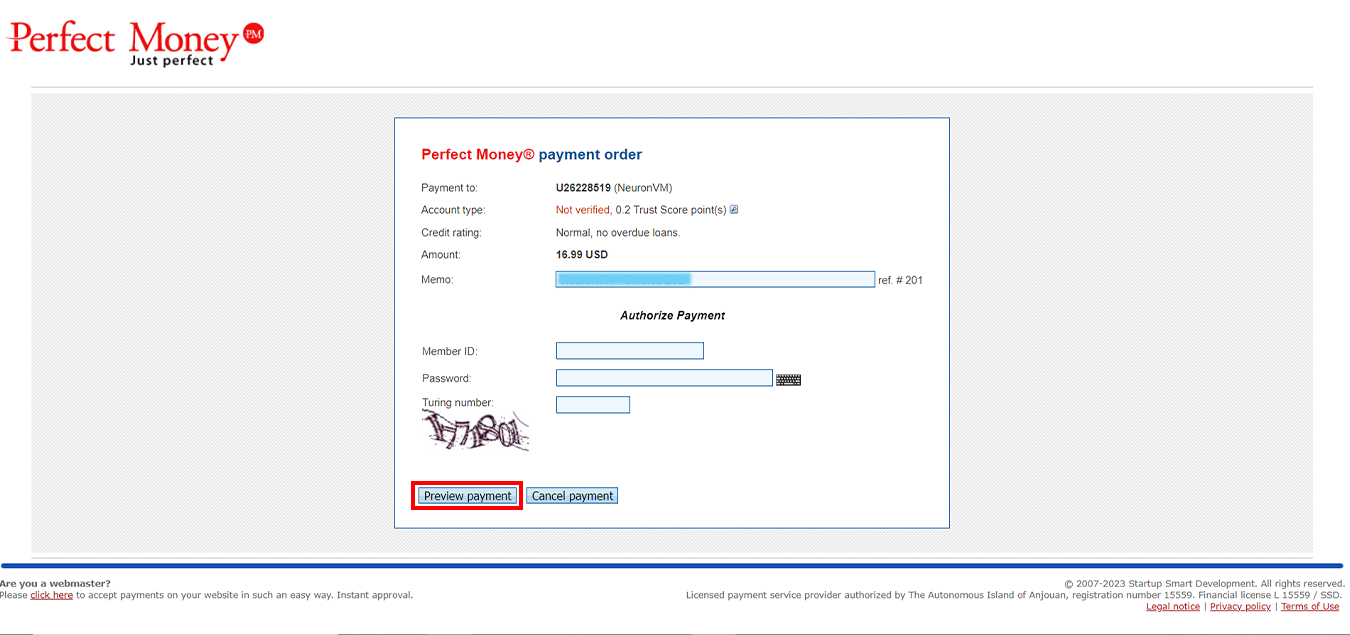
If the payment is made correctly, the sales invoice will be displayed to you and the server information will be sent to you via email.
Leave a Reply