Tag: Linux Tutorials

  • Unearthing the Best Game on Linux in 2023

    Unearthing the Best Game on Linux in 2023

    It’s close to the end of the year and almost everyone is listing their favorite products of 2023. We thought it would be a cool idea to take a look at the best games on Linux in 2023, because why not?! As the popularity of Linux continues to rise, gamers are eagerly searching for the best game that embraces this open-source operating system. In this article, we delve into the world of Linux gaming to discover the ultimate champion in 2023. By examining some of the most beloved Linux games, including Minecraft, Dota 2, and Team Fortress 2, we aim to determine the best game on Linux in 2023, captivating players with its immersive gameplay and unrivaled Linux support.

    Remember to play these games you can easily get a Linux VPS and try them out right away.

    Best Linux Game 2023

    Introduction to Linux Gaming

    In 2023, the concept of Linux gaming is gaining traction and becoming increasingly popular in the IT world. A considerable 3% of individuals prefer Linux over other operating systems, contributing to the growth of this dedicated and enthusiastic community.

    Notably, the Linux gaming community is known for its active and inquisitive nature, always seeking new experiences and improvements. As a result, the number of game developers choosing to publish their games on the Linux OS is steadily increasing, exemplifying the expanding support for this platform.

    The Linux gaming community is known for its active and inquisitive nature, always seeking new experiences and improvements.

    Choosing The Best Linux Game 2023

    In 2023, when choosing the top Linux game, certain contenders stand out: Minecraft, Dota 2, and Team Fortress 2.

    Minecraft, known for its widespread acclaim, supports Linux and has a large player base. Players can freely express themselves and build virtual worlds in the sandbox-style gameplay of Minecraft. Regular updates and user-created content enhance the appeal for Linux enthusiasts, making Minecraft a formidable candidate for the best Linux game in 2023.

    Dota 2, a MOBA game, is well-known in the gaming community. Developed by Valve Corporation, it offers exciting gameplay on Linux. It has complex mechanics and a strong competitive scene, attracting a dedicated fan base. Regular updates and an active community contribute to its ongoing success. With its popularity and longevity, Dota 2 could be the best Linux game in 2023.

    While Minecraft and Dota 2 are great, it’s important not to overlook Team Fortress 2. Developed by Valve Corporation, this class-based first-person shooter has a Linux version. With its fast-paced action, unique character classes, and vibrant art style, Team Fortress 2 offers a refreshing gaming experience. It also has well-balanced gameplay, extensive customization options, and a dedicated community that shares user-generated content. Due to its solid reputation and enduring popularity, Team Fortress 2 is a strong contender for the best Linux game in 2023.
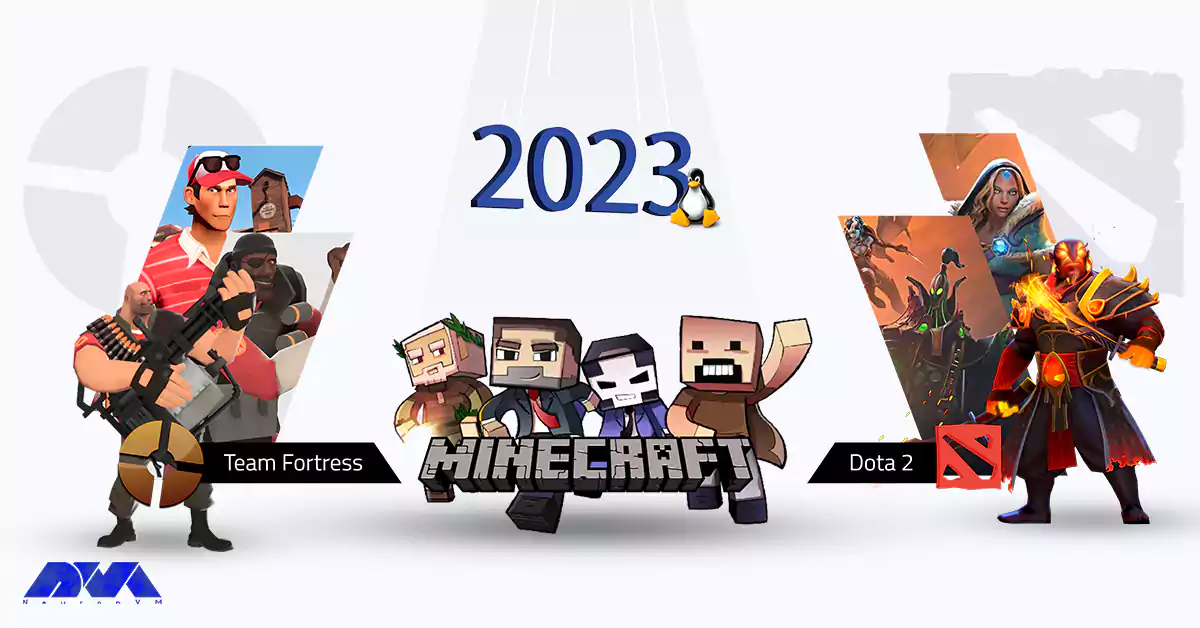
    Team Fortress, Minecraft, Dota 2

    Minecraft

    A Limitless World of Creativity! Minecraft is a game that needs no introduction, stands as a true testament to the possibilities of Linux gaming. With its ever-expanding player base, Minecraft shines as the epitome of the best game on Linux in 2023.

    The game’s sandbox nature encourages players to explore, craft, and build their virtual worlds in an open-ended environment, captivating users with its boundless creativity. With robust modding support and a passionate community sharing their creations, Minecraft remains a firm favorite even as the gaming landscape evolves.
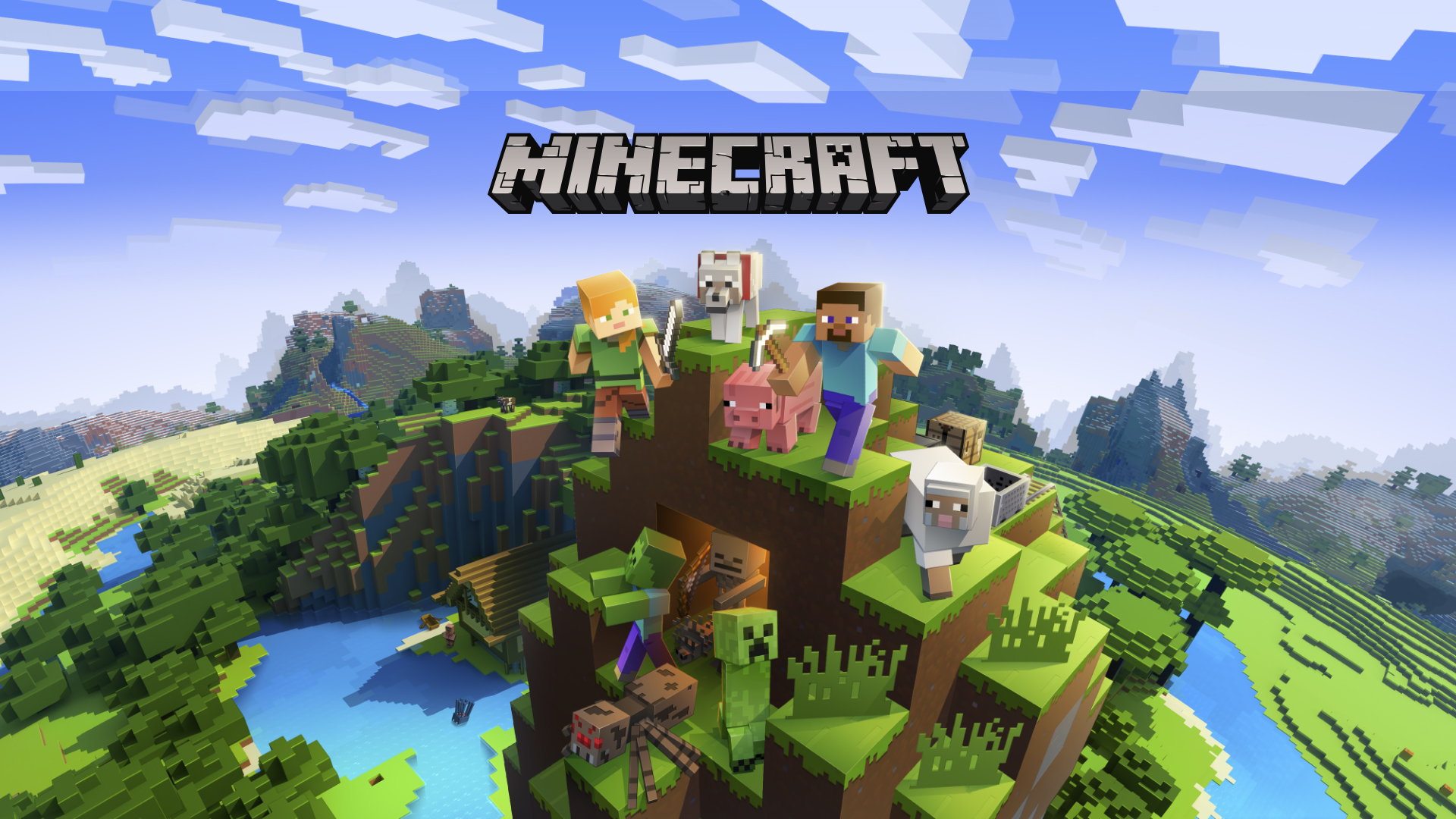
    Best Game on Linux 2023: Minecraft

    Dota 2 

    The Unparalleled MOBA Experience Among the avid Linux gaming community, Dota 2 has emerged as a frontrunner, offering an unrivaled multiplayer experience. This free-to-play multiplayer online battle arena (MOBA) game has taken center stage in the competitive gaming scene.

    Captivating players with its strategic depth and heart-pounding action, Dota 2 is without a doubt a beast of a game. Dota 2’s Linux support remains top-notch, solidifying its place in the list of the best games on Linux in 2023. With regular updates, a dedicated community, and an intense esports scene, Dota 2 continues to thrive and enthrall players on the Linux platform.
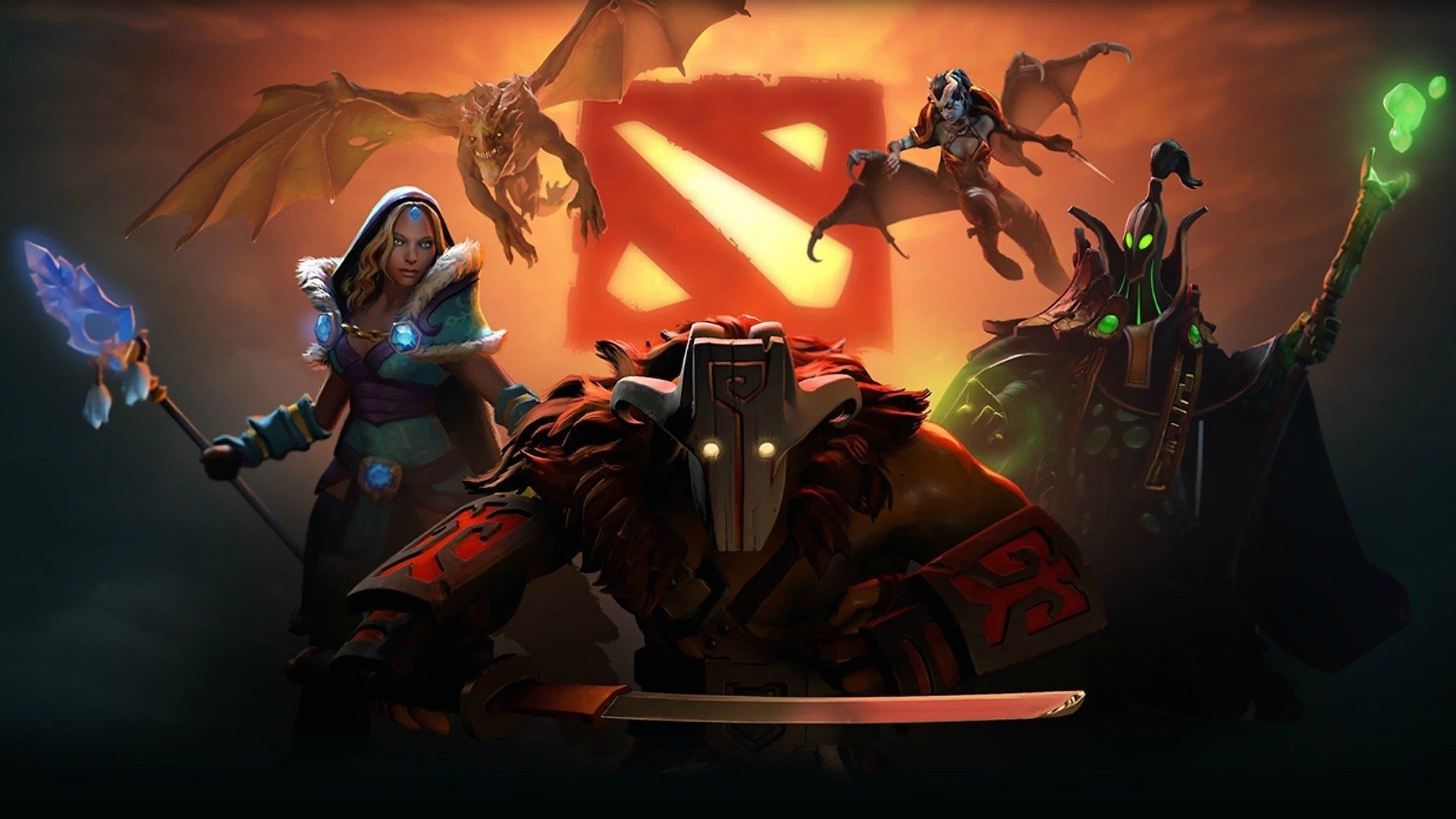
    Best Game on Linux 2023: Dota 2

    Fortress 2

    Timeless Multiplayer Brilliance Team Fortress 2. It’s a classic title known for its engaging multiplayer gameplay, remains an all-time favorite in the Linux gaming community. The game’s iconic art style, fast-paced action, and well-balanced classes contribute to its status as one of the best games on Linux in 2023.

    With ongoing developer support, regular updates, and an enthusiastic player base, Team Fortress 2 has stood the test of time. It showcases its dedication to the Linux platform and its ability to maintain a loyal following.

    Best Game on Linux 2023: Team Fortress 2

    Comparison and Winner: The Best Game on Linux 2023

    From the start I knew that Choosing between these three really awesome games is going to be really hard. And yes, my estimation was true! When it comes to choosing the best Linux game of 2023, a lot of it just comes to personal taste. But I want to say putting everything together, my choice is still Minecraft! It’s The Undisputed Best Game on Linux 2023.

    While Dota 2 and Team Fortress 2 both have their merits, Minecraft emerges as the winner, securing its position as the best game on Linux in 2023.

    With its limitless creativity, tremendous modding potential, and cross-platform compatibility, Minecraft has built a thriving community that transcends platforms. Additionally, Minecraft’s extensive support for Linux and its constant evolution through updates and community-driven content continually rejuvenate the game. It actually makes the game an unparalleled experience for Linux gamers.

    The Winner: Minecraft

    Final Thoughts

    Linux gaming gains traction as more game developers prioritize support for the open-source operating system. Minecraft claims the top spot in 2023, thanks to its captivating gameplay and dedicated community involvement. Like its rivals being Dota 2 and Team Fortress 2, Minecraft excels in fostering boundless imagination and creativity. The unwavering Linux support for Minecraft ensures that Linux gamers can rely on it for immersive gaming experiences well into the future.

  • The Linux Gamers’ Dream: Must-Have Games

    The Linux Gamers’ Dream: Must-Have Games

    Linux has evolved into a robust platform in the realm of gaming, providing a plethora of top-tier titles. With an increasing cadre of developers adopting this open-source system, Linux gaming has seen a rapid influx of creative games that provoke a reconsideration of traditional entertainment. This article dives into the transformative realm of Linux games, examining the captivating offerings at hand and their sway over gamers across the globe.

    From immersive narratives to extraordinary visual artistry, Linux games are reshaping the public perception of video games and projecting a new vision for the future of entertainment.

    The Linux Gamers' Dream: Must-Have Games

    Overview of Linux Gaming

    The popularity of Linux gaming has risen substantially due to its extraordinary compatibility with a vast array of digital amusements. Linux offers a variety of game styles including strategy, action, role-playing, among others. Several well-known game creators have begun to provide Linux-compatible versions of their games, broadening the choices available for Linux aficionados.

    From immersive narratives to extraordinary visual artistry, Linux games are reshaping the public perception of video games and projecting a new vision for the future of entertainment.

    The open-source essence of Linux fosters an active community of innovative creators who specialize in crafting games particularly suited for this platform.

    Technology, such as emulation software, has enabled Linux users to engage with vintage games, originally intended for different operating systems. Steam, a behemoth in the realm of online gaming, supports Linux and boasts a comprehensive assortment of games for users to relish on their systems.

    Best Linux Games

    Here’s a list of Top 10 games you can run on your Linux operating system today!

    Civilization VI

    The strategy game “Civilization VI” has found favor among Linux platform users. Players are drawn into a compelling narrative, where they have the power to construct their own empires, strategize, and unearth new territories. Intricate mechanics and immersive graphical delight provide endless fun and increase the strategic stakes against opponents.

    The game promotes diplomatic interaction, allowing players to form alliances and negotiate with other civilizations. This enriching and enchanting strategic experience keeps Linux-based gamers loyal to “Civilization VI”.

    Best Linux Games: Civilization VI

    Dota 2

    Another crowd-pleaser on the Linux platform is Dota 2. The complexity of the game mechanics and strategic elements make it an alluring choice for seasoned gamers. Dota 2 presents an array of playable characters, with unique abilities and gameplay styles.

    Catering to both casual and professional gamers, the competitive spirit of Dota 2 rewards teamwork, proficiency, and prudent decision-making. Its active community and steady stream of updates keep Dota 2 dynamic and engaging for Linux users.

    Best Linux Games: Dota 2

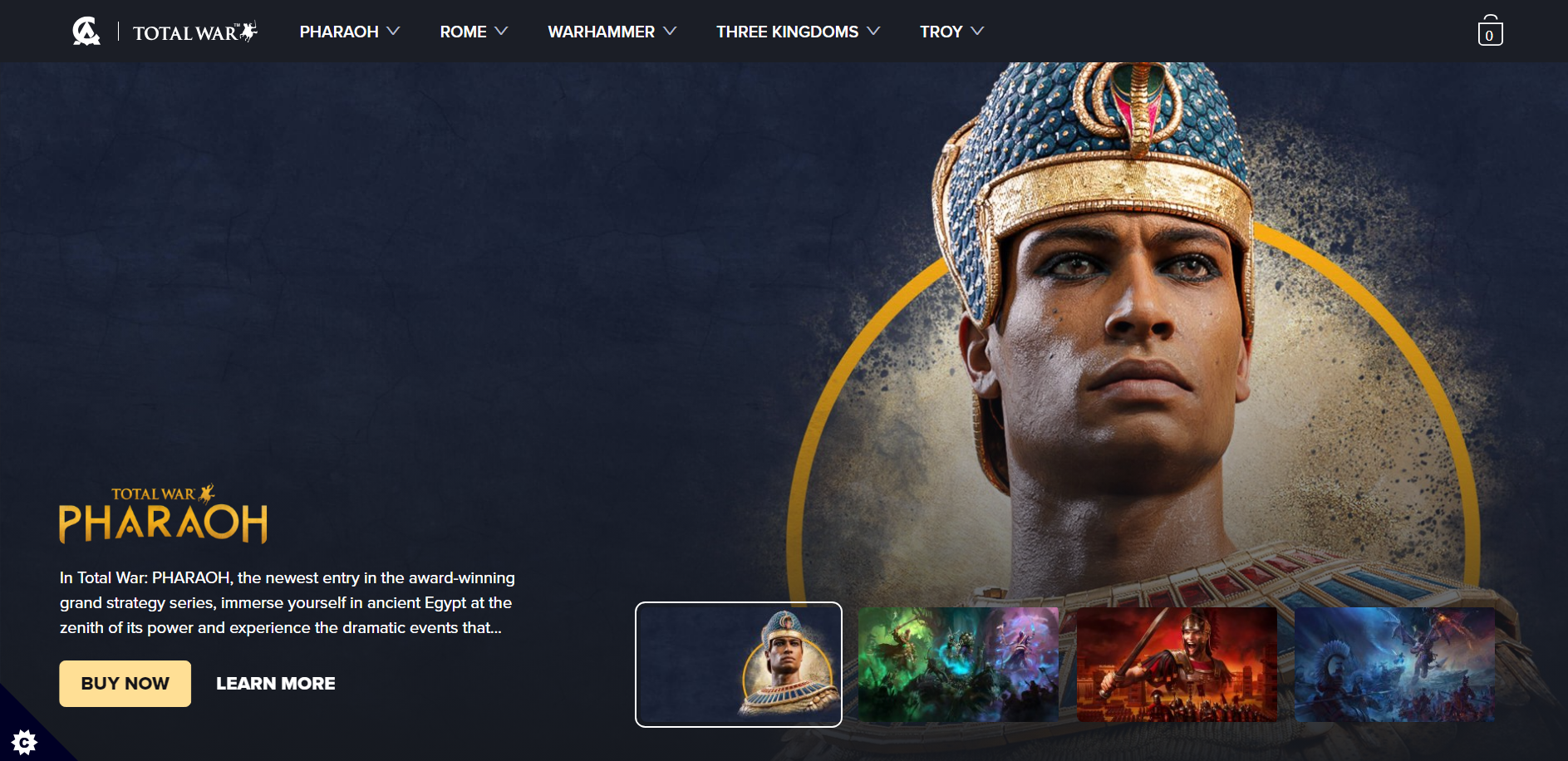
    Total War: Warhammer II

    Total War: Warhammer II” is an exciting game that has found a home in the Linux gaming community. The strategic gameplay and stunning visuals captivate players. Gamers revel in the opportunity to command large armies and participate in epic battles, testing their strategic skills in a fantasy environment. The seamless integration with Linux systems assures a hassle-free and enjoyable gaming adventure.
    Its enthusiastic reception and active community underscore the game’s popularity and success within the Linux gaming scene.

    Best Linux Games: Total War

    Rocket League

    Rocket League, another top choice for Linux enthusiasts, is known for its adrenaline-packed gameplay and competitive multiplayer features. With a unique fusion of soccer and vehicular combat, the game offers a dynamic and thrilling experience. Players can personalize their vehicles with a range of cosmetic enhancements and unlockable content, enhancing their sense of progress.

    The intuitive interface and cross-platform compatibility make Rocket League an enticing gaming experience that keeps Linux users hooked.

    Best Linux Games: Rocket League

    Minecraft

    Minecraft, developed by Mojang Studios, is an iconic sandbox game that has captured the hearts of gamers across various platforms. With its limitless creativity, immersive world, and addictive gameplay, Minecraft continues to captivate players of all ages worldwide.

    The game offers a unique blend of exploration, building, and survival elements. It allows players to unleash their imagination and create their own virtual worlds. From constructing elaborate structures to embarking on thrilling adventures, Minecraft offers endless possibilities and encourages players to think outside the box.

    Whether you’re a seasoned player or new to the game, Minecraft offers an immersive and rewarding experience. It has always been that keeping players coming back for more. Its endless possibilities, engaging gameplay, and thriving community make it a must-play game for anyone seeking a truly unique and captivating gaming experience.

    Best Linux Games: Minecraft

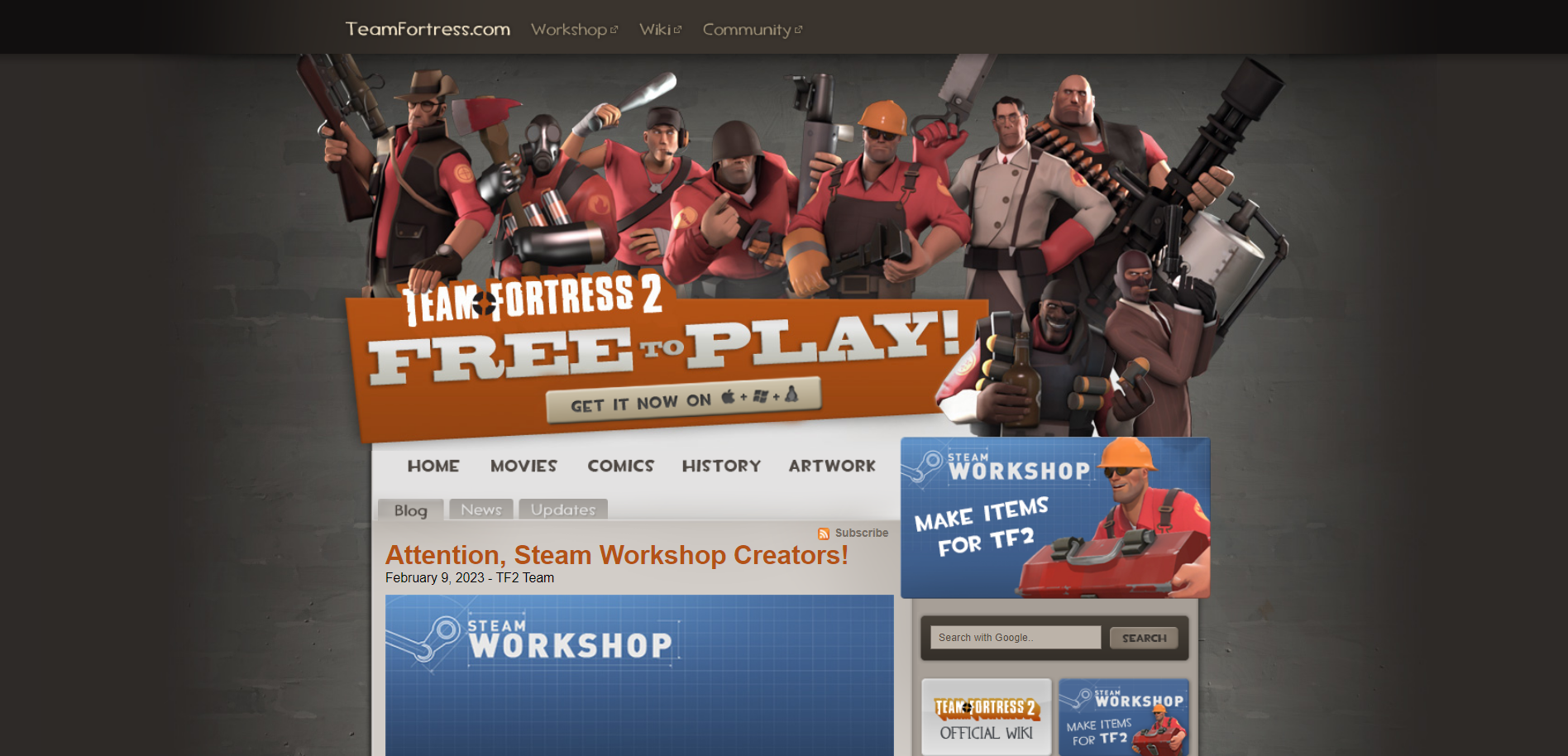
    Team Fortress 2

    Team Fortress 2, developed by Valve, is an iconic first-person shooter game that has gained immense popularity among Linux gamers. With its unique blend of fast-paced action, distinctive characters, and engaging gameplay, Team Fortress 2 continues to captivate players worldwide.

    The game offers a diverse selection of brilliantly designed classes, each with their own strengths and abilities, allowing players to find their preferred playstyle. Whether you’re the cunning spy, the explosive demoman, or the steadfast heavy, there’s a class that will suit your preferences.

    Additionally, constant updates and a vibrant online community ensure that there is always something exciting happening in Team Fortress 2.

    Best Linux Games: Team Fortress 2

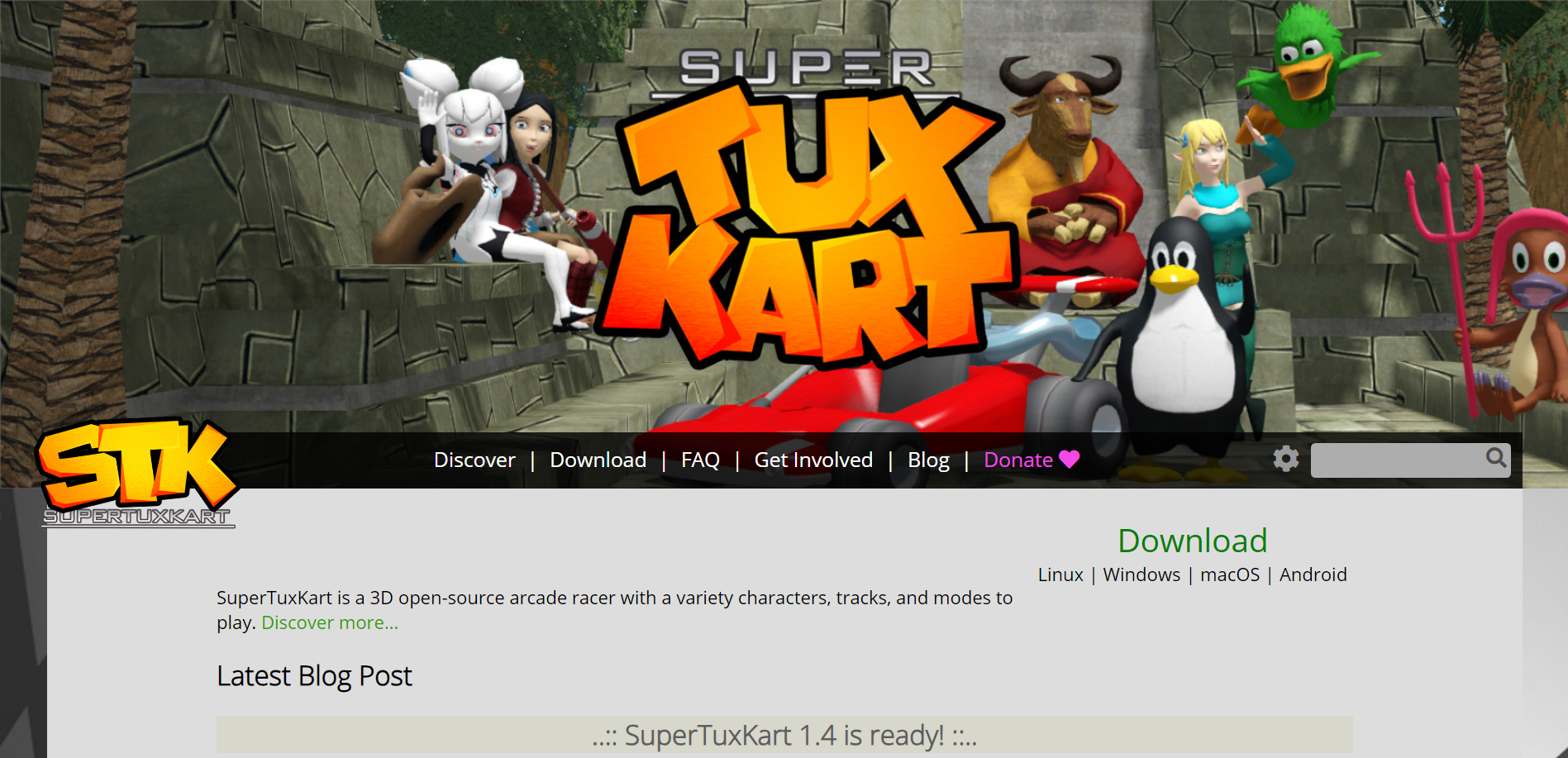
    Super Tux Kart

    Super Tux Kart is a delightful and fun-filled racing game that fans of the popular Super Mario Kart series will instantly fall in love with. The game features adorable characters from the Linux mascot, Tux, to a variety of open-source mascots. With its colorful graphics and smooth gameplay mechanics, Super Tux Kart offers a highly enjoyable experience for players of all ages.

    It also provides a range of single-player modes, including championship mode and time trials, as well as exciting multiplayer options for you to compete against your friends and family.

    Super Tux Kart

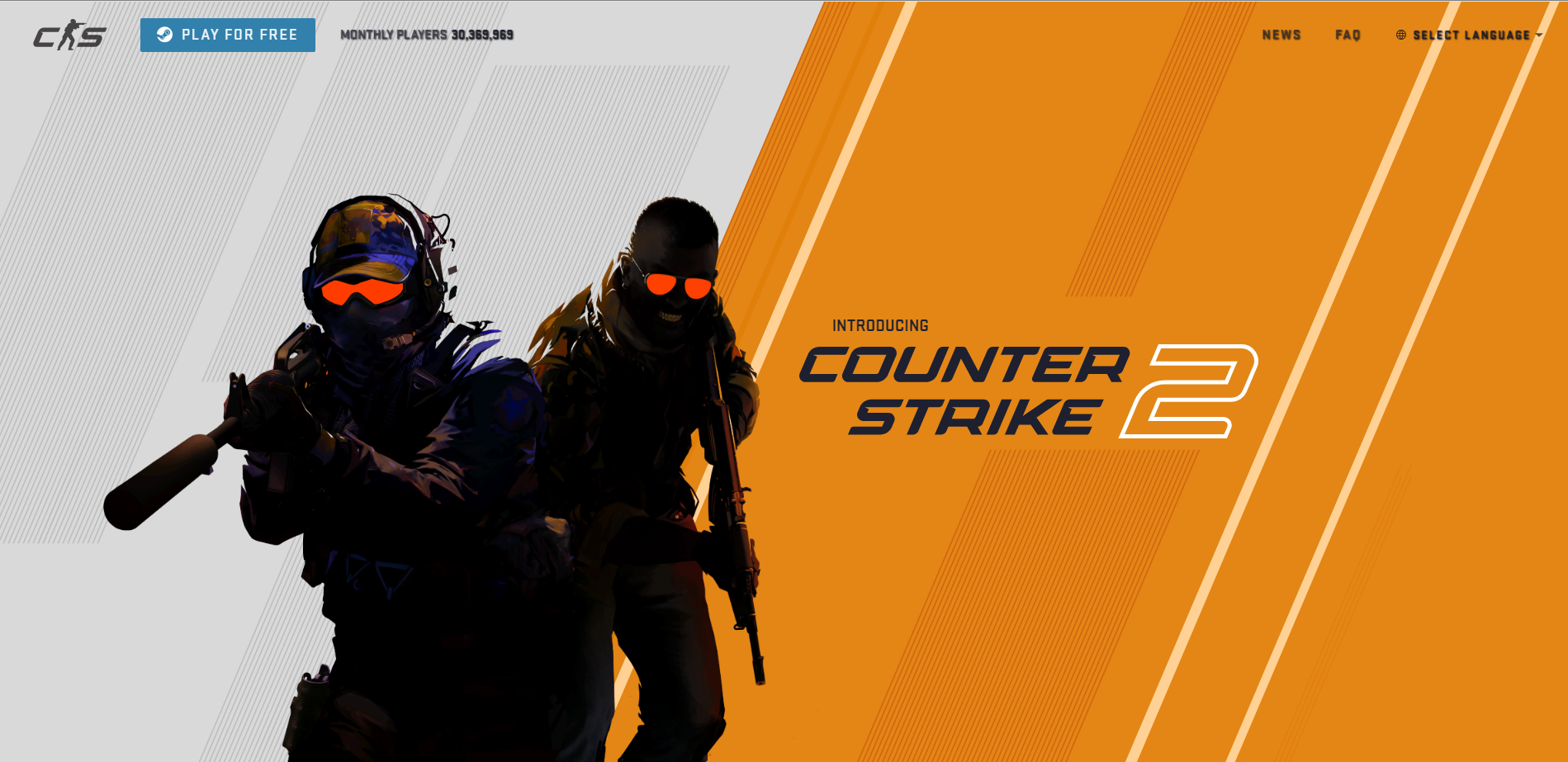
    Counter-Strike 2

    This one is very fresh! Released on September 2023, Counter Strike 2 is a successor to Counter Strike: Global Offensive (CS:GO). As the fifth entry of the beloved Counter Strike series, Counter Strike 2 manages to gain the popularity level of its successors. With a Metacritic score of 82, it’s evident that Counter Strike 2 is a game of exceptional quality.

    The score not only reflects the high standards set by the previous entries in the Counter Strike series but also showcases the dedication and skill that went into creating this new installment. From its stunning graphics to its immersive gameplay, Counter Strike 2 delivers an unparalleled gaming experience. It surely has been keeping players coming back for more.

    Now with the new version available on Linux operating systems, members of this large community can also enjoy this incredible game.

    : Counter-Strike 2

    War Thunder

    War Thunder, developed by Gaijin Entertainment, is a critically acclaimed online multiplayer combat game that transports players into the thrilling world of military conflicts. This action-packed title offers a wide range of vehicles, including tanks, aircraft, and warships from various historical eras. Whether you’re engaging in intense dogfights in the skies or commanding tanks on the ground, War Thunder delivers an immersive experience with its detailed graphics and realistic physics.

    The game features an extensive progression system, allowing players to unlock new vehicles and upgrade their arsenal as they climb the ranks. With a dedicated player base and regular updates, War Thunder ensures an ever-evolving and engaging gameplay experience.

    War Thunder

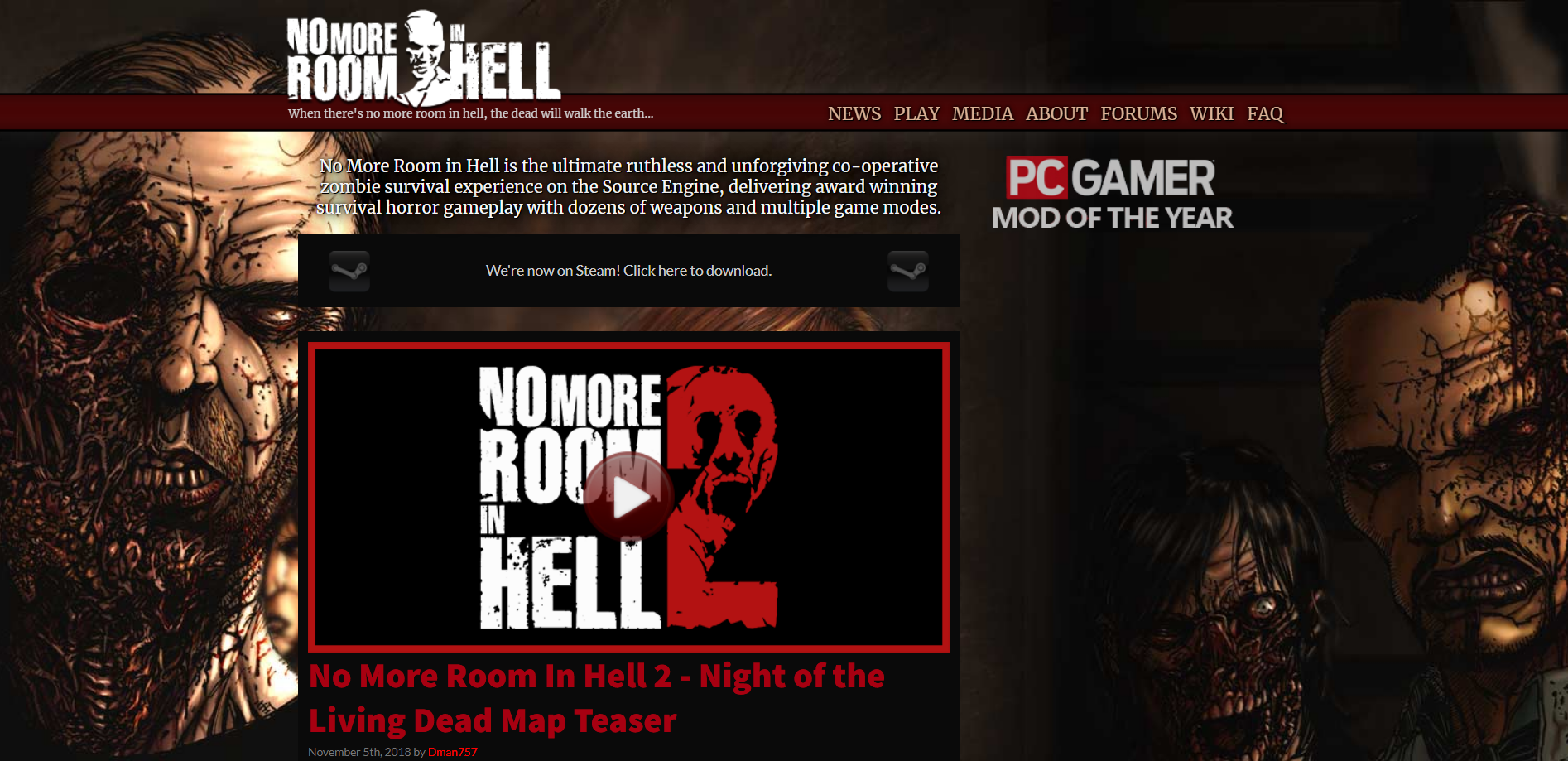
    No More Room in Hell

    No More Room in Hell is an adrenaline-pumping cooperative first-person survival horror game set in a post-apocalyptic world infested with hordes of undead. Developed by independent studio Lever Games, this game puts players in a desperate struggle for survival against overwhelming odds. By collaborating with other players, you must scavenge for weapons and resources to fight off the unrelenting zombies and navigate through eerie, atmospheric environments.

    What sets this game apart is its intense focus on teamwork and communication, making it a thrilling experience when working together to overcome waves of terrifying enemies. No More Room in Hell perfectly captures the tension and fear of a zombie apocalypse. It’s must-play title for Linux gamers seeking a spine-chilling challenge.

    No More Room In Hell

    Final Thoughts

    Although many people may think that Linux is not the most ideal operating system for gaming and this may be partially right, but we see that some developers still prefer to release their product on Linux too. Linux community is a fierce and dedicated one, and Linux users usually feel a sense of belonging to this operating system! So I guess it’s no wonder that the gaming on Linux is still pretty relevant and alive!

  • Why Linux Mint is the Ultimate Open-Source OS?

    Why Linux Mint is the Ultimate Open-Source OS?

    Linux Mint OS has gained immense popularity in the open-source community as the ultimate operating system. With its user-friendly interface, vast software repository, robust security features, and high performance, Linux Mint OS has become the go-to choice for those seeking a reliable and versatile open-source solution. In this article, we will delve into the various aspects that make Linux Mint OS stand out as the ultimate open-source operating system.

    Remember you can always get a Linux VPS with the distribution of your choice from NeuronVM and easily get into the world of Linux.

    Introduction to Linux Mint OS

    Linux Mint OS is a free and open-source operating system based on Ubuntu, which itself is built upon the Debian Linux distribution. It aims to provide a user-friendly environment for both beginners and advanced users. One of the primary strengths of Linux Mint OS is its focus on simplicity and ease of use, making it an ideal choice for individuals looking to make a transition from proprietary operating systems.

    Linux Mint

    Why Would I Choose Linux Mint OS?

    When it comes to choosing an open-source operating system, Linux Mint OS stands tall due to several factors. Firstly, its compatibility with various hardware configurations ensures that users can install and run it on a wide range of devices. From older machines to the latest hardware, Linux Mint OS seamlessly adapts and provides a smooth and reliable experience.

    User-Friendly Interface and Customization Options

    Linux Mint OS is renowned for its user-friendly interface, specifically the Cinnaon desktop environment, which offers a familiar layout akin to traditional desktop interfaces. This allows users to easily navigate and access programs, files, and settings.

    User-Friendly Interface and Customization Options

    Furthermore, Linux Mint offers extensive customization options, allowing users to personalize their desktops with themes, icons, and various applets.

    Vast Software Repository and Compatibility

    One of the key advantages of Linux Mint is its vast software repository, which provides users with a wide range of applications and tools for all their needs.

    Vast Software Repository and Compatibility

    The Software Manager, a centrepiece of Linux Mint, allows users to effortlessly discover, install, and manage software. Additionally, Linux Mint ensures high compatibility with various software packages and formats, eliminating any compatibility issues that users may face.

    Robust Security and Privacy Features

    Security and privacy are paramount concerns in today’s digital landscape, and Linux Mint stands out in this regard. With regular security updates and utilizing trusted encryption protocols, users can rely on the robust security features provided by Linux Mint OS to protect their valuable data.

    Robust Security and Privacy Features

    The operating system also respects user privacy and does not collect or share personal information.

    High Performance and Stability

    Linux Mint is known for its exceptional performance and stability. This makes it a reliable choice for professionals and everyday users alike. The lightweight nature of the operating system ensures minimal resource consumption, resulting in faster boot times and smoother operation.

    High Performance and Stability

    Additionally, Linux Mint prioritizes stability, ensuring that users experience fewer crashes and system failures.

    Dedicated and Supportive Community

    A vibrant and supportive community is crucial for open-source projects, and Linux Mint OS is no exception. With a vast and dedicated community, users can easily find solutions to their queries and receive assistance on forums and support channels.

    Linux Mint OS: Dedicated and Supportive Community

    The community-driven nature of Linux Mint OS fosters collaboration and continuous improvement, making it a reliable and evolving open-source operating system.

    Conclusion

    Linux Mint unquestionably stands as the ultimate open-source operating system. With its user-friendly interface, customization options, vast software repository, robust security features, high performance, and a thriving community, it caters to a wide range of user needs. Whether you are a beginner seeking simplicity or a professional requiring a reliable and versatile operating system, Linux Mint provides a seamless experience that surpasses expectations. Experience the power and flexibility of Linux Mint today and join the millions of users who have embraced this exceptional open-source solution.

    Frequently Asked Questions

    Is Mint Linux free?

    Yes, Mint Linux is completely free to download, use, and distribute.

    Can I dual boot Mint Linux with Windows?

    Yes, you can easily set up a dual-boot system with Mint Linux and Windows. This allows you to choose between them during startup.

    Is Mint Linux compatible with Windows applications?

    Mint Linux is not natively compatible with Windows applications, as it uses different file formats and system architecture. However, you can use compatibility tools like Wine or virtualization software to run some Windows programs on Mint Linux.

    How is Mint Linux different from Ubuntu?

    Mint Linux offers a more user-friendly interface, additional pre-installed software, and a different default desktop environment. This makes this operating system feel distinct from Ubuntu while retaining its core compatibility.

    Is Mint Linux suitable for beginners?

    Yes, Mint Linux is particularly beginner-friendly due to its intuitive interface and pre-installed essential software. It also provides comprehensive documentation and a helpful community, making it easier for beginners to navigate and learn their way around the system.

  • Mint Condition: Getting Started with Linux Mint

    Mint Condition: Getting Started with Linux Mint

    Linux Mint is one of the popular open-source Linux distributions. One of the positive points of this operating system is its adaptability. It also has an intuitive and user-friendly environment that makes users who move from systems like Windows to Linux not get confused. We will also try to review the Linux Mint operating system for you and guide you on how to get started.

    A Brief Explanation of Linux Mint

    As we mentioned here, Linux Mint is a popular open-source operating system (OS) based on the Linux kernel and can be installed on Linux VPS. This operating system is built on top of the Ubuntu distribution, which itself is based on Debian. This means it inherits much of Ubuntu’s stability and package management system.

    It is a powerful system with full multimedia support out of the box, suitable for moderate and advanced users. Having an impressive user interface, stability, and powerful software center has made it popular.

    Starting Linux Mint is a straightforward process, So let’s learn how to start this amazing distribution:

    Step 1- Choosing the Proper Linux Mint Edition

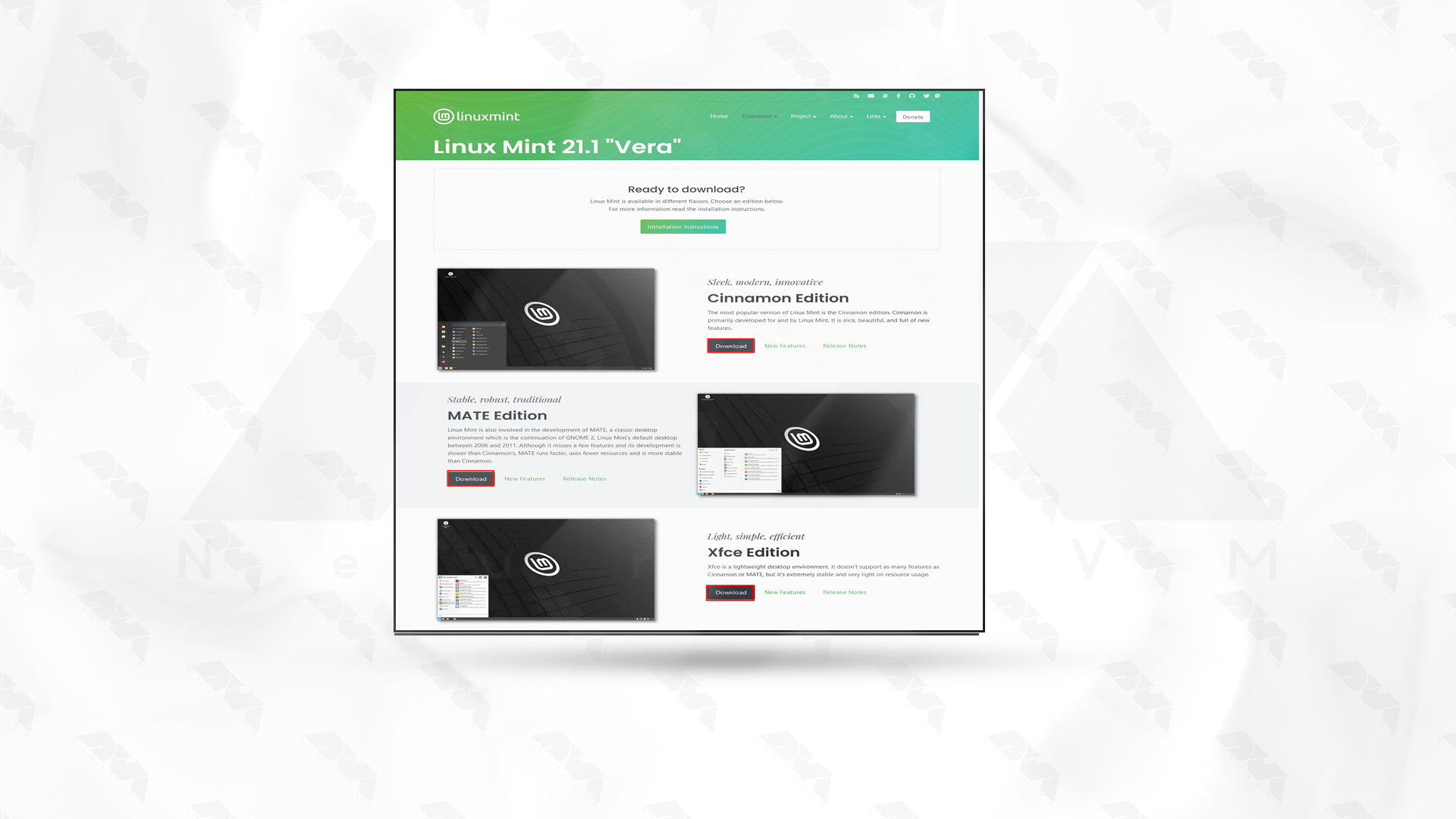
    Linux Mint has three different versions, including Cinnamon, Mate, and XFCE. The difference between these three versions is their desktop environment, which defines the functions and user interface. Let’s examine these three editions of Linux Mint:

    • Cinnamon: It is the most modern version of Cinnamon Mint, which has the most features. At the same time, it offers a balance between speed and features and has an intuitive and comfortable feel.
    • Mate: This version has a classic desktop environment and is lighter than Cinnamon. If you have limited hardware capabilities, Mate is the best choice.
    • XFCE: The lightest version of Linux Mint is XFCE. This version is very suitable for old systems because these systems may have problems with the previous two versions.

    So, choose the best edition which is suitable for your system.

    Step 2- Downloading Linux Mint OS

    Now that you have chosen the right version, you should go to the Linux Mint download page.

    Now, download the version from there. To be able to do this faster, choose a mirror that is closest to you. Select it, and you will see that the iso file will start downloading:

    Linux mint editions

    Step 3- Verifying the ISO file

    It is not mandatory to do this step, but you can make sure of the security and integrity of the downloaded ISO file. MD5 checksums are provided for each ISO file. Therefore, after downloading, you can confirm the ISO file with the checksum tool.

    Step 4- Creating a Bootable USB or DVD

    To be able to install Linux Mint, you need to create a bootable USB or DVD. To do this, you can use tools like Rufus or Balenaetcher. The USB drive used must have at least 2 GB of free space. Or if you want to use a DVD, make sure it is empty.

    Step 5- Installing Linux Mint

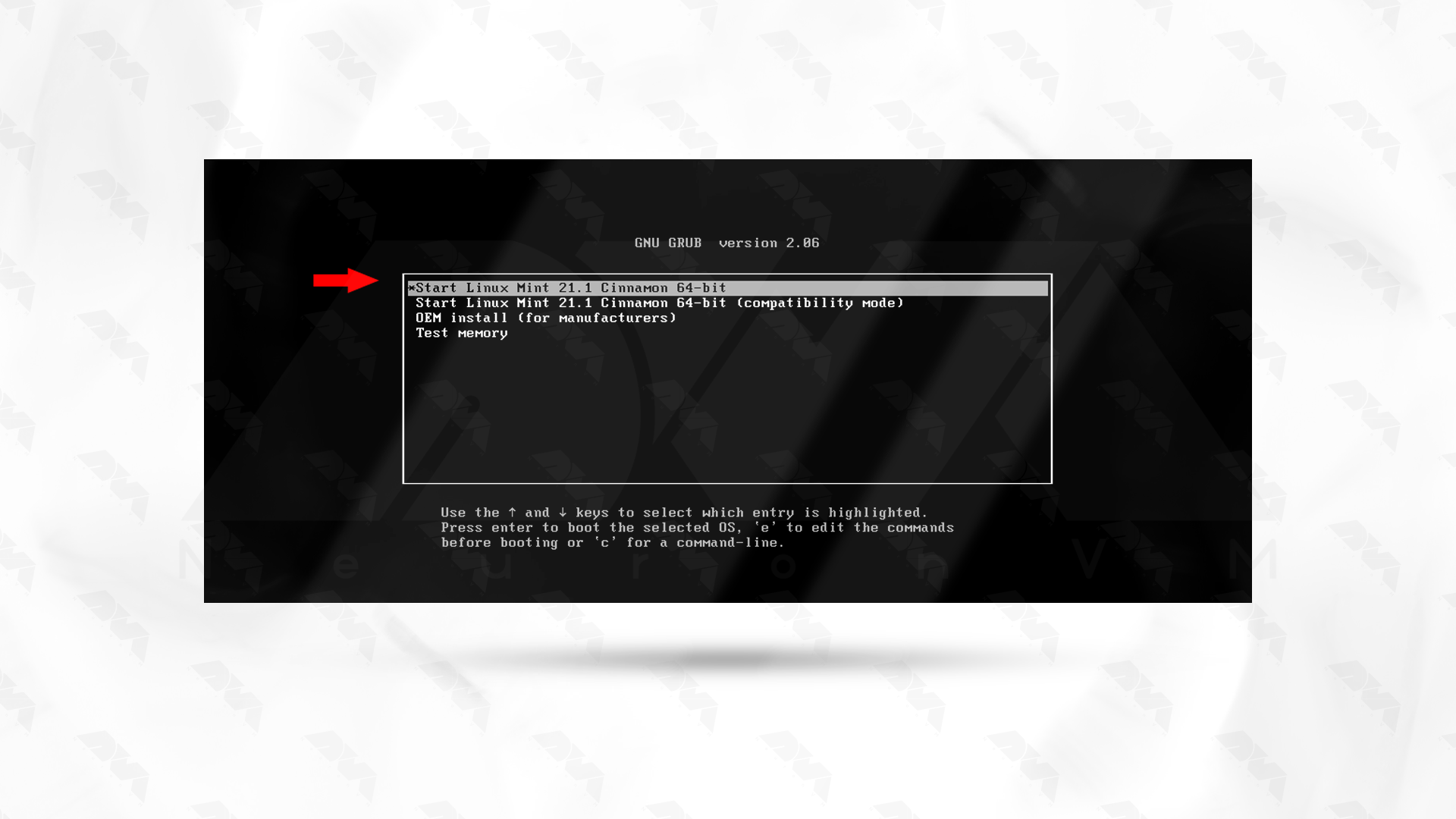
    In this section, to start the installation, you need to reboot the DVD or USB file on the computer. Meanwhile, make sure your bios settings are set to boot from USB or DVD. You should now see the Linux Mint logo loading.

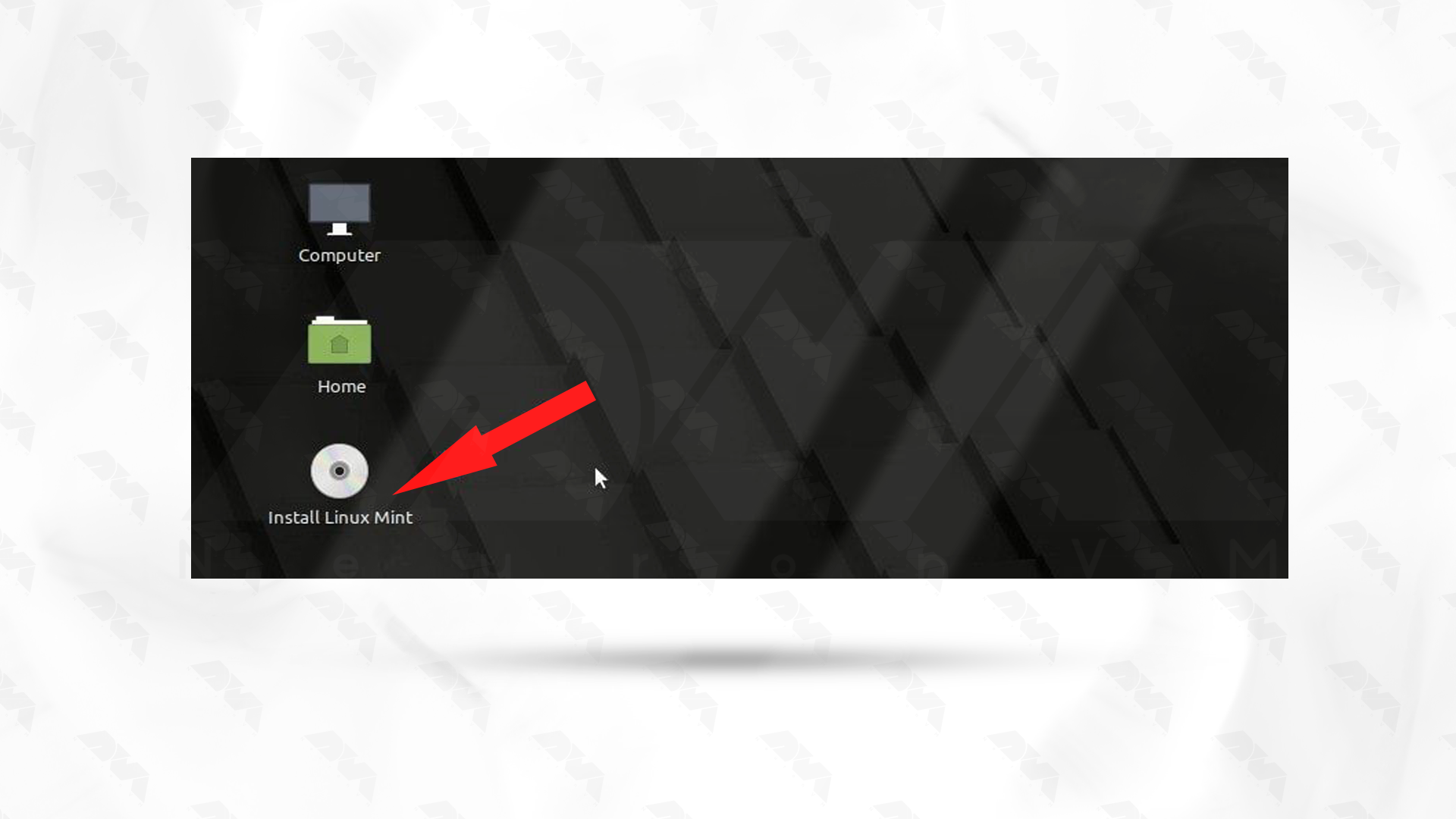
    After downloading this operating system, you can see the test or installation option. If you need to test, click the corresponding option; otherwise, choose the Install Linux Mint option to continue the installation.

     Installing Linux Mint

    ***

    install linux mint

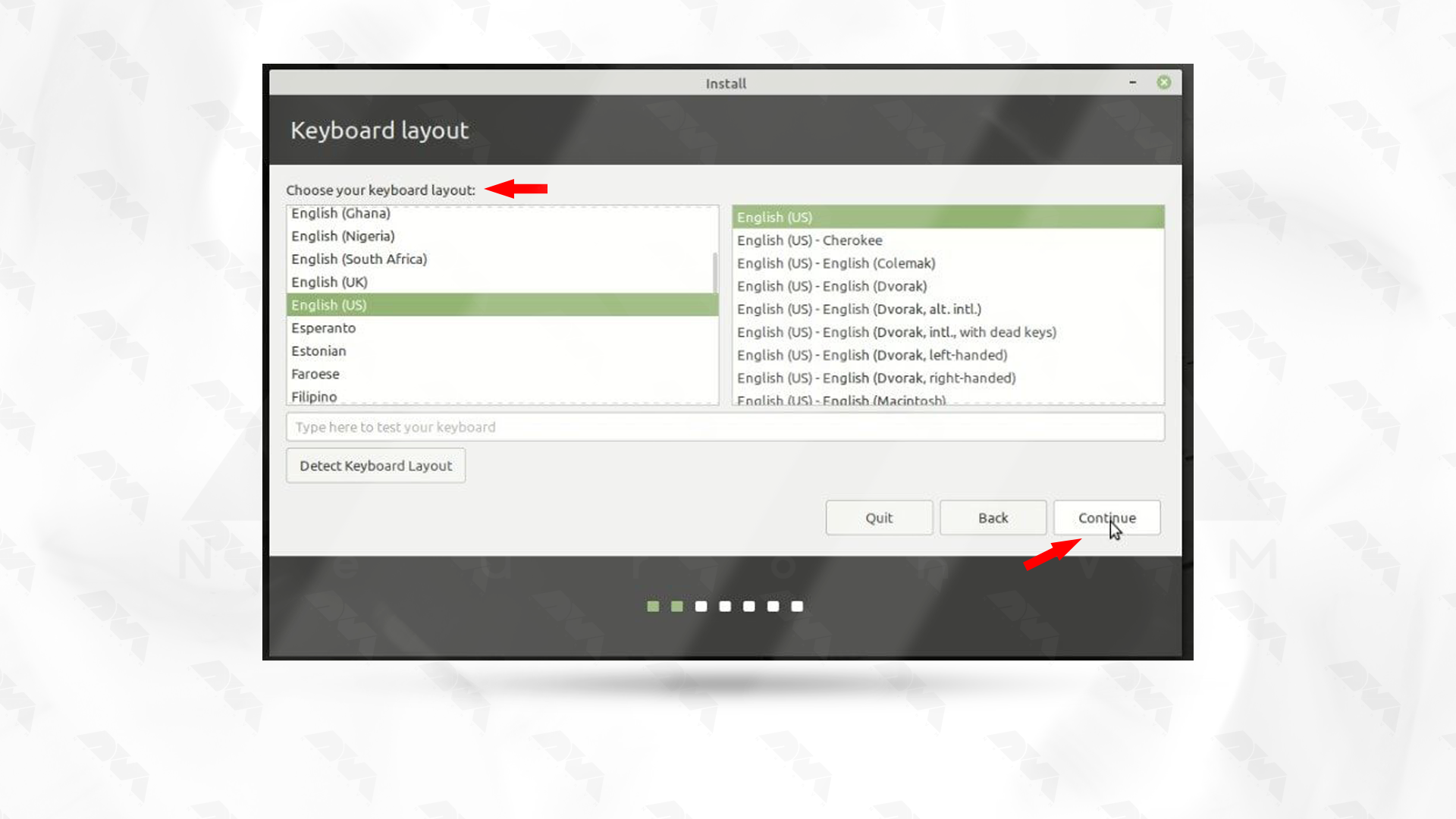
    Follow the next instructions on the screen in order and select your appropriate language. Then select your keyboard layout:

    language and keyboad layout

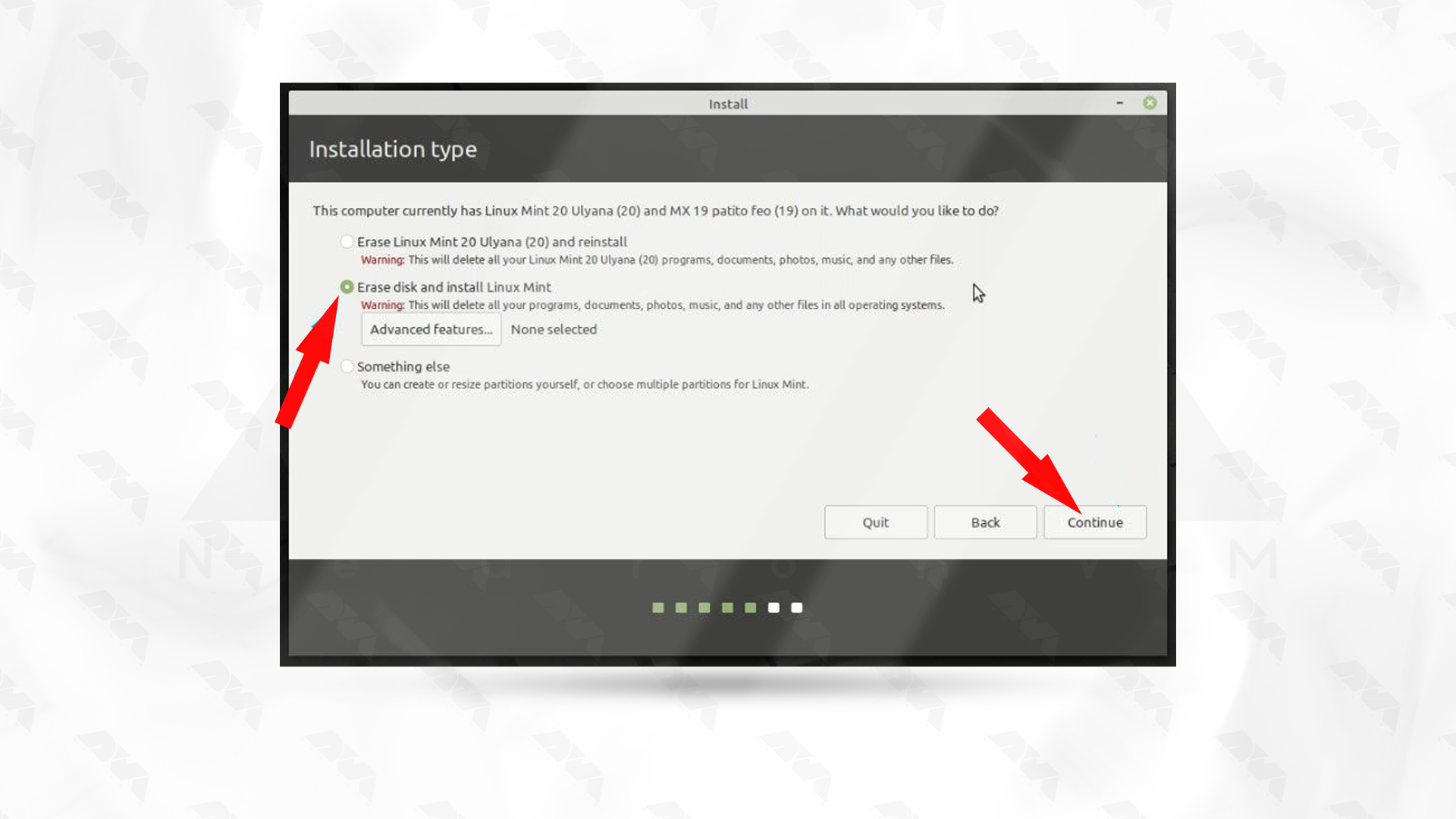
    Now, decide your installation type. In this section, Erase disk and install Linux Mint is usually selected:

    erase disk and install linux mnt

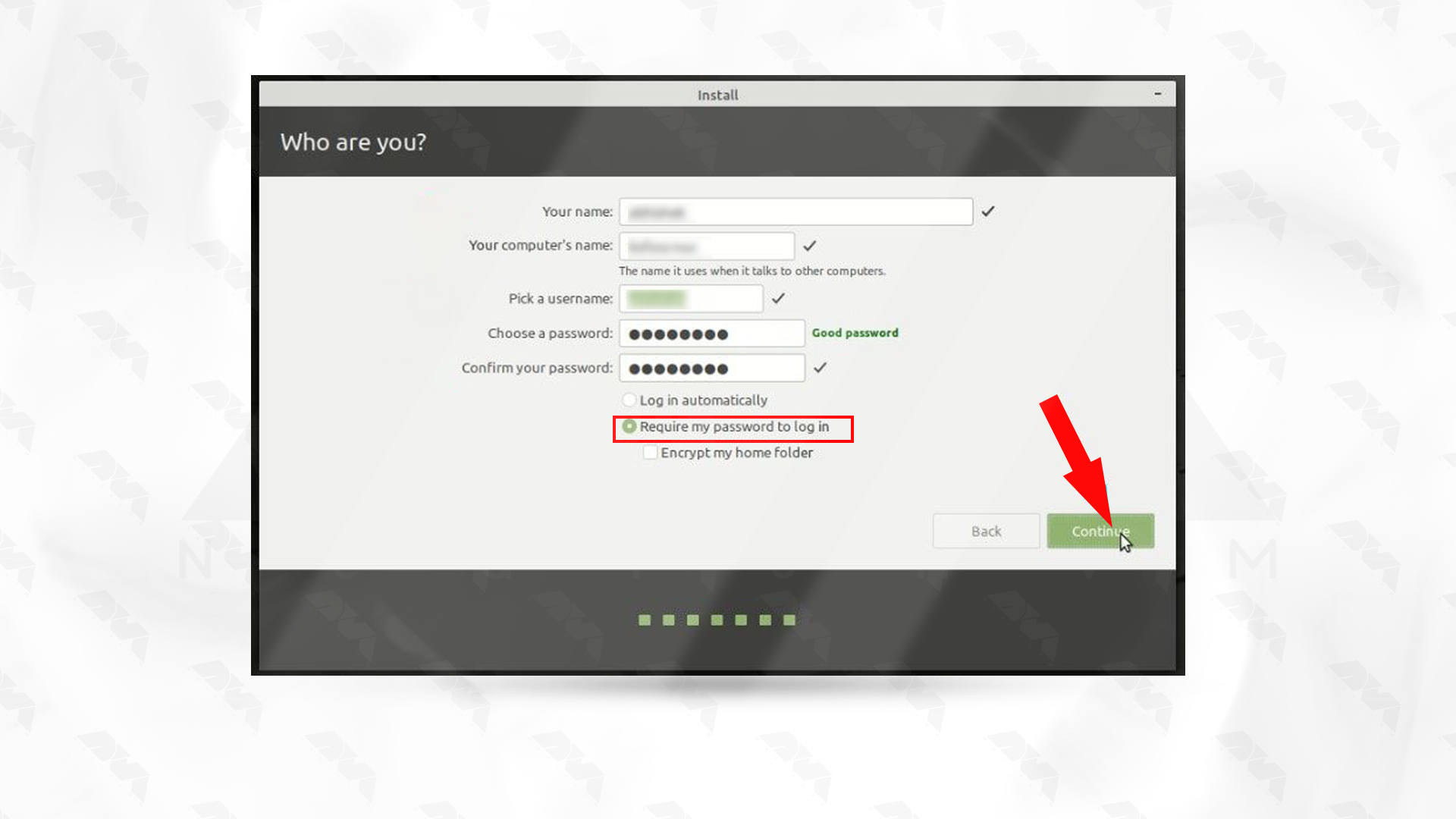
    Finally, create your account and start the installation by giving your username and password.

    username and password for linux mint

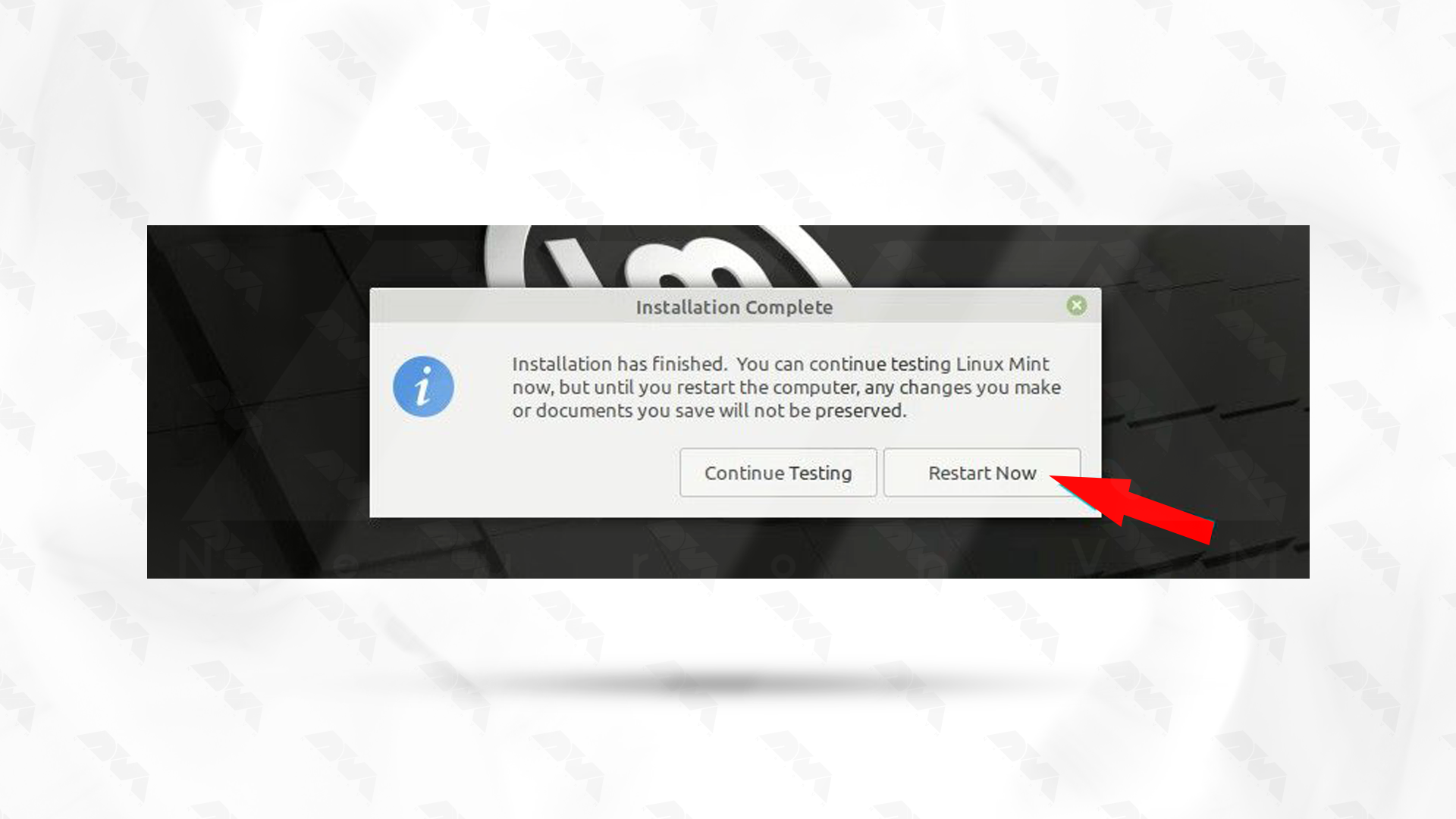
    The installation process will take some time, so be patient. Restart your system to apply changes:

    restart linux mint

    Note: After restarting, the system will prompt you to remove USB and press Enter.

    This is it! As you get more familiar with the system, you can explore advanced features, customize your desktop, and get the most out of your operating system experience.

    Troubleshooting Issues about Booting Linux Mint

    Boot issues with Linux Mint can be caused by various factors, including hardware compatibility, configuration problems, or software issues. Here are some common boot issues and potential solutions:

    1- Incompatible or missing graphics drivers can cause boot problems, especially if you’ve recently updated your kernel or graphics drivers.

    Solution:

    Boot into recovery mode, uninstall or reinstall graphics drivers, or try using the open-source drivers. You can also edit the GRUB configuration to add kernel parameters like nomodeset to temporarily disable the kernel mode setting.

    2- GRUB is a common boot loader used in many Linux distributions, including Linux Mint. If there’s an issue with GRUB, it may prevent the system from booting.

    Solution:

    You can try reinstalling GRUB or repairing it using a live CD/USB. Boot into a live environment, open a terminal, and use commands like grub-install and update-grub to reinstall and update GRUB.

    3- Filesystem corruption or errors can prevent the system from booting successfully.

    Solution:

    Boot from a live CD or USB, open a terminal and run filesystem checks. For example, for an ext4 filesystem, you can use the e2fsck command.

    sudo e2fsck /dev/sdXY

    Replace /dev/sdXY with the actual partition device.

    Conclusion

    As mentioned in this section, the Linux Mint operating system is a versatile and user-friendly system that everyone from beginners to professionals can use. The installation process is also very simple, and you can do it successfully in a few simple steps. So install Mint with this guide and enjoy it.

  • Fedora vs Debian: The Ultimate Linux Showdown

    Fedora vs Debian: The Ultimate Linux Showdown

    Choosing the right Linux distribution can be overwhelming for many users with the vast array of options available. In this blog post, we will explore the differences between Fedora vs Debian, two popular and widely-used Linux distributions. By examining their histories, popularity, user experience, usability, community support, and more, we aim to assist users in making a well-informed decision between Fedora and Debian.

    Fedora vs Debian: Origin Story

    Both Fedora and Debian have a rich history and have grown to become pillars in the world of open source software. Fedora, initially released in 2003, is the upstream distribution of Red Hat Enterprise Linux. It was created as a community-driven project aimed at providing the latest features and technologies to Linux users.

    On the other hand, Debian, originating in 1993, focuses on stability, reliability, and adherence to the Free Software Foundation’s philosophy. It was one of the first Linux distributions and has gained immense popularity due to its commitment to open source principles.

    Popularity and Reasons for Creation: Fedora and Debian enjoy a significant user base, each with its own unique appeal.

    Fedora, backed by Red Hat, benefits from its association with a reputable enterprise software provider. This association has attracted developers, enthusiasts, and those seeking cutting-edge technologies.

    Debian, known for its stability, reliability, and the extensive amount of software available in its repositories, has amassed a dedicated user community over the years. The creation of both distributions aimed to address specific user needs and preferences, providing alternatives in the Linux ecosystem.

    Fedora vs Debian Origin Story

    User Experience and Usability

    When it comes to User Experience (UX) and Usability, Fedora and Debian offer different approaches.

    Fedora is often considered more suitable for users looking for a modern and user-friendly interface. Its default desktop environment, GNOME, provides a visually appealing and intuitive user interface.

    On the other hand, Debian prioritizes stability and reliability over the latest features, which might result in a more conservative user experience. However, Debian offers a broad range of desktop environments, such as GNOME, KDE Plasma, Xfce, and more, allowing users to choose the environment that best suits their preferences.

    User Experience

    Fedora vs Debian: Community and Support

    Community support is an essential aspect when choosing a Linux distribution. Both Fedora and Debian benefit from active and vibrant communities, ensuring continuous development and support.

    Fedora’s community-driven approach encourages collaboration and innovation among its users. It also organizes regular release cycles to deliver the newest features and improvements.

    In contrast, Debian’s community emphasizes stability through rigorous testing processes and conservative updates. This focus ensures long-term support and security for its users.

    Fedora vs Debian: Community and Support

    Package Management, Security, and More

    Another important consideration is package management.

    Fedora utilizes the RPM package manager, which simplifies the installation, upgrade, and removal of software packages.

    Debian, on the other hand, employs the APT package management system, known for its simplicity and robustness.

    In addition to package management, security is another crucial aspect to consider when comparing Fedora and Debian. Both operating systems have their own approaches to ensuring the security of the software packages they offer.

    Fedora has a strong focus on security and incorporates several features to protect its users. One such feature is SELinux (Security-Enhanced Linux), which provides enhanced access control security policies. SELinux helps to enforce mandatory access control, minimizing the potential damage that could be caused by an exploited vulnerability or malicious software.

    On the other hand, Debian has a reputation for being a highly secure operating system. The Debian Security Team actively monitors and patches vulnerabilities in the software packages it maintains. They have an established process for handling security issues, which includes providing timely security updates and advisories to users. Debian’s commitment to security has led it to be recognized as one of the most reliable and stable distributions in terms of security.

    Fedora utilizes the RPM package manager, which simplifies the installation, upgrade, and removal of software packages. Debian, on the other hand, employs the APT package management system, known for its simplicity and robustness.

    Apart from security and package management, there are various other factors that differentiate Fedora and Debian. These include their release cycles, available software repositories, and overall target audience.

    Fedora follows a more frequent release cycle, with new versions being released approximately every six months. This provides users with access to the latest software innovations, features, and improvements. In contrast, Debian has a more conservative release cycle, with major releases occurring at longer intervals. This stability-oriented approach ensures a more thoroughly tested and reliable operating system.

    Fedora vs Debian In depth comparison

    Fedora vs Debian: Overview

    Here’s a quick overview of these two operating system and their features:

    FeaturesFedoraDebian
    Popularity Popular among developers and enthusiastsOne of the oldest and widely used Linux distributions Package Management
    Target AudienceMost suitable for intermediate to advanced usersSuitable for beginner to advanced users
    Release CycleFrequent releases (approximately 6 months)Stable releases (approximately every 2 years)
    StabilityFedora has a version named “Fedora Workstation” which is quite stableDebian is known for its stability
    Package ManagementDNF (Dandified Yum)APT (Advanced Package Tool)
    Community SupportActive and vibrant communityHuge and strong community support Software Availability
    PhilosophyEmphasis on showcasing latest technologiesFocuses on stability and reliability
    Comparing Fedora vs Debian

    Final Words

    In the Fedora vs Debian showdown, the right choice ultimately depends on the user’s needs and preferences. Fedora appeals to those seeking cutting-edge technologies and a visually appealing user experience. On the other hand, Debian provides a stable and reliable environment with extensive software repositories, offering flexibility in choosing desktop environments. Both distributions boast active communities and solid support networks. We hope this comparison has shed light on the key differences between Fedora and Debian, helping users make an informed decision while exploring the vast world of Linux.

  • Unveiling the Battle of Titans: Kali Linux vs Arch Linux

    Unveiling the Battle of Titans: Kali Linux vs Arch Linux

    The battle between Kali Linux and Arch Linux is a showdown between two powerhouses. Kali Linux, known for its penetration testing capabilities, is favored by cybersecurity professionals. Arch Linux, on the other hand, boasts a minimalistic approach and offers a highly customizable experience. In this article, you will clearly see the result of the comparison between Kali Linux vs Arch Linux.

    The Origin Story

    Kali Linux and Arch Linux are two popular Linux distributions that emerged from different origins and serve distinct purposes. Before we start and introduce and compare these two distributions for you, we suggest you to test and use the Linux VPS server plans provided on our website.

    Kali Linux vs Arch Linux

    Kali Linux, formerly known as Backtrack, was initially developed by Mati Aharoni and Devon Kearns of Offensive Security as a specialized distribution for penetration testing and digital forensics. It was first released in 2006 and became popular within the security testing community due to its vast array of pre-installed security tools and utilities. Kali Linux is designed for ethical hacking and security auditing, providing a robust platform for professionals and enthusiasts in the cybersecurity field.

    On the other hand, Arch Linux was created by Judd Vinet in 2002 as a minimalist and lightweight distribution focused on simplicity, customization, and flexibility. Arch Linux follows a rolling release model, which means that users have access to the latest software updates without the need for reinstalling the entire operating system. Its philosophy of “Keep It Simple, Stupid” (KISS) appeals to advanced Linux users who prefer to build their systems from the ground up and have complete control over every aspect of their installation.

    Although Kali Linux and Arch Linux have different goals, they both share an open-source foundation and have vibrant communities supporting their development. Both distributions enjoy active user bases and periodically receive updates and bug fixes to ensure their security and functionality.

    Kali Linux vs Arch Linux: Usability and User Experience

    First of all, it should be noted that Kali Linux and Arch Linux both have different focuses, so their usability and user experience may vary.

    Kali Linux comes pre-installed with a wide range of security and hacking tools, making it ideal for experienced security professionals. However, for a mainstream user who only requires general computing tasks, Kali Linux may not be the most user-friendly option. It requires a high level of technical knowledge and may not provide a seamless out-of-the-box experience.

    On the other hand, Arch Linux is highly customizable distribution that follows a “do-it-yourself” philosophy. Arch Linux provides a more hands-on experience, allowing users to configure and optimize their system according to their specific needs. While this level of customizability can be empowering for experienced users, it may not be the best choice for beginners or those who prefer a more plug-and-play experience.

    Kali Linux vs Arch Linux Usability and User Experience

    In terms of user experience, Kali Linux is focused on a specific niche and provides specialized tools for penetration testing and security assessments. Its user interface is tailored to these tasks, with an emphasis on efficiency and accessibility to security tools. However, for day-to-day tasks like web browsing, multimedia, or gaming, the user experience may not be as polished or optimized.

    Arch Linux, on the other hand, provides a minimal and lightweight base system, allowing users to customize and install their preferred desktop environment, applications, and utilities. This flexibility offers a more tailored and user-friendly experience, but it also requires a higher degree of technical expertise to set up and maintain.

    Package Management Systems

    Kali Linux uses the Advanced Packaging Tool (APT) package management system. APT is known for its ease of use and powerful features. It allows users to install, upgrade, and remove software packages easily using simple commands like apt-get. APT also provides extensive dependency management, which ensures that all required libraries and dependencies are installed along with the requested package. Kali Linux also provides its own repositories with a wide range of security and hacking-related tools.

    Package Management Systems

    On the other hand, Arch Linux uses its own package manager called Pacman. Pacman is a lightweight and flexible package management system designed specifically for Arch Linux. It follows a minimalist approach and aims to provide a simple and efficient package installation process. Pacman uses a rolling release model, which means that packages are constantly updated to their latest versions. It also has a built-in package build system called the Arch Build System (ABS), which allows users to easily create and install custom packages.

    In summary, both APT and Pacman have their own strengths and are suited for different types of users. APT is often preferred for its user-friendly interface and extensive package repositories, while Pacman is favored for its simplicity and rolling release model.

    Community Support and Philosophies

    Community Support:

    Kali Linux: Kali Linux has a large and active community support base due to its popularity among the cybersecurity community. It has a dedicated forum, IRC channel, and various online communities where users can seek help, share knowledge, and discuss topics related to Kali Linux tools and usage.

    Arch Linux: Arch Linux also has a strong and active community support system. It has an official forum, IRC channels, and a Wiki page. The Arch Linux community is known for its helpfulness, but it is more focused on user self-sufficiency and encourages users to find solutions on their own by providing extensive documentation.

    Community Support and Philosophies

    Philosophies:

    Kali Linux: Kali Linux is geared towards penetration testing, security auditing, and digital forensics. It is designed to provide a comprehensive toolkit of specialized tools for cybersecurity professionals. Kali Linux follows a philosophy of “hack responsibly” and promotes ethical hacking and education in the field of cybersecurity.

    Arch Linux: Arch Linux follows a minimalist and do-it-yourself (DIY) philosophy. It aims to provide a lightweight and minimal base system that allows to build customized Linux environment according to preferences. Arch Linux focuses on simplicity, user-centricity, and providing the latest bleeding-edge software packages.

    Kali Linux has a massive community support base with a focus on cybersecurity, hacking, and forensics, while Arch Linux has an active community that emphasizes self-sufficiency and encourages users to build their customized Linux systems. Choose Kali Linux if you specifically need cybersecurity tools, and choose Arch Linux if you prefer a minimal base system with extensive customization options.

    General Overview: Kali Linux vs Arch Linux

    In the table below, we have generally compared Kali Linux and Arch Linux. Note that this table provides an overview and may not cover all aspects of each distribution. It is always recommended to research and evaluate specific needs before choosing a Linux distribution.

    FeaturesKali LinuxArch Linux
    PurposePenetration testingCustomizable environment
    Target audienceSecurity professionalsAdvanced Linux users
    Ease of useIntermediateAdvanced
    Package managerAptPacman
    Number of packagesExtensiveMinimal
    Rolling releaseNoYes
    StabilityStableRolling release
    Community supportExcellentActive and knowledgeable
    DocumentationComprehensiveExtensive and detailed
    CustomizationLimitedHighly customizable
    Hardware supportWide rangeVaries
    InstallationFull installation imageMinimal installation image
    Default desktop environmentGnomeNone
    Security featuresExtensiveLimited
    Update frequencyPeriodicallyContinuously
    Use casesPenetration testing, digital forensicsGeneral-purpose use

    Final Words

    In conclusion, both Kali Linux and Arch Linux offer powerful features and flexibility for different purposes. Kali Linux is designed for penetration testing and security auditing, while Arch Linux is a minimalistic and customizable distribution suitable for advanced users. In this article, we tried to fully compare Kali Linux and Arch Linux, but if you still have any doubts or questions about this, ask us in the comments section.

  • The Art of Ubuntu Server Monitoring: Best Practices and Tools

    The Art of Ubuntu Server Monitoring: Best Practices and Tools

    A system monitoring tool, also known as monitoring software or system monitor, is a type of software or application used to observe, manage, and collect data about the performance and behaviour of a computer system or network. These tools are essential for IT professionals and system administrators to ensure that systems are running efficiently, identify and address issues, and gather data for analysis and reporting. Here we will introduce the best Ubuntu server monitoring tools, keep reading.

    The Best System Monitoring Tools for Ubuntu

    Whether you are a regular user or a system administrator, maintaining the smoothness of the computer and network infrastructure is very important. So to monitor your system, especially Linux OS or Linux VPS, you need to use a monitoring tool to monitor all system activities such as CPU performance, and memory code, Monitor the network, and track the status of other connected devices.

    7 Best Ubuntu Server Monitoring Tools

    Let’s find out the Ubuntu server monitoring tools

    Htop

    Htop is an interactive system monitoring tool for Linux operating systems. It is similar to the traditional top command but provides a more user-friendly and dynamic interface for monitoring system resources and processes.

    Htop allows you to view and manage system metrics in real-time, making it easier to identify and diagnose performance issues on your system. This is suitable for consoles and terminals, that’s why it supports text mode.

    Htop has many features that are used in FreeBSD, macOS, and OpenBSD Linux. This tool provides information such as working time, tasks, and load average. You can also change the color settings in the user interface to suit your needs. Htop supports real-time signals and custom scripts.

    Htop Monitoring Tool

    Stacer

    Stacer is an open-source tool used for system monitoring and optimization. System administrators can easily manage system resources and tasks with this tool. Its wonderful user interface and modern structure make you feel comfortable using it.

    Stacer has many tools that help manage start-up programs and clean essential package caches, program logs, crash logs, cache, and garbage in the system cleaner tab. You can start or stop high-speed services, also, remove programs that you no longer need.

    You can see the network activity for the last 60 seconds in the CPU, RAM, disk, and average CPU resource tab. It helps you have an apt repository that can be used to remove, enable, and disable any repository. Those using Ubuntu can take advantage of this to edit closed repositories.

    Stacer monitoring tool

    Glances

    Another monitoring tool for Ubuntu is Glances, which is written in Python and is cross-platform. This tool adjusts automatically depending on the size of the terminal and displays all the information in a single window. It shows all the necessary information as much as possible.

    You can use glances in client/server mode and monitor the system through the web or terminal. As a result, having all the necessary information at once is one of the positive points of this tool. Other features of Glances include the use of a web interface for remote monitoring.

    Tip: Using this tool for Linux running low-end programs may be a bit difficult because more CPU resources are required.

    glances

    BashTOP

    It can be said that another interesting and reliable tool for monitoring the Ubuntu system is Bashtop. This tool displays usage statistics of processors, disks, memory, network, and other resources. This tool is perfect for desktop and computer users. But it doesn’t work much for system administrators because it won’t satisfy their demands.

    Also if we want to compare it with Htop it is a bit slower. Bashtop is easy to use and has a beautiful and perfect user interface.

    bashtop

    Vtop

    Vtop is provided as a free and open-source tool that is responsible for monitoring the system of Ubuntu and other Linux distributions. This tool allows you to monitor and manage the system at the same time. It is especially useful for system administrators, developers, and anyone interested in monitoring system performance in a more user-friendly and interactive way.

    More specifically, Vtop is a command-line tool and interactive system monitoring tool that allows users to view real-time statistics and information about the performance of their computer or server. It’s similar to the popular top tool that provides a dynamic view of system processes and resource usage, but Vtop adds some extra features and a more user-friendly interface.

    Vtop monitoring tool - ubuntu server monitoring tools

    Atop

    If we want to introduce an advanced interactive system and process monitor for you, Atop is certainly one of the best that displays the load on Linux and Bubuntu systems. You can view the most important hardware resources such as CPU, disk, network, or memory. Or for a more detailed and longer review, record the use of resources permanently.

    In other words, It provides detailed insights into system resource usage and process-level information, making it a valuable tool for system administrators and those interested in monitoring and troubleshooting system performance.

    atop monitoring tool - ubuntu server monitoring tools

    Gotop

    Gotop is a system monitoring and resource usage visualization tool for the command line and is graphical. It is designed to provide real-time information about system resource consumption, such as CPU usage, memory usage, and processes, in an easy-to-read and interactive format.

    Gotop is typically used by system administrators and users who prefer command-line interfaces for monitoring their system’s performance. Unlike Atop and Vtop, Gotop doesn’t use node.js and is written in the Go language.

    Gotop - ubuntu server monitoring tools

    The Best Practices to Use Ubuntu Monitoring Tools

    Monitoring your Ubuntu system is crucial to ensure its performance, stability, and security. Ubuntu provides various tools and practices for effective system monitoring. Here are some best practices for using Ubuntu monitoring tools:

    1- For more comprehensive monitoring, you can also consider tools like Prometheus, Grafana, Zabbix, and Nagios. Choose the tools that best suit your monitoring needs.

    2- Ensure that your Ubuntu system is up-to-date. Regularly run sudo apt update and sudo apt upgrade to keep your system and monitoring tools current.

    3- Tools like Iftop and Nload can help you monitor network traffic and bandwidth usage. Consider netstat and ss for examining network connections.

    4- Use tools like df and du to monitor disk space. You can also set up alerts for low disk space using monitoring solutions like Nagios.

    5- If you’re running specific services or applications, setup monitoring for those using tools like Prometheus with exporters or application-specific monitoring agents.

    6- Employ tools like fail2ban to monitor and protect against unauthorized access attempts. Tools like Logwatch can also help you keep an eye on security-related events.

    7- Write custom scripts to monitor specific parameters or services and set up alerts through email, SMS, or other notification methods when thresholds are breached.

    8- Consider centralizing your logs using tools like the ELK stack or similar solutions. Centralized logs make it easier to search, analyze, and correlate information.

    9- Document your monitoring setup, including the tools you use, configurations, alert thresholds, and procedures to follow when alerts are triggered.

    10- Regularly review your monitoring configuration and make adjustments as necessary.

    Effective system monitoring is an ongoing process. Regularly assess your system’s performance, adjust your monitoring tools and practices as needed, and ensure that you are always ready to respond to potential issues.

    Conclusion

    The tools described in this section are the best Ubuntu server monitoring tools that can be used for Linux systems, especially Ubuntu. There are other tools available in this regard, but the mentioned items have been tested and as a result, the necessary reviews have been provided for you. We hope that the above information was useful for you and helped you make the right choice. Thanks for your cooperation.

  • The Great Linux Rivalry: Debian vs Ubuntu

    The Great Linux Rivalry: Debian vs Ubuntu

    The world of Linux is vast and diverse, with numerous distributions catering to different preferences and needs. Among these, Debian and Ubuntu stand out as two of the most popular choices. Both Debian and Ubuntu share a common ancestry, but they have distinct characteristics and qualities that fuel the never-ending debate of “Debian vs Ubuntu.” In this article, we will delve into the intricacies of these two operating systems, examining their origins, usability, package management, and community support to shed light on the great Linux rivalry.

    By the way, you can get a Linux VPS today with the distribution of your choice and start your Linux journey.

    The Origin Story

    The Origin Story Debian and Ubuntu both trace their roots back to the Linux operating system, but their paths diverge in terms of their origins. Debian, founded in 1993 by Ian Murdock, was one of the pioneering Linux distributions. Its primary aim was to create a stable and reliable operating system by adhering to rigorous quality standards.

    Debian’s commitment to the principles of free software, emphasizing the importance of open-source code and community collaboration, has been a defining feature. As a result, it has built a strong reputation among developers and users who value stability, security, and the ability to customize their Linux environment extensively.

    Understanding the origins of Debian and Ubuntu sheds light on the ongoing Debian vs Ubuntu debate. While both distributions share a common heritage, they have evolved to serve different user needs.

    On the other hand, Ubuntu emerged in 2004 as a Debian-based distribution, with Mark Shuttleworth leading its development. Ubuntu aimed to bring the power of Linux to a broader audience by prioritizing user-friendliness and ease of installation. Unlike Debian, which had a reputation for being more suitable for experienced users, Ubuntu targeted newcomers to Linux with its intuitive interface and straightforward installation process.

    This focus on accessibility helped Ubuntu gain popularity rapidly, especially among home users, students, and those transitioning from other operating systems.

    Debian vs Ubuntu Origin Story

    Debian vs Ubuntu: Usability and User Experience

    One of the key factors that differentiates Debian and Ubuntu is their approach to usability and user experience. Debian emphasizes stability and reliability over ease of use, making it an ideal choice for experienced users and server environments.

    On the contrary, Ubuntu places great importance on providing a user-friendly interface, intuitive installation process, and comprehensive device compatibility, catering to a broader audience, including newcomers to the Linux ecosystem. This variance in usability often leads to divergent opinions among Linux enthusiasts evaluating Debian vs Ubuntu.

    Debian vs Ubuntu: Usability and User Experience

    Package Management Systems

    Another critical aspect that sets Debian and Ubuntu apart is their package management systems. Debian utilizes its advanced package management tool, Advanced Package Tool (APT), along with Debian packages (DEB). APT ensures effective dependency resolution, seamless updates, and a vast repository of software packages.

    Ubuntu leverages the same APT system but evolves it further with its own graphical front-end package manager called Ubuntu Software Center. Moreover, Ubuntu also introduced Snap packages, allowing for enhanced software distribution with stronger isolation.

    The differences in packaging systems between Debian and Ubuntu can greatly influence the software installation and management experiences for users on each platform.

    Package Management Systems

    Community Support and Philosophies

    In the world of open-source software, community support plays a vital role, and Debian and Ubuntu boast vibrant and dedicated communities.

    Debian, with its focus on stability and free software principles, has built a devoted community centered around openness and transparency.

    Ubuntu, with its emphasis on user-friendliness, attracts users seeking a more polished and accessible experience.

    Both distributions benefit from active communities that provide extensive documentation, support forums, and constant development efforts, contributing to the longevity and success of Debian and Ubuntu.

    Community Support Debian and Ubuntu

    General Overview: Debian vs Ubuntu

    Here’s a quick comparison between these two popular Linux distributions:

    FeaturesDebianUbuntu
    Target AudienceExperienced users, developers, and server administratorsGeneral desktop and server users
    Release CycleStable and conservative release cycle with longer intervals between major updatesSix-month release cycle with a focus on the latest software packages
    Package ManagementUses apt package manager with .deb packagesAlso uses apt package manager with .deb packages
    Snap PackagesDoes not natively support Snap packages by defaultSupports Snap packages for easy software installation
    Desktop EnvironmentOffers a wide range of desktop environments and window managersUses GNOME as the default desktop environment, but provides several other options
    Commercial SupportProvides community support and professional support through third-party companiesOffers professional support through Canonical Ltd, the company behind Ubuntu
    PopularityHighly respected in the open-source community with a strong focus on stabilityOne of the most popular Linux distributions for desktop and server usage

    Final Words

    While the Debian vs Ubuntu rivalry sparks lively debates among Linux enthusiasts, the reality is that both distributions offer valuable and distinct experiences. Debian’s stability and principles are favored by those seeking control and reliability. On the other hand, Ubuntu appeals to a broader audience, with its user-friendly interface and ease of use. Ultimately, choosing between Debian and Ubuntu boils down to personal preferences, and the desired balance between stability and convenience. Regardless of which camp one aligns with, both Debian and Ubuntu serve as powerful representatives of the Linux ecosystem, pushing the boundaries of open-source software.

    FAQ

    Q: Which operating system is more up-to-date in terms of software packages?

    A: Generally, Ubuntu tends to have more up-to-date software packages compared to Debian. Ubuntu’s release cycle is more frequent, allowing for quicker updates. Debian, on the other hand, follows a more conservative approach to ensure stability.

    Q: Which operating system has better community support? Debian or Ubuntu?

    A: Both Debian and Ubuntu have strong and active communities. Although Ubuntu’s community support is often considered more extensive and user-friendly due to its larger user base and focus on a user-friendly experience. Debian also has an active community, particularly among experienced users and developers.

    Q: Can software developed Debian run on the Ubuntu and vise versa?

    A: Yes, software developed for Debian can generally run on Ubuntu without issues since Ubuntu is based on Debian. However, compatibility issues may arise in some cases when dealing with very specific system configurations or software packages.

    Q: Is Debian or Ubuntu recommended for servers?

    A: Debian is considered the go-to choice for servers due to its stability, extensive software repositories, and long-term support options. Its robust security updates and conservative nature make it reliable for critical server environments. Ubuntu also offers server editions with similar features, but Debian’s reputation makes it a popular choice among server administrators.

  • BlackArch Linux: A Comprehensive Overview of Features and Applications

    BlackArch Linux: A Comprehensive Overview of Features and Applications

    BlackArch Linux is a powerful and comprehensive penetration testing and security research operating system. It is designed to provide a wide range of tools and applications for ethical hackers, cyber security professionals, and enthusiasts. In this article, we will explore the features, applications, and benefits of BlackArch Linux.

    Introduction to BlackArch Linux

    BlackArch Linux is built on Arch Linux, a lightweight and flexible Linux distribution known for its simplicity and user-centric approach. It takes the solid foundation of Arch Linux and extends it with a vast collection of specialized tools and packages tailored explicitly for penetration testing, vulnerability assessment, and digital forensics. This distribution primarily focuses on security professionals and individuals with knowledge and experience in penetration testing and security auditing. We recommend you buy and use the cheap Linux VPS server plans provided on our website.

    BlackArch-Linux-A-Comprehensive-Overview-of-Features-and-Applications

    Key Features of BlackArch Linux

    BlackArch Linux offers several key features that make it a popular choice among security professionals and enthusiasts. Here are some of its notable features:

    Extensive Tool Repository

    BlackArch Linux offers a massive repository of over 2,500 tools categorized into different groups, including information gathering, network analysis, web application analysis, exploitation, password attacks, and more. So, these tools cover various aspects of cyber security and provide users with a diverse arsenal to perform comprehensive security assessments.

    Rolling Release Model

    BlackArch Linux follows a rolling release model. This means that users can receive regular updates without reinstalling the entire operating system. In fact, it ensures that users always have access to the latest versions of tools and packages, keeping their systems up-to-date with the ever-evolving cybersecurity landscape.

    Easy Installation and Configuration

    Installing BlackArch Linux is straightforward, thanks to the provided installation scripts. These scripts automate the installation process and guide users through the necessary steps. Additionally, BlackArch Linux provides detailed documentation and a helpful community that can assist users in configuring their system and resolving any issues they may encounter.

    Lightweight and Minimalistic

    BlackArch Linux is designed to be lightweight and minimalistic, allowing users to run it on resource-constrained systems without sacrificing performance or functionality. In fact, the minimal installation footprint ensures efficient resource utilization, making it suitable for both physical machines and virtual environments.

    Customizable and Flexible

    BlackArch Linux provides users with the flexibility to customize their environment according to their specific needs. Users can choose from various desktop environments, window managers, and themes to create a personalized working environment. Additionally, BlackArch Linux supports the Arch User Repository (AUR). This allows users to access a vast collection of additional packages to enhance their system.

    Documentation and Community Support

    BlackArch Linux offers extensive documentation that covers installation, configuration, usage guides, and troubleshooting. Also, the documentation is regularly updated and provides detailed information about each tool and its usage. Moreover, it has an active and friendly community where users can seek support, share knowledge, and collaborate on security-related topics.

    Top BlackArch Linux Tools for Penetration Testing and Security Auditing

    Here are the top BlackArch Linux tools for penetration testing and security auditing:

    Nmap

    Nmap is a powerful network scanning tool that allows users to discover hosts, services, and open ports on a network. It provides various scanning techniques and advanced features such as OS detection, version detection, and scriptable interaction with the target systems. However, this tool is widely used for network mapping, vulnerability assessment, and penetration testing.

    Metasploit Framework

    Metasploit Framework is a well-known tool for exploiting vulnerabilities in systems and applications. It provides a comprehensive set of exploits, payloads, and auxiliary modules that can be used to test the security of target systems. This Framework also offers a user-friendly interface and automation capabilities, making it a preferred choice among security professionals.

    Wireshark

    Wireshark is a popular network protocol analyzer that allows users to capture and analyze network traffic in real time. Also, it supports a wide range of protocols and provides powerful filtering and analysis capabilities. This protocol is an essential tool for network troubleshooting, packet analysis, and identifying potential security issues.

    John the Ripper

    John the Ripper is a password-cracking tool that can be used to test the strength of passwords on various systems and applications. It supports multiple password hash types and employs different cracking techniques, including dictionary attacks and brute-force attacks. John the Ripper is a valuable tool for assessing the security of password-based authentication systems.

    Aircrack-ng

    Aircrack-ng is a complete suite of Wi-Fi security tools that enables users to assess the security of wireless networks. It includes tools for packet capturing, network monitoring, WEP and WPA/WPA2-PSK key cracking, and wireless network discovery. You can use this tool for auditing the security of Wi-Fi networks and identifying potential vulnerabilities.

    Burp Suite

    Burp Suite is a powerful web application security testing tool that provides a range of features for assessing the security of web applications. It includes tools for capturing and manipulating HTTP requests and responses, scanning for vulnerabilities, and performing automated attacks. Generally, this tool is widely used for web application penetration testing and security auditing.

    Hydra

    Hydra is a popular password-cracking tool that specializes in online attacks, including brute-force and dictionary attacks, against various network services. It supports multiple protocols, including HTTP, FTP, SSH, and more. Also, this tool is a versatile tool for testing the security of systems with weak or easily guessable passwords.

    Maltego

    Maltego is a unique tool that focuses on open-source intelligence gathering and footprinting. It allows users to gather information from various sources and visualize the relationships between different entities, such as domains, IP addresses, and social media profiles. You can use Maltego for reconnaissance and gathering intelligence in the early stages of a security assessment.

    Sqlmap

    Sqlmap is a specialized tool for detecting and exploiting SQL injection vulnerabilities in web applications. It automates the process of identifying vulnerable parameters, extracting data from databases, and even gaining remote command execution on the underlying server. This tool is a valuable tool for assessing the security of web applications that interact with SQL databases.

    OpenVAS

    OpenVAS is a comprehensive vulnerability scanning and management tool. It allows users to scan networks and systems for known vulnerabilities and provides detailed reports with remediation suggestions. Also, remember that you can use OpenVAS for vulnerability management and periodic security assessments.

    BlackArch-Linux-A-Comprehensive-Overview-of-Features-and-Applications

    Who Can Benefit from Using BlackArch Linux?

    BlackArch Linux can be used by various individuals and groups involved in cyber security and related fields. Here are some examples of who can benefit from using BlackArch Linux:

    Security Professionals

    BlackArch Linux is a valuable resource for security professionals and ethical hackers. It provides a comprehensive collection of tools for conducting thorough security assessments, vulnerability scanning, and penetration testing. Also, security professionals can leverage BlackArch Linux to identify and fix potential security vulnerabilities within systems and networks, ensuring robust protection against cyber threats.

    IT Administrators

    IT administrators responsible for managing and securing networks can greatly benefit from BlackArch Linux. With its extensive toolset, they can assess the security posture of their networks, identify potential weaknesses, and implement appropriate security measures. Also, BlackArch Linux enables IT administrators to stay one step ahead of potential attackers by proactively addressing vulnerabilities and strengthening the overall security infrastructure.

    System Administrators

    System administrators can utilize BlackArch Linux to enhance the security of their systems. Generally, by exploring the tools available in the distribution, they can identify any weaknesses in their system configurations, conduct security audits, and take necessary actions to mitigate risks. Also, BlackArch Linux empowers system administrators with the ability to fortify their systems against unauthorized access and potential threats.

    Cybersecurity Students and Enthusiasts

    BlackArch Linux serves as an excellent learning tool for cybersecurity students and enthusiasts. It provides a hands-on platform to develop practical skills in penetration testing and security auditing. By working with the diverse range of tools available in BlackArch Linux, students can gain real-world experience in identifying vulnerabilities, exploiting weaknesses, and implementing effective security measures.

    Understanding the Security of BlackArch Linux

    BlackArch Linux offers a wide range of security tools and software to support ethical hacking and vulnerability assessment. The security of BlackArch Linux is maintained through several measures. Firstly, the distribution follows a rolling release model, receiving regular updates to ensure that the included software and tools are up to date with the latest security patches and bug fixes. This helps to keep the system secure and protected against potential vulnerabilities.

    Secondly, BlackArch Linux maintains its own repository of packages, which undergo thorough testing for security and compatibility before being included. The maintainers of BlackArch Linux prioritize the reliability and security of the software in the distribution. However, users need to regularly update their systems and apply security patches to maintain a secure environment.

    Finally, users have a responsibility to practice good security habits, such as using strong passwords, keeping software up to date, and being cautious with third-party software installations or external repositories. While BlackArch Linux strives to provide a secure environment, users play a crucial role in ensuring the security of their own systems.

    Final Thoughts

    BlackArch Linux is a powerful and versatile operating system that empowers cyber security professionals and enthusiasts with a comprehensive suite of tools for various security tasks. Its extensive tool repository, rolling release model, ease of installation, customization options, and active community support make it a preferred choice for penetration testing, digital forensics, malware analysis, and other security-related activities.