Author: Arthur MacGill

  • The Ultimate Dedicated Servers for Gaming Enthusiasts

    The Ultimate Dedicated Servers for Gaming Enthusiasts

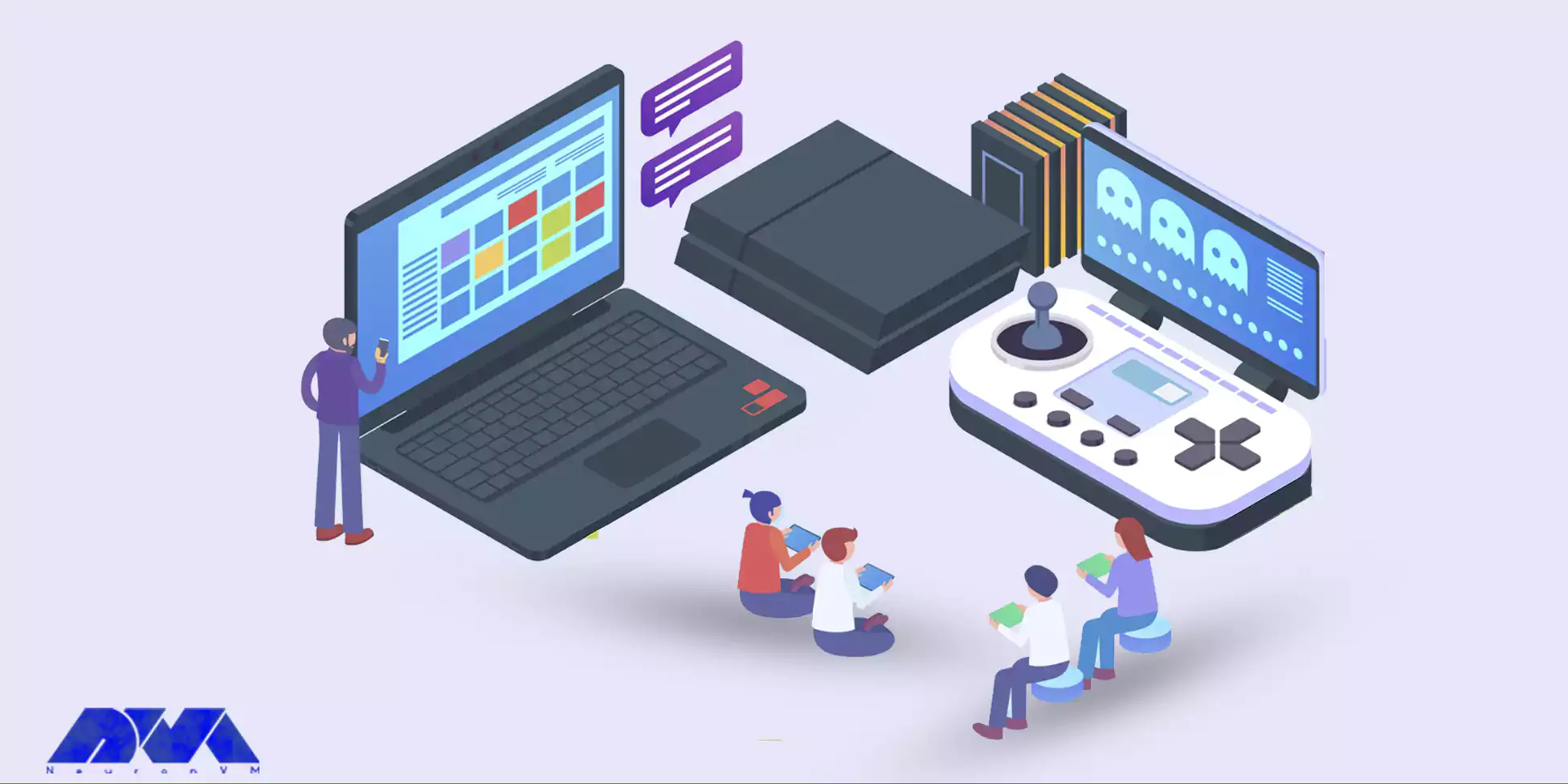
    In the ever-evolving world of gaming, where multiplayer experiences dominate, nothing can enhance your gaming journey more than a dedicated server specifically tailored for this purpose. Dedicated servers for gaming not only guarantee impressive performance but also streamline online interactions, ensuring seamless gameplay. This article will explore the importance of servers in gaming, how they enhance gaming experiences, their advantages such as uninterrupted performance, low latency, customization options, and powerful hardware specifications. Additionally, we will guide you on where to purchase top-quality dedicated servers for gaming.

    Why Dedicated Servers are Crucial for Gaming?

    Dedicated servers play a crucial role in providing an exceptional gaming environment. Unlike shared servers, dedicated servers exclusively allocate resources to a single user or group of users. This level of exclusivity translates into numerous benefits, such as enhanced control, reduced instances of lag, and improved security. Dedicated servers eliminate the inconvenience of relying on peer-to-peer connections, ensuring a stable and reliable gaming experience.

    How Dedicated Servers Can Help Your Gaming Experience?

    Dedicated servers immensely contribute to improving your overall gaming experience. By hosting games on a dedicated server, players gain increased control over various aspects, ranging from rules and regulations to game modifications and expansions. Moreover, these servers facilitate faster and smoother gameplay by reducing latency and optimizing bandwidth allocation.

    Dedicated Servers Can Help Your Gaming Experience

    Consequently, gaming enthusiasts can enjoy faster and more responsive interactions, resulting in an immersive and enjoyable gaming atmosphere.

    Uninterrupted Gaming Performance

    One of the most significant advantages of dedicated servers for gaming is uninterrupted performance. These servers are specifically designed to handle the intense demands of modern multiplayer games, ensuring minimal downtime and a seamless gaming experience.
    Uninterrupted Gaming Performance

    By removing the risk of server overload due to other users’ activities, dedicated servers provide the ideal infrastructure to support heavy gameplay while maintaining consistent performance levels.

    Low Latency and High Bandwidth Network

    Dedicated servers offer low latency and high bandwidth network capabilities, essential for reducing delays and ensuring quick response times in online gaming. When utilizing a dedicated server, data travels directly from the server to the players, eliminating the need for data to pass through multiple intermediate points. This means faster and more precise gameplay, giving gamers a competitive edge in highly dynamic and fast-paced games.

    High Bandwidth Network and Low Ping

    Customization and Flexibility Options

    With dedicated servers for gaming, customization and flexibility options are plentiful. Gaming enthusiasts can tailor server settings to suit their preferences, ranging from choosing specific game modes and implementing mods to controlling player access and security measures. This freedom to customize ensures a unique gaming experience and allows players to establish communities, fostering an inclusive and engaging environment for fellow enthusiasts.

    Customization and Flexibility Options

    Powerful Hardware Specifications

    Top-tier gaming servers feature powerful hardware specifications aimed at delivering optimal gaming performance. With cutting-edge processors, ample storage, and high-performing graphics cards, players can immerse themselves in graphics-intensive games without worrying about hardware limitations. The capabilities of these servers truly unleash the full potential of the gaming experience, enabling gamers to push boundaries and explore vast virtual worlds without compromise.

    Powerful Hardware Specifications in dedicated servers

    Where to Buy a Dedicated Server for Gaming?

    For those seeking the ultimate servers for gaming, several reputable providers cater to this specific niche. Be sure to choose a provider with a proven track record, extensive customer support, and reliable server uptime. Conduct thorough research, read customer reviews, and assess each provider’s offerings, ensuring that you select a dedicated server solution that aligns with your gaming needs and budget.

    Here at NeuronVM, we offer dedicated servers tailored for professional gamers. Play different games like Minecraft, Call of Duty, CS:GO or any other games you fancy on our powerful servers. You can also get a Game VPS if you don’t need the power of a dedicated server just yet. With more than 4 years of experience, 24/7 technical support and various ways for payment, I’m sure you’ll get what you need!

    Final Words

    In conclusion, dedicated servers for gaming are an essential investment for enthusiasts seeking the ultimate playing experience. By providing uninterrupted performance, low latency, high bandwidth, customization options, and powerful hardware specifications, dedicated servers revolutionize the multiplayer gaming landscape. To elevate your gaming adventures to new heights, consider investing in a dedicated server that suits your requirements. Join the ranks of elite gamers and experience the full potential of these servers for gaming.


  • Infographic: The Evolution of Web Hosting

    Infographic: The Evolution of Web Hosting

    Web hosting has come a long way since its inception. From the early days of simple HTML websites to the complex cloud-based solutions we have today, the evolution of web hosting has been nothing short of remarkable. In this infographic post, we will delve into the fascinating journey of web hosting. We will explore its various stages and the technological advancements that have shaped its development.

    The Evolution of Web Hosting: A Timeline of Progress

    In the early 1990s, as the popularity of the world wide web soared, the concept of web hosting emerged. At this stage, web hosting was primarily limited to static websites consisting of basic HTML pages. Furthermore, these early hosting solutions were often provided by individuals or small companies, and websites were hosted on dedicated servers.

    As the demand for more dynamic and interactive websites grew, web hosting technologies had to adapt. The late 1990s saw the emergence of server-side scripting languages like PHP and databases like MySQL, enabling the development of dynamic websites. This shift paved the way for shared hosting, where multiple websites could be hosted on a single server. Shared hosting became a popular choice for individuals and small businesses, offering cost-effective solutions.

    The early 2000s witnessed another significant milestone in the evolution of web hosting with the introduction of virtual private servers (VPS). VPS hosting provided users with more control and resources than shared hosting, without the cost of a dedicated server. This allowed for greater scalability and improved performance for websites, catering to the growing demands of businesses and organizations.

    In recent years, cloud hosting has emerged as the latest innovation in web hosting. With the evolution of virtualization and distributed computing, cloud hosting offers unparalleled flexibility, scalability, and reliability. Websites hosted on the cloud can benefit from automatic resource allocation, ensuring optimal performance even during peak traffic periods.

    As we explore the infographic on the evolution of web hosting, we will delve deeper into each stage, highlighting the key advancements and their impact on the industry. Join us on this journey through time and witness the remarkable progress that has shaped the web hosting landscape as we know it today!

  • Fedora vs Debian: The Ultimate Linux Showdown

    Fedora vs Debian: The Ultimate Linux Showdown

    Choosing the right Linux distribution can be overwhelming for many users with the vast array of options available. In this blog post, we will explore the differences between Fedora vs Debian, two popular and widely-used Linux distributions. By examining their histories, popularity, user experience, usability, community support, and more, we aim to assist users in making a well-informed decision between Fedora and Debian.

    Fedora vs Debian: Origin Story

    Both Fedora and Debian have a rich history and have grown to become pillars in the world of open source software. Fedora, initially released in 2003, is the upstream distribution of Red Hat Enterprise Linux. It was created as a community-driven project aimed at providing the latest features and technologies to Linux users.

    On the other hand, Debian, originating in 1993, focuses on stability, reliability, and adherence to the Free Software Foundation’s philosophy. It was one of the first Linux distributions and has gained immense popularity due to its commitment to open source principles.

    Popularity and Reasons for Creation: Fedora and Debian enjoy a significant user base, each with its own unique appeal.

    Fedora, backed by Red Hat, benefits from its association with a reputable enterprise software provider. This association has attracted developers, enthusiasts, and those seeking cutting-edge technologies.

    Debian, known for its stability, reliability, and the extensive amount of software available in its repositories, has amassed a dedicated user community over the years. The creation of both distributions aimed to address specific user needs and preferences, providing alternatives in the Linux ecosystem.

    Fedora vs Debian Origin Story

    User Experience and Usability

    When it comes to User Experience (UX) and Usability, Fedora and Debian offer different approaches.

    Fedora is often considered more suitable for users looking for a modern and user-friendly interface. Its default desktop environment, GNOME, provides a visually appealing and intuitive user interface.

    On the other hand, Debian prioritizes stability and reliability over the latest features, which might result in a more conservative user experience. However, Debian offers a broad range of desktop environments, such as GNOME, KDE Plasma, Xfce, and more, allowing users to choose the environment that best suits their preferences.

    User Experience

    Fedora vs Debian: Community and Support

    Community support is an essential aspect when choosing a Linux distribution. Both Fedora and Debian benefit from active and vibrant communities, ensuring continuous development and support.

    Fedora’s community-driven approach encourages collaboration and innovation among its users. It also organizes regular release cycles to deliver the newest features and improvements.

    In contrast, Debian’s community emphasizes stability through rigorous testing processes and conservative updates. This focus ensures long-term support and security for its users.

    Fedora vs Debian: Community and Support

    Package Management, Security, and More

    Another important consideration is package management.

    Fedora utilizes the RPM package manager, which simplifies the installation, upgrade, and removal of software packages.

    Debian, on the other hand, employs the APT package management system, known for its simplicity and robustness.

    In addition to package management, security is another crucial aspect to consider when comparing Fedora and Debian. Both operating systems have their own approaches to ensuring the security of the software packages they offer.

    Fedora has a strong focus on security and incorporates several features to protect its users. One such feature is SELinux (Security-Enhanced Linux), which provides enhanced access control security policies. SELinux helps to enforce mandatory access control, minimizing the potential damage that could be caused by an exploited vulnerability or malicious software.

    On the other hand, Debian has a reputation for being a highly secure operating system. The Debian Security Team actively monitors and patches vulnerabilities in the software packages it maintains. They have an established process for handling security issues, which includes providing timely security updates and advisories to users. Debian’s commitment to security has led it to be recognized as one of the most reliable and stable distributions in terms of security.

    Fedora utilizes the RPM package manager, which simplifies the installation, upgrade, and removal of software packages. Debian, on the other hand, employs the APT package management system, known for its simplicity and robustness.

    Apart from security and package management, there are various other factors that differentiate Fedora and Debian. These include their release cycles, available software repositories, and overall target audience.

    Fedora follows a more frequent release cycle, with new versions being released approximately every six months. This provides users with access to the latest software innovations, features, and improvements. In contrast, Debian has a more conservative release cycle, with major releases occurring at longer intervals. This stability-oriented approach ensures a more thoroughly tested and reliable operating system.

    Fedora vs Debian In depth comparison

    Fedora vs Debian: Overview

    Here’s a quick overview of these two operating system and their features:

    FeaturesFedoraDebian
    Popularity Popular among developers and enthusiastsOne of the oldest and widely used Linux distributions Package Management
    Target AudienceMost suitable for intermediate to advanced usersSuitable for beginner to advanced users
    Release CycleFrequent releases (approximately 6 months)Stable releases (approximately every 2 years)
    StabilityFedora has a version named “Fedora Workstation” which is quite stableDebian is known for its stability
    Package ManagementDNF (Dandified Yum)APT (Advanced Package Tool)
    Community SupportActive and vibrant communityHuge and strong community support Software Availability
    PhilosophyEmphasis on showcasing latest technologiesFocuses on stability and reliability
    Comparing Fedora vs Debian

    Final Words

    In the Fedora vs Debian showdown, the right choice ultimately depends on the user’s needs and preferences. Fedora appeals to those seeking cutting-edge technologies and a visually appealing user experience. On the other hand, Debian provides a stable and reliable environment with extensive software repositories, offering flexibility in choosing desktop environments. Both distributions boast active communities and solid support networks. We hope this comparison has shed light on the key differences between Fedora and Debian, helping users make an informed decision while exploring the vast world of Linux.

  • Infographic: Top Online AI Tools

    Advancements in artificial intelligence (AI) have redefined the way we approach various tasks. With the ever-growing demand for streamlined processes, online AI tools have emerged as game-changers across diverse fields, such as content writing, sales, marketing, design, and coding. These intelligent tools harness the power of AI algorithms to automate repetitive tasks, ultimately increasing productivity and efficiency. In this blog post, we explore how online AI tools are transforming the way we work while enhancing our capabilities.

    The Rise of Online AI Tools: Empowering Efficiency

    Online AI tools have revolutionized the way professionals in various domains carry out their work. Tasks that were once time-consuming and monotonous can now be automated, liberating precious human resources to focus on more creative and critical aspects of their work. These tools utilize AI algorithms to analyze data, recognize patterns, and generate intelligent solutions, enabling professionals to accomplish more in less time.

    The Influence of these tools Across Different Fields:

    1. Content Writing:

    Online AI tools equipped with natural language processing technology can generate engaging content with minimal human intervention. Tools like ChatGPT can assist in crafting compelling articles, blogs, and social media posts, saving writers valuable time in the creation process.

    1. Sales and Marketing:

    AI-powered tools can automate lead generation, customer profiling, and personalized interactions. Through predictive analytics, these tools can identify potential buyers and predict their preferences, allowing sales and marketing teams to focus on high-value prospects.

    1. Design:

    Designers can leverage AI-powered tools to automate repetitive design tasks, such as resizing images, retouching photos, or creating color palettes. This streamlines the design process, freeing up time for more innovative and concept-driven work.

    1. Coding:

    Online AI tools can assist developers by automating code generation, suggesting optimal code snippets, and detecting errors. This acceleration of coding tasks improves the development cycle, leading to enhanced software quality and faster project delivery.

    In conclusion, the increasing prominence of the mentioned tools signifies a paradigm shift in how we approach repetitive tasks. By harnessing the power of AI algorithms, these tools elevate efficiency and productivity in various fields. Empowering professionals to focus on higher-value activities, AI tools are reshaping industries and providing avenues for innovation. Whether it is content creation, sales, marketing, design, or coding, these intelligent tools pave the way for a future where repetitive work is no longer a burden, but an opportunity for growth. Explore the top online AI tools as we unveil their capabilities in our infographic below.

  • Infographic: Top 10 Linux Distributions

    Infographic: Top 10 Linux Distributions

    Linux distributions have gained significant popularity over the years, offering a robust and flexible alternative to traditional operating systems. With a vast range of choices available, selecting the ideal Linux distribution can be quite daunting. This article aims to provide a comprehensive overview of the top 10 Linux distributions, shedding light on their unique features and suitability for various user preferences and purposes.

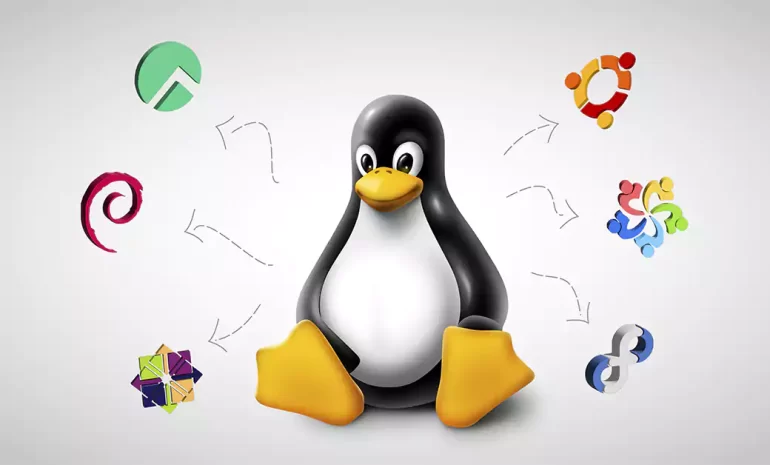
    Linux Distributions in One Photo

    What you will see below, is a infographic showcase of top distributions from the very beginning. Since Linux is an open-source operating system, there are a lot of official and unofficial distributions of it. Although this 10 distributions are the ones that either have stood the test of time or gathered a significant number of audience in a short time.

    By delving into the history and growth of these distributions, we hope to shed light on their pioneering nature and exceptional qualities that have solidified their status over the years. From the early days of Linux, these distributions have consistently pushed the boundaries, offering a diverse range of tools, features, and customization options that have empowered users to tailor their computing experience to their specific needs and preferences.

    Furthermore, each of these distributions has attracted a dedicated and passionate community. This community-driven aspect has played an instrumental role in their success, fostering continuous development, robust support forums, and a wealth of tutorials and resources available to users worldwide. The widespread adoption and unwavering loyalty these distributions have garnered in a relatively short time span highlight their exceptional quality and appeal.

    It is our belief that this curated infographic will serve as both a celebration of the remarkable Linux ecosystem and a valuable resource for curious users seeking to navigate through the vast array of available distributions. Whether you are an experienced Linux user or just beginning your exploration of this rich operating system, we invite you to dive into this comprehensive showcase and discover the top 10 Linux distributions that have left an indelible mark on the world of open-source technology.

  • Bitcoin Boulevard to France: Unlock RDP possibilities

    Bitcoin Boulevard to France: Unlock RDP possibilities

    In a today’s world, Remote Desktop Protocol (RDP) has become an integral part of businesses and individuals across the globe. The ability to access computers or servers remotely provides unprecedented convenience and flexibility. When it comes to purchasing RDP, opting for various locations like France can offer distinct advantages. Notably, the ability to buy France RDP with Bitcoin presents an easy and secure method to acquire this invaluable service. In this article, we will explore the benefits of using France RDP and how businesses and individuals can harness its potential.

    France wavering flag

    The Advantages of Using France RDP

    France has a distinct internet infrastructure, with features that set it apart from other countries.

    Firstly, France has achieved high broadband penetration rates, as a result of significant investments by both the government and private service providers. This has led to widespread access to high-speed internet connections.

    Additionally, France has extensively deployed fiber-optic networks, allowing for fast and reliable internet access across homes and businesses. The backbone infrastructure in France is relatively centralized, particularly in cities like Paris, resulting in efficient routing and high-speed connectivity.

    The country also boasts a number of established internet exchange points (IXPs), which facilitate the exchange of internet traffic between different networks and ISPs, leading to improved local and regional internet performance.

    The Advantages of Using France RDP

    France’s regulatory environment plays a crucial role in shaping its internet landscape. The country promotes competition among ISPs, resulting in a diverse market with multiple players offering different services. This competitive environment drives innovation and enhances the quality and affordability of internet services.

    Furthermore, France places a strong emphasis on privacy, with stringent regulations in place to protect users’ personal information. Notably, the General Data Protection Regulation (GDPR) applies to any entity processing personal data of individuals within the EU, ensuring data protection and privacy.

    Additionally, France advocates for content localization policies, requiring certain digital content to be available in French and compliant with local regulations. This includes streaming platforms, online marketplaces, and search engines providing localized versions for French users.

    How to Buy France RDP with Bitcoin?

    There are not many providers out there that have the bitcoin as one of their payment options, let alone selling it based on location. NeuronVM is one of the few places you can easily buy your needed services and pay with cryptocurrencies like Bitcoin. In this section I’m going to show you how you can buy France RDP with Bitcoin without facing any issues. Here we go:

    Buying France RDP
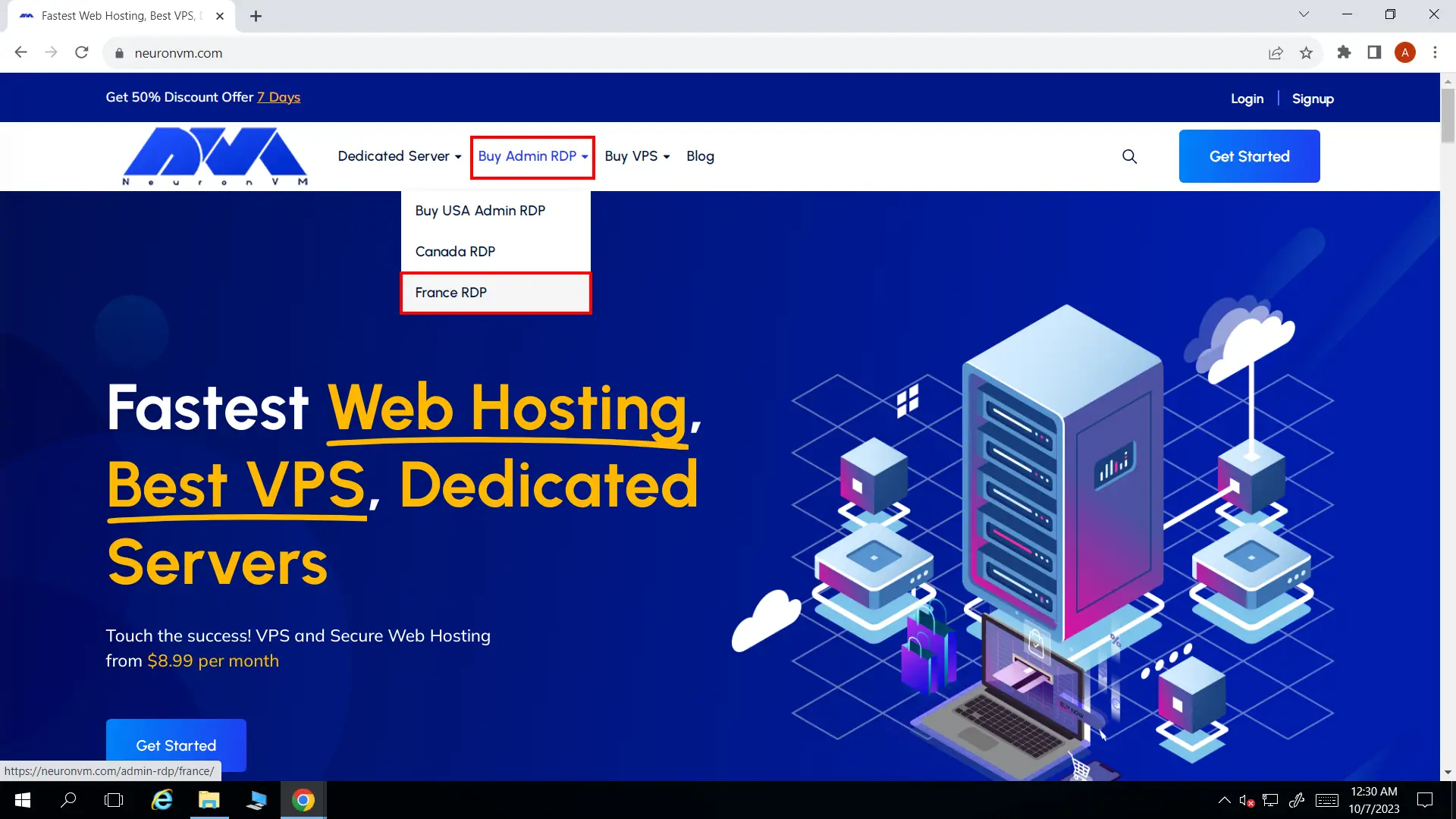
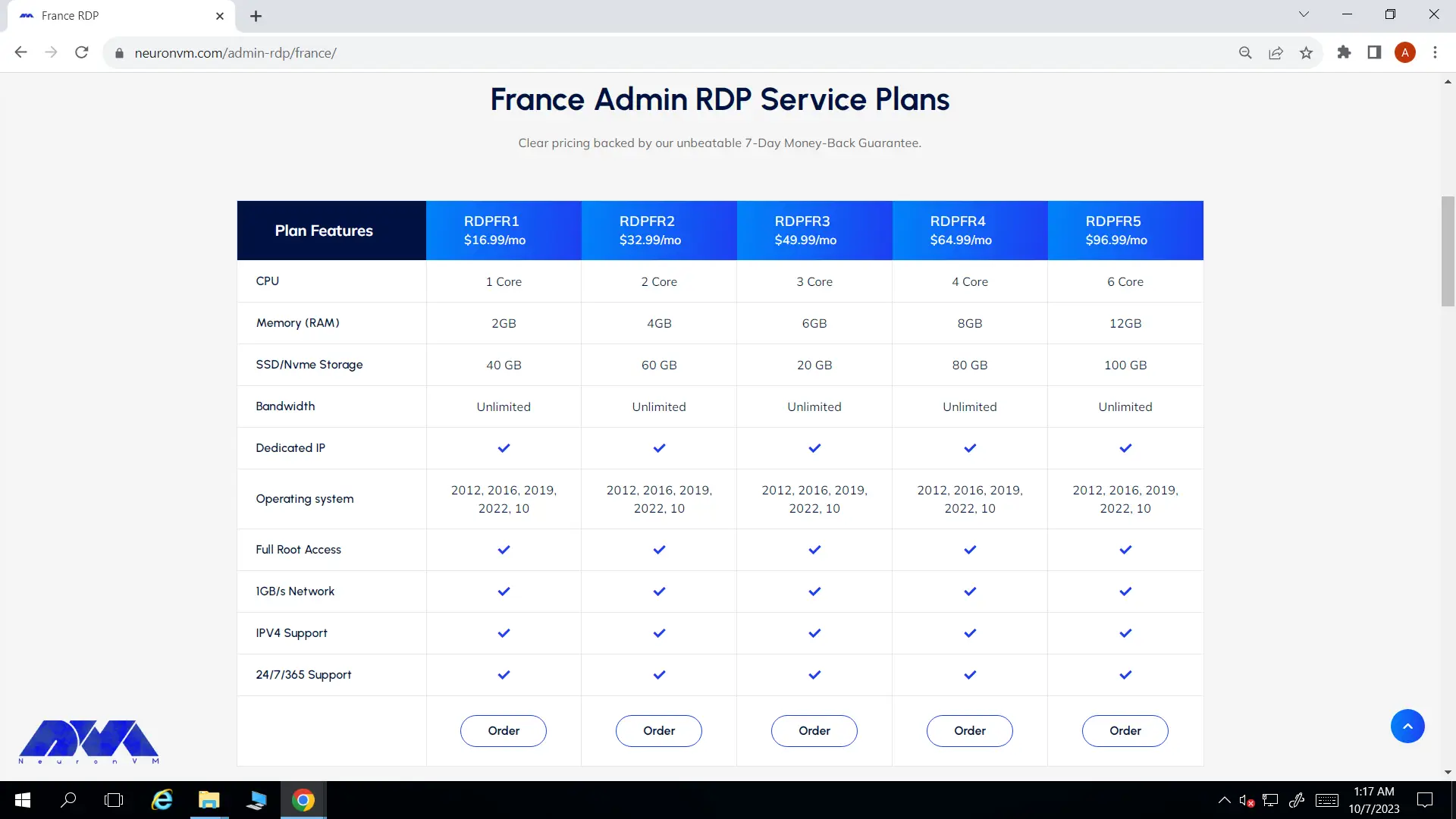
    • On France RDP page, scroll down and you will see the different plans listed there. Choose your preferred plan and click on Order.
    Choosing preferred plan
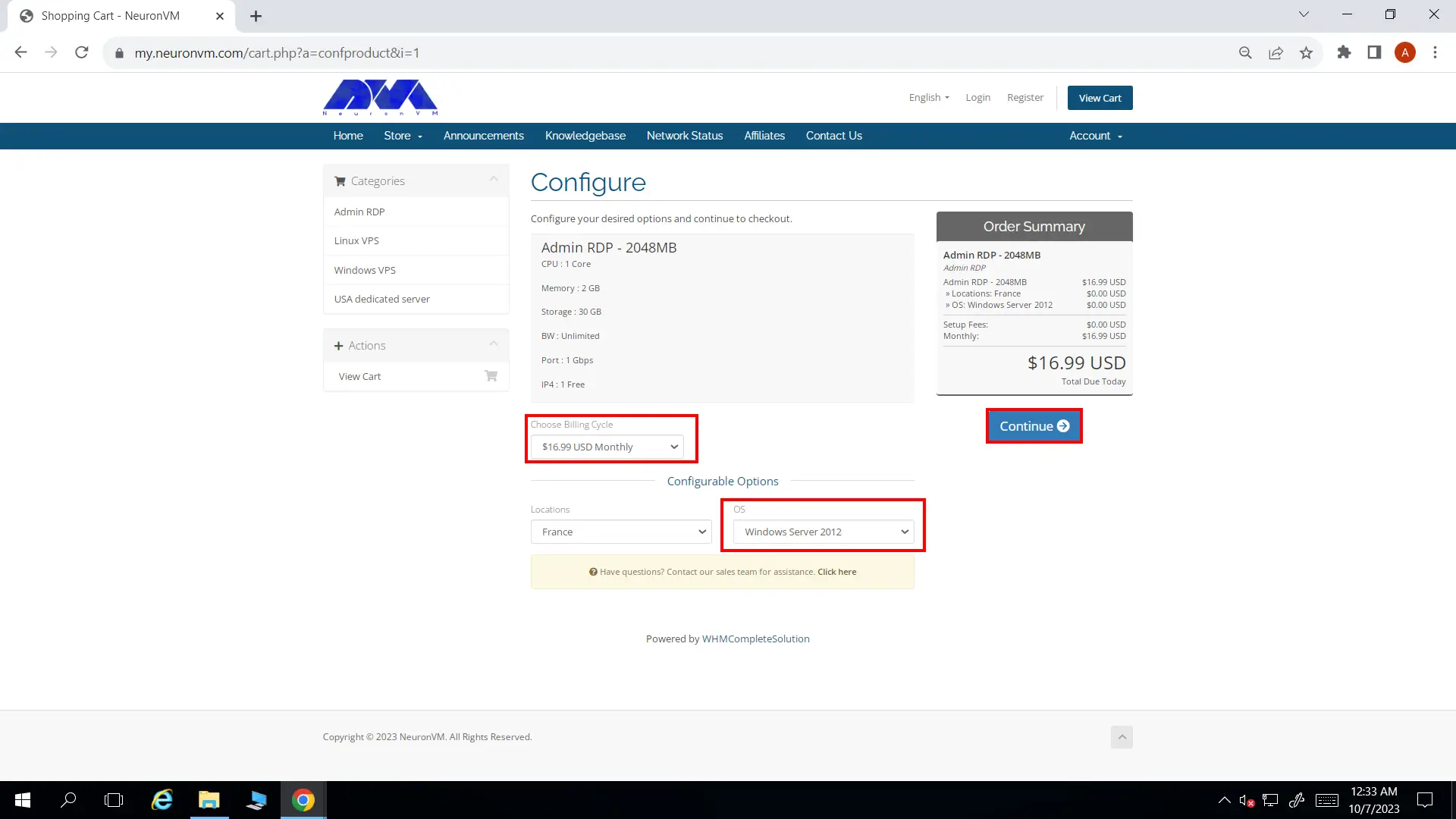
    • You’ll be landed on configure page. You can change a few options like Preferred OS and the Billing Cycle to your liking.
    Configure
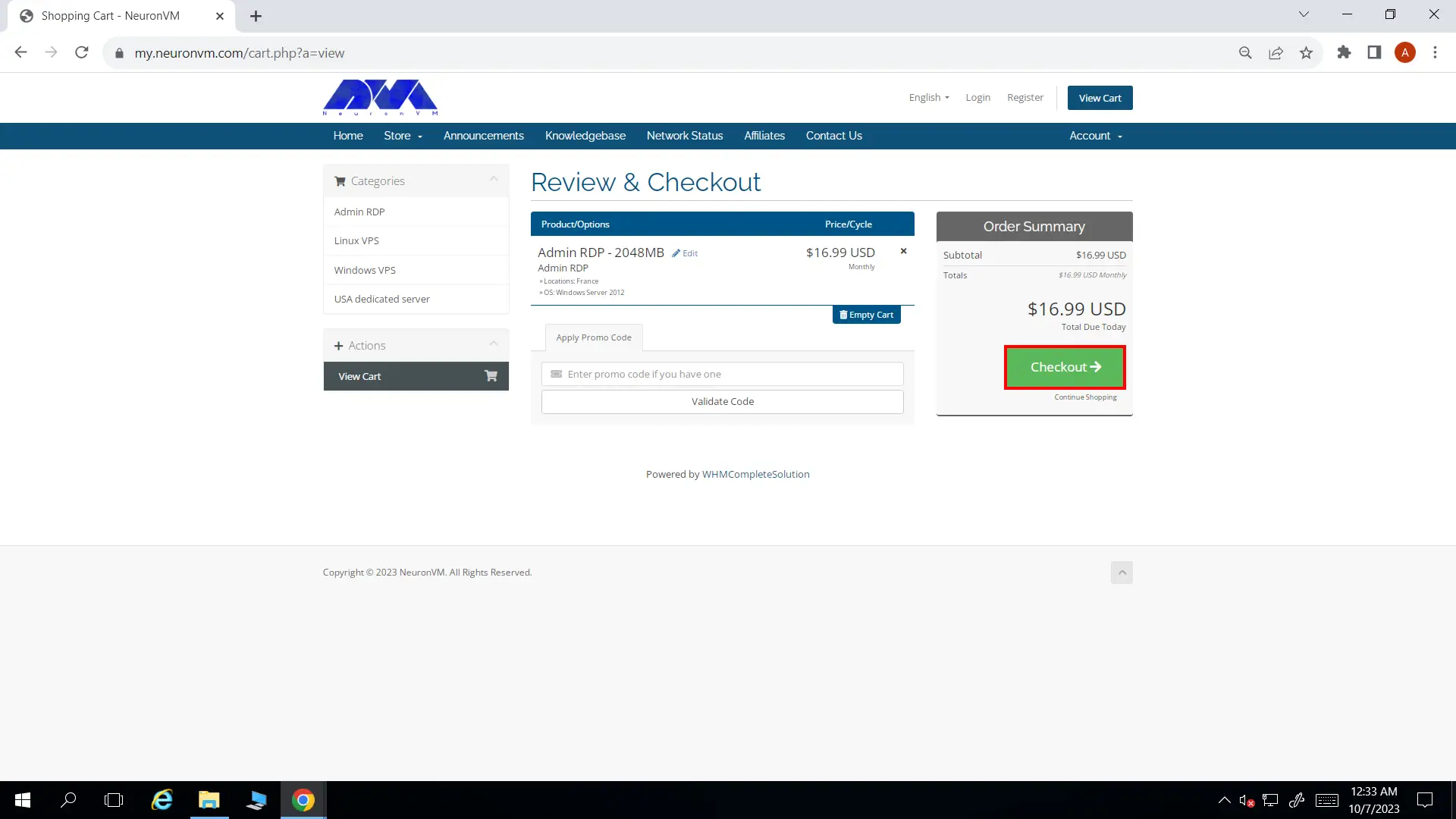
    • In Review and Checkout page you can enter a promo code if you have any, then click on Checkout button and proceed.
    Review and checkout
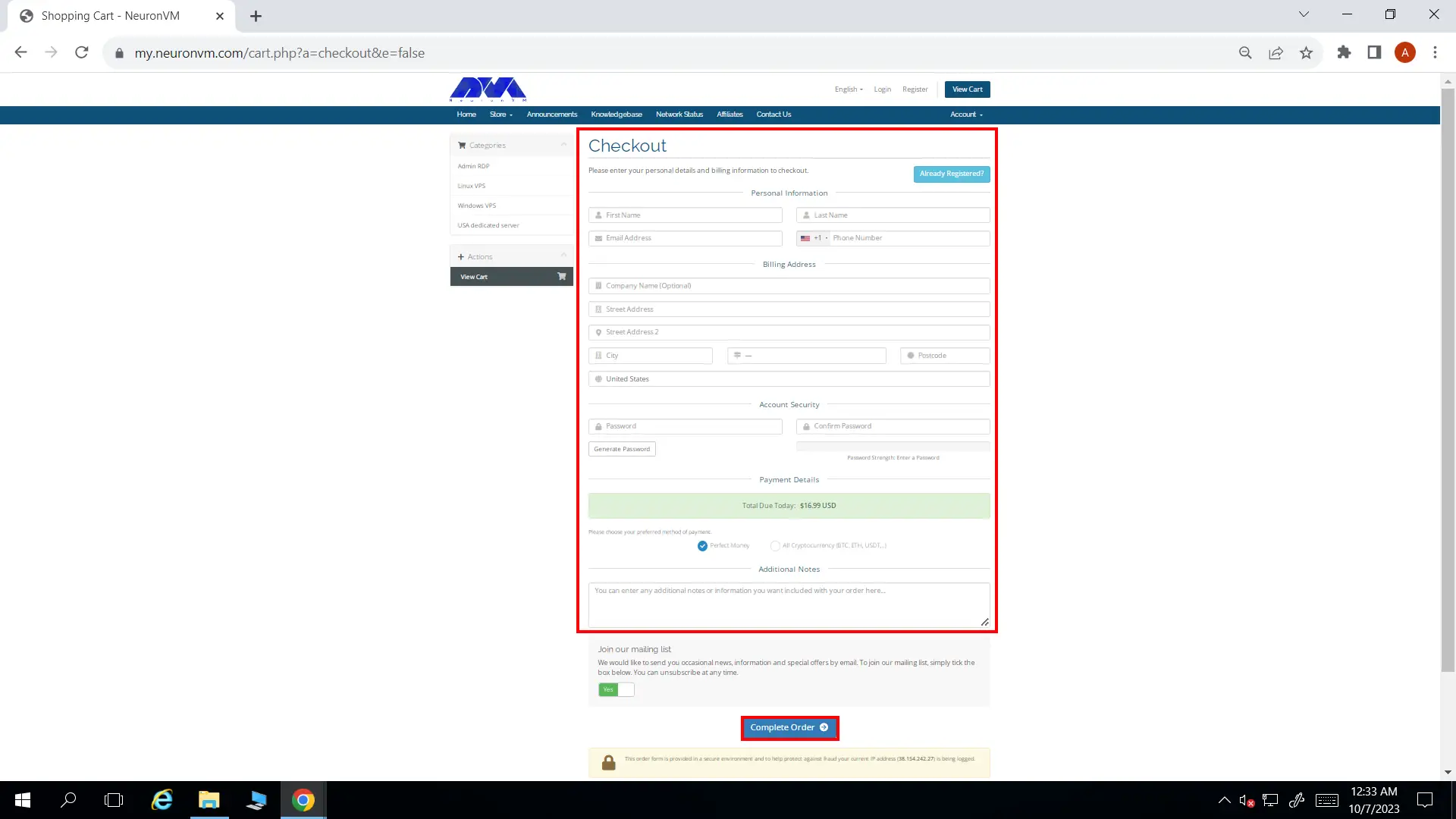
    • NeuronVM will require some of your information to complete the ordering process. If you’ve registered in our website before, you can simply click on Already Registered button. At the bottom of the page, choose All Cryptocurrencies and then click on Complete Order.
    Complete Order
    • In the final step, choose Bitcoin as your preferred cryptocurrency and complete the buying process.
    Bitcoin France RDP

    After the payment is done, NeuronVM will instantly provide you with your France RDP and you can start using it. Remember if you had any issues going through this process, you can either comment down below or contact our friendly support team. We will get back to you in no time.

    Conclusion

    In conclusion, France RDP offers a multitude of benefits for businesses and individuals seeking reliable remote access solutions. The enhanced performance and connectivity provided by France’s strong network infrastructure ensure seamless and high-speed remote access experiences. Moreover, opting for France RDP means benefiting from advanced security measures, including robust data protection regulations and reliable server monitoring, reducing the risk of data breaches or cyberattacks.

    Conclusion: Why should you buy France RDP

    From a business perspective, France RDP allows companies to expand their reach globally, serving clients and customers from around the world with ease. Additionally, it offers cost-effective solutions, saving on hardware costs, maintenance, and operational expenses compared to setting up on-premises infrastructure.

    For individuals, France RDP provides access to enterprise-level software and resources at a fraction of the cost, enhancing productivity while saving on personal investments.

    With the ability to purchase France RDP using Bitcoin, the process becomes even more convenient and aligned with the modern trend of digital transactions. Embracing France RDP empowers users to bridge geographical barriers, streamline operations, and leverage the remarkable benefits of remote desktop protocol. So, embark on the Bitcoin Boulevard to France and unlock the infinite potential of RDP.

  • Setting Up phpMyAdmin on Debian: A Comprehensive Guide

    Setting Up phpMyAdmin on Debian: A Comprehensive Guide

    phpMyAdmin is a widely-used open-source tool for managing MySQL databases through a web interface. As one of the most popular database management tools, phpMyAdmin provides a user-friendly interface to handle various database tasks. This comprehensive guide will walk you through the process of setting up phpMyAdmin on Debian, ensuring you have a smooth and hassle-free experience in managing your MySQL databases. For applying all of these steps, we recommend you to get a Linux VPS with Debian OS and get going.

    What is phpMyAdmin?

    phpMyAdmin is a free and open-source web-based application written in PHP, specifically designed to handle the administration and management of MySQL and MariaDB databases. It allows users to interact with their databases through a user-friendly graphical interface, eliminating the need to manually input queries through the command line.

    Some of the uses of phpMyAdmin include:

    1. Database administration: phpMyAdmin provides a comprehensive set of tools for managing databases, including creating, modifying, and deleting databases, tables, fields, and indexes.
    2. Data manipulation: Users can easily perform operations like inserting, updating, and deleting data from the database tables. It offers an intuitive interface to interact with the data and make changes.
    3. Query execution: phpMyAdmin allows users to execute SQL queries directly within the application. This makes it a valuable tool for database developers and administrators to write and test queries without relying solely on command line interfaces.
    4. Database import and export: phpMyAdmin supports importing and exporting databases in various formats, such as SQL, CSV, XML, etc. This feature enables users to move data between different databases or backup and restore their database contents.
    5. User management: It offers functionalities to manage user privileges and permissions, allowing administrators to create and manage multiple users with different levels of access to the database.
    6. Database maintenance: phpMyAdmin provides tools to optimize and repair database tables, allowing users to improve their database performance and maintain data integrity.
    phpMyAdmin on Debian

    Overall, phpMyAdmin simplifies the management and administration of MySQL and MariaDB databases, making it easier for users to perform various database-related tasks without extensive knowledge of SQL or command line interfaces.

    Installing the Required Packages

    Before we can set up phpMyAdmin on Debian, we need to make sure that the necessary packages are installed. The first step is to update the package lists using the following command:

    sudo apt update

    Once the package lists are updated, we can proceed to install phpMyAdmin and other required packages by executing the command:

    sudo apt install phpmyadmin php-mbstring php-gettext php-mcrypt

    During the installation process, you will be prompted to choose the web server that should handle phpMyAdmin. Select the appropriate web server (such as Apache or Nginx) and click “Ok.”

    Requirements to install phpMyAdmin

    Configuring phpMyAdmin on Debian

    After installing the required packages, you need to configure phpMyAdmin to work properly. By default, Debian does not enable the phpMyAdmin Apache configuration, so we need to enable it manually. Run the following command to enable the configuration:

    sudo phpenmod mbstring

    Next, we need to add the phpMyAdmin Apache configuration to the Apache configuration file. Execute the command below:

    sudo ln -s /etc/phpmyadmin/apache.conf /etc/apache2/conf-available/phpmyadmin.conf

    Once you created the symlink, we can enable the configuration by running:

    sudo a2enconf phpmyadmin

    Finally, restart the Apache web server to apply the changes:

    sudo systemctl restart apache2
    Configuring phpMyAdmin on Debian

    Practical Guide to Setting Up phpMyAdmin on Debian

    Now that you installed and configured phpMyAdmin, we can access it through a web browser. Open your favorite browser and enter your server’s IP address or domain name, followed by “/phpmyadmin” (for example, http://your-server-ip/phpmyadmin). You will be presented with the phpMyAdmin login screen.

    Practical guide to setting up phpMyAdmin

    Enter the MySQL username and password to log in to phpMyAdmin. Once logged in, you can start managing your databases, creating new tables, running queries, and performing various database operations through the intuitive web interface offered by phpMyAdmin.

    Conclusion

    By following this comprehensive guide, you have successfully setup phpMyAdmin on Debian, allowing you to efficiently manage your MySQL databases through a web interface. Now you can take advantage of phpMyAdmin’s powerful features to simplify your database management tasks and streamline your workflow. Whether you are a beginner or an experienced user, phpMyAdmin on Debian is an excellent tool to enhance your database administration capabilities.

  • Infographic: Apache vs Litespeed

    Infographic: Apache vs Litespeed

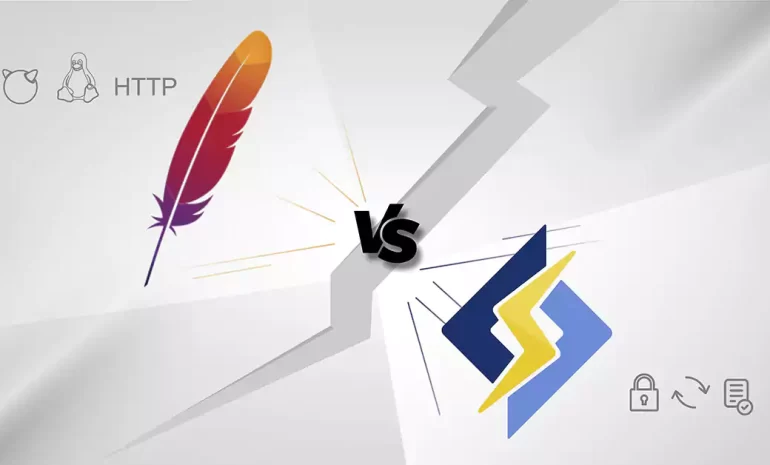
    When it comes to web server technology, Apache and Litespeed are two popular options that often make the list. Apache, an open-source web server software, has been the go-to choice for many webmasters for decades. On the other hand, Litespeed, a commercial server software, has gained significant popularity in recent years due to its high performance and efficiency. In this infographic post, we will compare Apache vs Litespeed in terms of their performance, features, and other things to determine which one is the better choice for your website. By examining the strengths and weaknesses of each server, we aim to provide you with valuable insights to make an informed decision in choosing between Apache and Litespeed for your web hosting needs.

    Apache vs Litespeed Overview

    Apache, known for its stability and versatility, has remained a stalwart in the world of web servers since its inception. With a wide range of modules and extensive community support, Apache offers a comprehensive solution for various web hosting requirements. However, as websites become more dynamic and handle heavy traffic loads, Apache’s processing speed can sometimes lag behind, resulting in longer page load times and reduced server performance. This is where Litespeed emerges as a strong contender in the Apache vs Litespeed debate. Litespeed is designed to tackle the performance limitations of Apache, exhibiting significantly faster response times and better scalability. Additionally, Litespeed incorporates advanced caching mechanisms and efficient resource utilization, allowing it to handle larger volumes of concurrent connections and requests with ease.

    In conclusion, the Apache vs Litespeed debate revolves around balancing stability, community support, and cost-effectiveness against superior performance and scalability. While Apache remains the trusted choice for its versatility and extensive plugin ecosystem, Litespeed’s focus on speed and efficiency renders it an appealing alternative, especially for high-traffic websites.

    Remember you can always buy a reliable server from NeuronVM and test the things we discuss in our post in a safe environment.

  • Infographic: Unleashing the Power of Kali Linux Tools

    Infographic: Unleashing the Power of Kali Linux Tools

    Kali Linux, a powerful operating system, has emerged as a game-changer for cybersecurity enthusiasts and professionals worldwide. With its arsenal of awesome tools, Kali Linux empowers users to penetrate systems, conduct ethical hacking, and enhance their security defenses. The vast range of these tools covers everything from network analysis, password cracking, and wireless attacks to digital forensics and vulnerability assessment. These meticulously crafted tools, designed and developed by an expert community, equip users with unparalleled capabilities to uncover vulnerabilities, simulate real-world attacks, and fortify their systems against malicious threats.

    Kali Linux Tools Infographic

    Whether you’re a beginner or an advanced user, Kali Linux tools offer an immersive and exhilarating experience in the world of cybersecurity. Diving into the realm of network analysis, tools like Wireshark and Nmap enable users to visualize and understand network traffic, perform deep packet inspection, and identify potential weaknesses. For those interested in password security, John the Ripper and Hydra prove invaluable by efficiently cracking encrypted passwords through brute-force attacks and dictionary-based methods. As you progress further, you stumble upon tools like Metasploit and Burp Suite, which provide the ability to emulate actual attacks and test the resilience of systems against various exploits. Additionally, the extensive collection of digital forensics tools allows users to investigate incidents, recover deleted files, and analyze system artifacts. Thus, these tools not only expand your knowledge but also ensure you’re armed with the necessary skills to safeguard your digital assets.

    Below, you can see an infographic showcase of the most popular and common Kali Linux tools in 13 different categories. Sure there are way more tools that you can use for penetration testing, but these are the essential ones. Hope this post gives you the bigger picture you may need! You can also download the PDF file if you want to have a closer look!